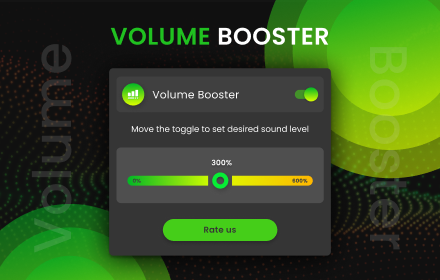
Sound Booster
Customize music file by volume booster tool. Allow you to increase the volume of your audio and video files
As of May 2026, Sound Booster has 10,000 users and a 4.38/5 rating from 37 reviews in the fun category.
Usersno change0%
10.0K
10,000
Ratingup 0.9 percent+0.9%
4.38
37 reviews
Reviewsup 5.7 percent+5.7%
37
Version
1.0.0
Manifest V3
History
2 snapshotsTracking since Apr 30, 2026.
View as table
| Date | Users | Rating | Reviews | Version |
|---|---|---|---|---|
| Apr 30, 2026 | 10.0K | 4.34 | 35 | 1.0.0 |
| May 27, 2026 | 10.0K | 4.34 | 35 | 1.0.0 |
| Now | 10.0K | 4.38 | 37 | 1.0.0 |
Permissions & access
- Permissions
- activeTabtabstabCapturestoragesystem.display
- Host access
- *://*/*
Screenshots

About
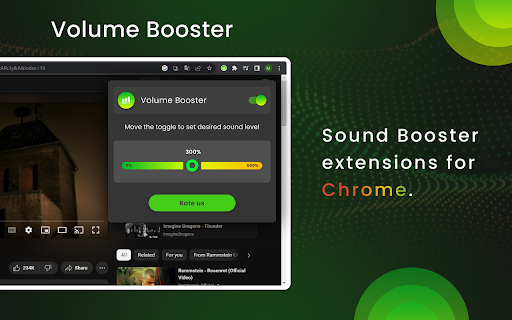
Volume Booster is a handy application designed to enhance the audio output of your Chrome browser. It is a browser extension that can be easily installed and integrated into your Chrome web browser, providing a convenient way to boost the volume of various multimedia content.

The primary purpose of Volume Booster is to amplify the sound levels of online videos, music, podcasts, and any other audio-based content you encounter while browsing the web. It can be particularly useful in situations where the audio output is too low, allowing you to increase the volume and enjoy your media more comfortably.

Once installed, Volume Booster typically adds an icon or a control panel to the Chrome toolbar, giving you quick access to its settings and features. The extension works by applying digital signal processing techniques to increase the volume levels without significantly distorting the audio quality.

With Volume Booster, you can adjust the volume according to your preferences. It often provides a slider or numeric control that allows you to increase or decrease the volume levels incrementally. Some extensions may also offer additional customization options, such as equalizer settings, to fine-tune the audio output to your liking.

It's important to note that while Volume Booster can effectively boost the volume, excessively high volume levels may lead to audio distortion or reduce the overall audio quality. Therefore, it's recommended to use this extension responsibly and avoid pushing the volume levels to their maximum limit.

Overall, Volume Booster is a convenient Chrome extension that enhances the audio output of your browser, ensuring you can enjoy multimedia content with improved clarity and volume.
Technical
- Version
- 1.0.0
- Manifest
- V3
- Size
- 173KiB
- Min Chrome
- 88
- Languages
- 53
- Featured
- Yes
Metadata
- ID
- nlgmicoooapgmaaplbkjnhjbeojeoaha
- Developer ID
- u53707a9cd146684bdba545de5c1beb76
- Developer Email
- [email protected]
- Created
- May 27, 2023
- Last Updated (Store)
- May 27, 2023
- Last Scraped
- May 27, 2026
- Website
- —
- Support URL
- —
- Privacy Policy
- —
Similar extensions
Alternatives to Sound Booster, ranked by description similarity.

Sound Booster
Unleash the power of sound on your browser! Increase volume to max level and control the it of any tab.
1.0K
★ 4.3
Volume Control
Audio volume control for Chrome™. Set sound level for each tab separately with audio control and sound booster.
100.0K
★ 4.3

Volume Booster
Control tab volume. Boost tab sound up to 600%.
4.0K
★ 4.8

Volume Controller
Audio Volume Controller for Chrome. Set sound level for each tab separately with audio sound booster
20.0K
★ 4.2

Audio Enhancer Pro
Professional volume control, 10-band EQ, AI audio enhancement, and immersive 3D spatial audio for your browser
1.0K
★ 5.0

Volume Master Pro
Profesyonel ses arttırma eklentisi - Web sayfalarındaki sesleri %600'e kadar arttırın
20

Mixider
Mixider Chrome extension offers advanced audio controls for a richer and more customizable sound experience directly in the browser.
11

Volume Sizzler
Volume Manipulator!. This extension can be used to amplify, adjust bass, and as well as adjust treble. Have fun! Enjoy.
143
★ 4.6
Data sourced from the Chrome Web Store · last verified May 27, 2026.