
Saver
Save the tabs you are using and you are going to use later easily with just one button ! Imagine when you are watching a series…
As of May 2026, Saver has 7 users and a 5.00/5 rating from 1 reviews in the Workflow & Planning category.
Usersdown 12.5 percent−12.5%
7
7
Ratingno change0%
5.00
1 reviews
Reviewsno change0%
1
Version
1.0
Manifest V3
History
1 snapshotsTracking since Apr 1, 2026.
View as table
| Date | Users | Rating | Reviews | Version |
|---|---|---|---|---|
| Apr 1, 2026 | 8 | 5.00 | 1 | 1.0 |
| Now | 7 | 5.00 | 1 | 1.0 |
Permissions & access
- Permissions
- tabsstorage
- Host access
- None declared
Screenshots


About
Save the tabs you are using and you are going to use later easily with just one button !


Imagine when you are watching a series or movie and you closed the tab before you are finished it. What are you gonna do, are you going to search all of your chrome history to find the tab ?
No, you dont need to do it anymore, just use this extension, save the tab and give it a cool name!

Or you saw a important page you want to use it later. Just save it with this extension, give it a name and go it later.


## Url Name
Set a name for current tab, you can always click the name of any tab to go link whenever you want.

## Save (Button)
It will save the tab with "url name".

## Update (Button)
It changes the link of tab with your current tab's link. (If you are watching a movie or series you can use it just before you are gonna close the page)

## Pencil (Button)
Just changes the "url name".

## Trash (Button)
Removes the tab.
Technical
- Version
- 1.0
- Manifest
- V3
- Size
- 49.23KiB
- Min Chrome
- 88
- Languages
- 1
- Featured
- No
Metadata
- ID
- nlagpejbofjihfhbkbeceldninpdbedl
- Developer ID
- u6dc87aecfad6cc0b3cae026caa1647ab
- Developer Email
- [email protected]
- Created
- Sep 26, 2024
- Last Updated (Store)
- Sep 26, 2024
- Last Scraped
- May 27, 2026
- Website
- —
- Support URL
- —
- Privacy Policy
- —
Similar extensions
Alternatives to Saver, ranked by description similarity.

WhyTab? - Tab Saver & Organizer
Save tabs with notes, organize them into folders, and never forget why you kept a tab open.
10
★ 5.0

CopyTab URLs
Effortlessly copy and organize the URLs of your open tabs in one click.
10.0K
★ 4.6

Sai Kiran Doosari
Temporarily save current tab url to view or access later
3

LinkMemo - Simplest 'Read Later'
Save URLs with One Click
415
★ 4.9
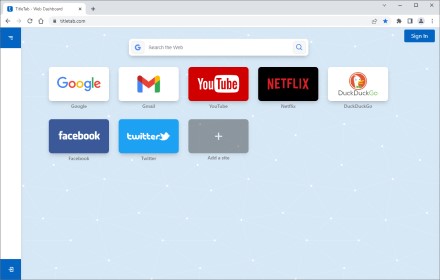
TitleTab - Speed Dial Dashboard
TitleTab Extension: speed dial dashboard, prevent accidental tab closure, and easy open tab saving.
1.0K
★ 4.4

URL Saver
A simple and fashionable way to save and manage your URLs.
264
★ 5.0

Save Tabs
Save the active tab on 1-CLICK
84
★ 4.5

Tab Saver
Tab Saver: Organize and Save Tabs, export bookmarks chrome. Tab manager to backup and organize sessions, save chrome tabs for later
137
★ 5.0
Data sourced from the Chrome Web Store · last verified May 27, 2026.