FabCapture – Web Text Extractor
Capture text elements with metadata and save as various formats.
As of June 2026, FabCapture – Web Text Extractor has 164 users and a 5.00/5 rating from 1 reviews in the Productivity category.
Usersup 5.8 percent+5.8%
164
164
Ratingno change0%
5.00
1 reviews
Reviewsno change0%
1
Version
2.0
Manifest V3
History
7 snapshotsTracking since Apr 1, 2026.
View as table
| Date | Users | Rating | Reviews | Version |
|---|---|---|---|---|
| Apr 1, 2026 | 155 | 5.00 | 1 | 2.0 |
| Apr 18, 2026 | 166 | 5.00 | 1 | 2.0 |
| Apr 28, 2026 | 149 | 5.00 | 1 | 2.0 |
| May 8, 2026 | 140 | 5.00 | 1 | 2.0 |
| May 15, 2026 | 145 | 5.00 | 1 | 2.0 |
| May 24, 2026 | 154 | 5.00 | 1 | 2.0 |
| Jun 3, 2026 | 149 | 5.00 | 1 | 2.0 |
| Now | 164 | 5.00 | 1 | 2.0 |
Permissions & access
- Permissions
- activeTabscriptingstoragedownloadsoffscreen
- Host access
- None declared
Screenshots


About
Here is the updated text for **FabCapture 2.0**, incorporating all the new features (formatting, encryption, new export formats, and direct copying) while maintaining the energetic and clear tone of the original description.

***

# FabCapture 2.0

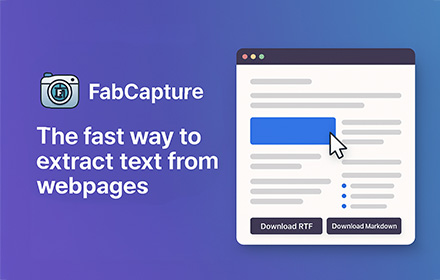
FabCapture is the fastest way to extract only the text you actually want from a webpage. Instead of grabbing the entire page—ads, menus, or irrelevant content—FabCapture lets you click and select specific text elements (headings, paragraphs, lists, links) and save them instantly in your preferred format. No more copy-pasting and manual cleanup—you stay in control.

### 🔹 What’s New in Version 2.0?

* **Enhanced Formatting Preservation:** We’ve significantly upgraded how content is captured. FabCapture now perfectly retains **tables**, **lists**, **blockquotes**, and **code blocks**.
* **Syntax Highlighting:** Developers will love this—captured code snippets now maintain their syntax highlighting for easier reading.
* **Direct Markdown Copy:** Need to paste text into Notion or Obsidian immediately? You can now copy directly to the clipboard in Markdown format without saving a file.
* **Expanded Export Formats:** Beyond RTF and Markdown, we have added:
    * **HTML:** Preserves full formatting.
    * **Plain TXT:** For pure, unformatted text.
    * **JSON:** Ideal for developers and data processing.
* **Local Encryption:** Maximum privacy protection. Your data can be encrypted locally before export.

---

### 🔹 Key Features

* **Select only the content you need**—no junk, ads, or clutter.
* **Click & capture**—manually pick text elements directly from any webpage.
* **Versatile Export Options**—Save as Markdown, HTML, RTF, JSON, or TXT.
* **Smart Clipboard**—Copy Markdown directly to your clipboard for instant use.
* **Privacy First**—Works entirely locally with new local encryption options. No external servers, no tracking.
* **Dev-Friendly**—Excellent support for code blocks and syntax highlighting.

---

### 🔹 How It Works

1.  Click the FabCapture extension icon to activate selection mode.
2.  Click on the text elements, tables, or code blocks you want to keep—they’ll be highlighted.
3.  Toggle metadata checkboxes to include/exclude Title, Description, Date, or URL.
4.  Choose your format (MD, HTML, JSON, etc.) and click **Download** to save, or simply hit **Copy** to paste the Markdown elsewhere immediately.

---

### 🔹 Why FabCapture?

* **🛠 No clutter:** Extract exactly what matters, skip the rest.
* **⚡ Fast & simple:** Click, select, and save/copy in seconds.
* **📝 Rich Content:** Handles tables, lists, and code better than standard copy-paste.
* **🔒 100% Private:** Runs entirely in your browser with optional encryption.
* **📄 Perfect for AI & AI agents:** Creates clean, structured JSON or Markdown ready for LLM processing.

---

### 🔹 Who Created It?

FabCapture was developed with AI’s help—concept, structure, and functionality guided and refined by the creator.

---

**🚀 Download FabCapture 2.0 now and take full control over your web text extraction!**
Technical
- Version
- 2.0
- Manifest
- V3
- Size
- 51.92KiB
- Min Chrome
- 88
- Languages
- 1
- Featured
- No
Metadata
- ID
- nkkgbfcocehamapgkjmippbckoggblpp
- Developer ID
- u00b59e4b657bfedd220663cd5ea364fb
- Developer Email
- [email protected]
- Created
- Feb 13, 2025
- Last Updated (Store)
- Dec 5, 2025
- Last Scraped
- Jun 3, 2026
- Website
- fabcapture.app
- Support URL
- —
- Privacy Policy
- —
Similar extensions
Alternatives to FabCapture – Web Text Extractor, ranked by description similarity.

Text Grabber: Save as Text & PDF
Capture highlighted text and save as .txt or .pdf with right-click. Perfect for research and note-taking.
70

Clip'd
Select text/images from web pages and copy it directly for export, to clipboard, or as a text file with AI OCR support!!
12

Quick Content Picker
Select and format webpage content for easy copying, downloading, printing, and sharing.
86

Capture to PPT or PDF
가로/세로/2D 스크롤 캡처, OCR 텍스트 인식 및 강조 기능을 지원하는 스크린 캡처 확장 프로그램. PNG/JPEG/PDF 저장, 워터마크, 키워드 태그 기능 포함.
34

SnapExport, Web Page Content Exporter
Export page content, images, and media with advanced features
11

Snipwise
Smart clipboard manager with instant format conversion. Auto-captures everything you copy. 100% private, zero backend.
5
★ 5.0

ScrapeDown
A configurable extension to scrape book content from web pages.
23

Extract & Ask: AI Workflow Tool
Extract web content from any tab, prepend AI prompts, and paste instantly into ChatGPT,Gemini etc. Local processing, zero tracking.
53
Data sourced from the Chrome Web Store · last verified Jun 3, 2026.