
DocDownloader
One-click export of any webpage or chat to a clean Word document (.doc).
As of May 2026, DocDownloader has 626 users in the Productivity category.
Usersup 63.9 percent+63.9%
626
626
Ratingno change0%
—
— reviews
Reviewsno change0%
—
Version
1.0.0
Manifest V3
History
4 snapshotsTracking since Apr 20, 2026.
View as table
| Date | Users | Rating | Reviews | Version |
|---|---|---|---|---|
| Apr 20, 2026 | 382 | — | — | 1.0.0 |
| May 5, 2026 | 516 | — | — | 1.0.0 |
| May 17, 2026 | 538 | — | — | 1.0.0 |
| May 30, 2026 | 562 | — | — | 1.0.0 |
| Now | 626 | — | — | 1.0.0 |
Permissions & access
- Permissions
- scriptingactiveTab
- Host access
- None declared
Screenshots


About
DocDownloader makes saving online content effortless. With one click (or Ctrl+Shift+S), instantly export the main content of any webpage, chat, or online document into a Word-compatible .doc file that opens cleanly in Microsoft Word, Google Docs, or LibreOffice.

No logins. No watermarks. No ads. Just fast, simple exports.

🚀 Key Features

One-click export – Press Ctrl+Shift+S or use the toolbar button.

Word-compatible format – Downloads as .doc, ready for Microsoft Word, Google Docs, or other editors.

Works anywhere – Save from ChatGPT, forums, blogs, articles, documentation pages, PDFs (if displayed in browser), and more.

Clean formatting – Removes empty lines, extra spacing, and broken inline images.

Automatic file naming – Files are saved with the page title, so you can find them easily later.

Lightweight & private – Runs locally in your browser, doesn’t track or upload your data.


Perfect for:

Archiving AI conversations (ChatGPT, Claude, Gemini, etc.)

Saving research papers, manuals, tutorials to Word format

Collecting project notes, blog posts, or forum threads offline

Creating shareable documents from any webpage


How it works:

Open any webpage or chat you want to save.

Press Ctrl+Shift+S (or click the extension icon).

A .doc file is downloaded, containing the cleaned content.

Open it in Microsoft Word, Google Docs, or LibreOffice.


Why DocDownloader?

Unlike other “downloaders,” DocDownloader is:

Free – no subscriptions or paywalls

No sign-up – install and use instantly

Privacy-friendly – everything happens on your computer
Technical
- Version
- 1.0.0
- Manifest
- V3
- Size
- 165KiB
- Min Chrome
- 88
- Languages
- 1
- Featured
- No
Metadata
- ID
- nkdlhcllpbpojdlhpfomjgnmifgiehad
- Developer ID
- uf36f8f080d334915a88ffe6c96aaad59
- Developer Email
- [email protected]
- Created
- Sep 9, 2025
- Last Updated (Store)
- Sep 9, 2025
- Last Scraped
- May 30, 2026
- Website
- —
- Support URL
- —
- Privacy Policy
- —
Similar extensions
Alternatives to DocDownloader, ranked by description similarity.

Chat2Doc - Export ChatGPT, Claude & Gemini to PDF/Word
One-click export AI chats (ChatGPT, Claude, Gemini, DeepSeek) to professional PDF, Word, and Markdown documents. Save your history.
115
★ 1.0

Web to Office - Smart Document Converter
Turn web pages into Word, PDF, Markdown or Excel. Smart extraction, AI-friendly output. Save to Google Drive, OneDrive.
220
★ 3.9

ChatGPT One-Click Saver
Click the extension icon to download the current ChatGPT conversation as Markdown.
3
★ 5.0

Web Page Downloader
Web Page Downloader allows you to download and save entire web pages, including linked resources, for offline viewing.
50.0K
★ 4.2

Save to Google Docs
Save selected text from any webpage directly to Google Docs with a simple right-click.
277

Save Webpage
One click tool that captures any page as a single offline HTML file with all images and styles inlined.
876
★ 5.0

Web to Markdown
Save any web page as a Markdown file with one click
15
ChatGPT Exporter
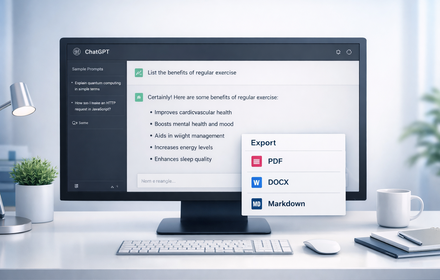
Export ChatGPT conversations to PDF, Word, Markdown, and Text.
194
★ 1.0
Data sourced from the Chrome Web Store · last verified May 30, 2026.