SneakPeek
Browser simple, better, faster.
As of May 2026, SneakPeek has 52 users and a 3.50/5 rating from 6 reviews in the Workflow & Planning category.
Usersup 6.1 percent+6.1%
52
52
Ratingno change0%
3.50
6 reviews
Reviewsno change0%
6
Version
1.0.27
Manifest V3
History
3 snapshotsTracking since Apr 1, 2026.
View as table
| Date | Users | Rating | Reviews | Version |
|---|---|---|---|---|
| Apr 1, 2026 | 49 | 3.50 | 6 | 1.0.27 |
| Apr 30, 2026 | 51 | 3.50 | 6 | 1.0.27 |
| May 27, 2026 | 46 | 3.50 | 6 | 1.0.27 |
| Now | 52 | 3.50 | 6 | 1.0.27 |
Permissions & access
- Permissions
- tabsstoragedeclarativeNetRequestWithHostAccessoffscreenunlimitedStorage
- Host access
- <all_urls>
Screenshots

About
SneakPeek is a better way to browse the internet.

Do you know how you're searching for something on the web and end up visiting like 1000 pages just to go back in a few seconds because it's clearly not what you're looking for? Yeah, painful, we know...

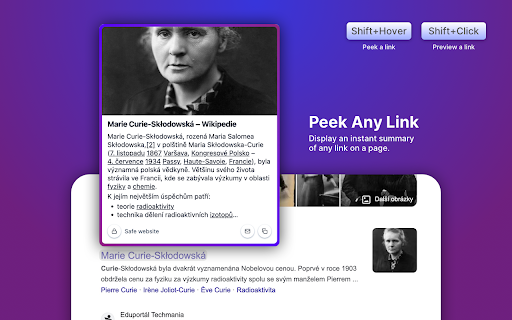
SneakPeek provides a simple way to Peek and Preview links without opening the page. You can:
• Trigger a Peek (by link hover + trigger key) to see the promo image, description, and the start of the page text.
• Trigger a Preview (by link click + trigger key) to display the full page without navigating away from the current page.

SneakPeek also packs some power-user features and settings. Just to name a few:
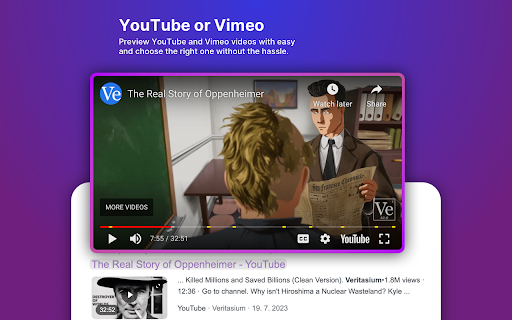
• It's ready for video pages like YouTube or Vimeo, displaying the little preview of the video.
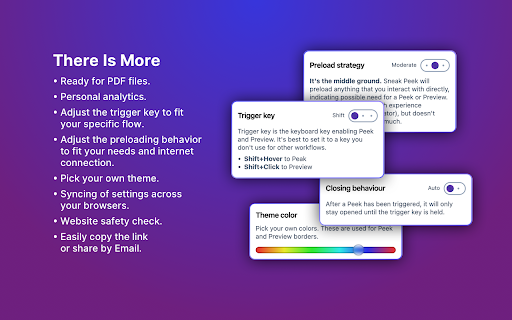
• It's ready for PDF files.
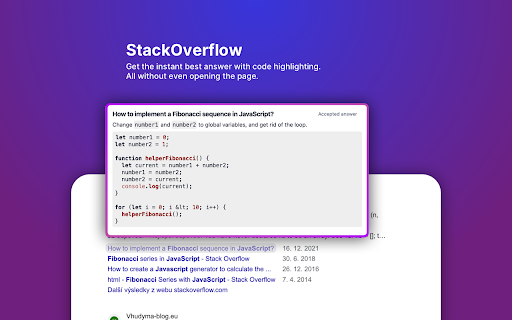
• It automatically detects and displays the best answer from the StackOverflow questions.
• It let's you adjust the trigger-key to fit your specific flow.
• It let's you adjust the preloading behaviour to fit your needs and internet connection.
• It has a theme editing.

Give it a go. You might love it!
Technical
- Version
- 1.0.27
- Manifest
- V3
- Size
- 485KiB
- Min Chrome
- 88
- Languages
- 1
- Featured
- Yes
Metadata
- ID
- njjgclocednmcgjkdkaokdfmelnadgao
- Developer ID
- ub22392174329bb2ed9acd87fab9c934f
- Developer Email
- [email protected]
- Created
- Dec 24, 2023
- Last Updated (Store)
- Jan 3, 2024
- Last Scraped
- May 27, 2026
- Website
- —
- Support URL
- —
- Privacy Policy
- —
Similar extensions
Alternatives to SneakPeek, ranked by description similarity.

SidePeek | Side Browser
A simple side browser for your favorite sites in Chrome's side panel
—

Peek
Your One-Tab Link Preview Solution
—
★ 2.3

WebLook
Peek inside any link instantly without leaving your page. Hold Shift and hover to preview links with a clean, adaptive UI.
14

Peeky - Chrome History Organizer
Peeky organizes your web history and helps you get to what you want.
181
★ 5.0

PeekTube
Preview YouTube videos with chapters, sharing, and customizable viewing options.
6
★ 5.0

Preview Link
Preview links without leaving the page—live previews, fewer tabs, and hover or key-triggered opening.
25
★ 3.7

Peeka
Peeka (Beta): Short Peeks, Big Insights - Your Personal Youtube GPT (YTGPT)
12
★ 5.0

Code Preview
A Chrome extension to preview code snippets and answers to code questions in Google search results.
81
★ 5.0
Data sourced from the Chrome Web Store · last verified May 27, 2026.