
Image Blur Extension
A Chrome extension to blur images on web pages
As of June 2026, Image Blur Extension has 2,000 users and a 5.00/5 rating from 2 reviews in the Functionality & UI category.
Usersno change0%
2.0K
2,000
Ratingno change0%
5.00
2 reviews
Reviewsup 100.0 percent+100.0%
2
Version
2.0.0
Manifest V3
History
2 snapshotsTracking since Apr 16, 2026.
View as table
| Date | Users | Rating | Reviews | Version |
|---|---|---|---|---|
| Apr 16, 2026 | 2.0K | 5.00 | 1 | 2.0.0 |
| Apr 26, 2026 | 2.0K | 5.00 | 1 | 2.0.0 |
| Now | 2.0K | 5.00 | 2 | 2.0.0 |
Permissions & access
- Permissions
- activeTabstorage
- Host access
- None declared
Screenshots
About
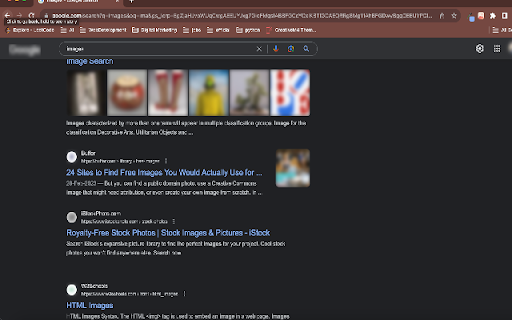
Are you concerned about your online privacy and tired of images on websites invading your personal space? Introducing Image Blur, your ultimate solution for taking control of your online visual experience.

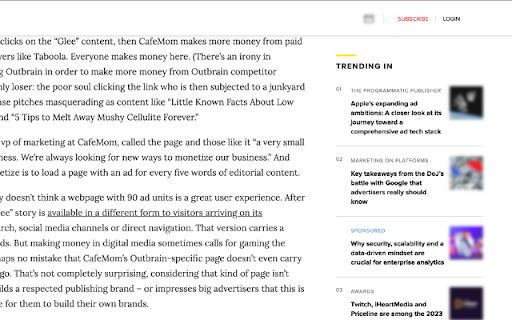
Image Blur seamlessly integrates with your Chrome browser to blur all images on the websites you visit. Whether you're on social media, news sites, or any other platform

We understand that everyone has different preferences. That's why Image Blur allows you to customize the blur intensity. Choose the level of blur that suits your comfort level, from subtle to complete obscurity.

You're in control. Easily toggle the extension on and off with a single click. When you want to enjoy high-resolution images, simply turn off Image Blur, and when you're concerned, turn it back on.
Technical
- Version
- 2.0.0
- Manifest
- V3
- Size
- 308KiB
- Min Chrome
- 88
- Languages
- 1
- Featured
- Yes
Metadata
- ID
- njjgcapodcfiiofppomncilmenhgdmmc
- Developer ID
- u19347830933b0c62c43d92569c9faeee
- Developer Email
- [email protected]
- Created
- Oct 8, 2023
- Last Updated (Store)
- Jan 15, 2026
- Last Scraped
- Jun 9, 2026
- Website
- —
- Support URL
- —
- Privacy Policy
- —
Similar extensions
Alternatives to Image Blur Extension, ranked by description similarity.

Image Blocker
Toggle images on websites with a single click. Reduce distractions and improve page load times with this simple image blocker.
223

Privacy View
Apply privacy (blurred, translucent) effect to the browser UI
280
★ 5.0

Awesome Image Hider
Toggle images on or off per website. Hide, blur image.
30
★ 5.0

Blurs
Hide your browser info
12

Blur
Toggle blur effect on web pages with customizable excluded URLs
83
★ 5.0

Dark Mode Toggle
Toggle dark mode on any page with a click and persist state
99
★ 4.6

SafeBlur
Blurs specified areas on web pages.
3

Grayscale Webpages
Applies a grayscale filter to all webpages. Use Alt+G to toggle.
74
Data sourced from the Chrome Web Store · last verified Jun 9, 2026.