
Tab Jump
Make tabs jump to first or second positions using keyboard shortcuts without the need for drag-dropping
As of May 2026, Tab Jump has 14 users in the Accessibility category.
Usersdown 6.7 percent−6.7%
14
14
Ratingno change0%
—
— reviews
Reviewsno change0%
—
Version
1.0
Manifest V3
History
4 snapshotsTracking since Apr 1, 2026.
View as table
| Date | Users | Rating | Reviews | Version |
|---|---|---|---|---|
| Apr 1, 2026 | 15 | — | — | 1.0 |
| Apr 20, 2026 | 14 | — | — | 1.0 |
| May 17, 2026 | 12 | — | — | 1.0 |
| May 30, 2026 | 13 | — | — | 1.0 |
| Now | 14 | — | — | 1.0 |
Permissions & access
- Permissions
- activeTab
- Host access
- None declared
Screenshots
About
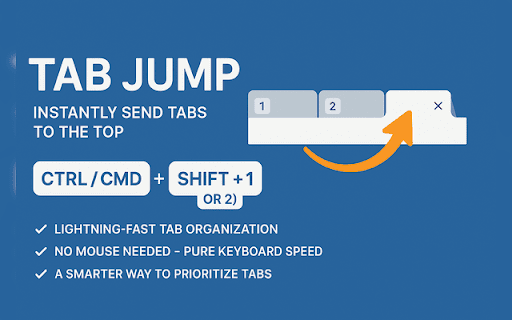
Tab Jump – Instantly Send Tabs to the Top

Tired of clicking and dragging tabs around? With Tab Jump, instantly move your current tab to the 1st or 2nd position using just a keyboard shortcut:
Ctrl/Cmd + Shift + [1 or 2]

No more slow tab-shuffling – jump straight to the front and take control of your tab lineup.

✅ Lightning-fast tab organization
✅ No mouse needed – pure keyboard speed
✅ A smarter way to prioritize tabs
Technical
- Version
- 1.0
- Manifest
- V3
- Size
- 3.86KiB
- Min Chrome
- 88
- Languages
- 1
- Featured
- No
Metadata
- ID
- njibegoeamehkokpopfcdlghdedbjogb
- Developer ID
- ue1d77907b242184488d565ade645d7c8
- Developer Email
- [email protected]
- Created
- Jun 19, 2025
- Last Updated (Store)
- Jun 19, 2025
- Last Scraped
- May 30, 2026
- Website
- —
- Support URL
- —
- Privacy Policy
- —
Similar extensions
Alternatives to Tab Jump, ranked by description similarity.

Tab Jump List
Navigate through your tabs with ease with a Vim-like tab jump list
42
★ 5.0

Tab Manager
Tab Manager is a browser extension designed to power users with the ability to pin and organize tabs in bulk rather than…
1

Jump to Top Button
Adds a floating button on every page to quickly jump to the top.
2

Chrome Tabs Numbers
Display the number of open tabs in the Chrome browser.
535
★ 5.0

TabTab Go - Smart Navigation
Enables keyboard-based navigation by cycling through prominent buttons
—
★ 5.0

GoFaster
Lightning-fast tab navigation with command palette (Ctrl+P), vim-style scrolling, and link hinting (f key) for mouse-free browsing.
46

Strict Tab Toggle
Toggle strictly between the last two active tabs.
14
★ 5.0

QuickTabFinder
A Chrome Extension for Effortless Tab Management
3
Data sourced from the Chrome Web Store · last verified May 30, 2026.