SwiftClean - Clear Cache, Cookies & Browsing Data
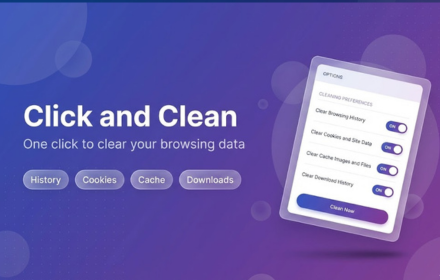
One click to clear browsing data - history, cookies, cache, downloads, form data, local storage & more. Fast & private.
As of June 2026, SwiftClean - Clear Cache, Cookies & Browsing Data has 67 users and a 5.00/5 rating from 11 reviews in the Productivity category.
Usersup 204.5 percent+204.5%
67
67
Ratingno change0%
5.00
11 reviews
Reviewsno change0%
11
Version
0.2.7
Manifest V3
History
8 snapshotsTracking since Apr 11, 2026.
View as table
| Date | Users | Rating | Reviews | Version |
|---|---|---|---|---|
| Apr 11, 2026 | 22 | 5.00 | 11 | 0.2.7 |
| Apr 21, 2026 | 30 | 5.00 | 11 | 0.2.7 |
| Apr 28, 2026 | 31 | 5.00 | 11 | 0.2.7 |
| May 6, 2026 | 33 | 5.00 | 11 | 0.2.7 |
| May 11, 2026 | 31 | 5.00 | 11 | 0.2.7 |
| May 23, 2026 | 33 | 5.00 | 11 | 0.2.7 |
| Jun 2, 2026 | 37 | 5.00 | 11 | 0.2.7 |
| Jun 10, 2026 | 60 | 5.00 | 11 | 0.2.7 |
| Now | 67 | 5.00 | 11 | 0.2.7 |
Permissions & access
- Permissions
- browsingDatanotificationsstorage
- Host access
- None declared
Screenshots


About
SwiftClean lets you wipe all your browsing data in a single click — or with a quick keyboard shortcut.

No complicated menus. No digging through settings. Just click the icon or press Ctrl+Shift+E (Cmd+Shift+E on Mac) and your selected data is gone.

What SwiftClean can clear:

✦ Browsing history
✦ Cookies
✦ Cached files
✦ Downloads history
✦ Form data & autofill
✦ localStorage data
✦ IndexedDB data
✦ cacheStorage data
✦ Application caches
✦ File systems
✦ WebSQL data
✦ Service workers
✦ Close all open windows & tabs

You choose what gets cleared.
Open the options page, toggle exactly the data types you want removed, and save. SwiftClean remembers your preferences across sessions.

Key features:

→ One-click clean — click the toolbar icon to instantly clear selected data
→ Keyboard shortcut — Ctrl+Shift+E (Cmd+Shift+E on Mac)
→ Customizable — pick exactly which data types to remove
→ Dark mode — options page adapts to your system theme
→ Lightweight — under 12 KB, no bloat, no background processes
→ Private — no data collected, no analytics, no external servers
→ Manifest V3 — built on the latest Chrome extension platform

Why SwiftClean?

Most browser cleaning extensions are bloated, slow, or ask for permissions they don't need. SwiftClean uses only three permissions: browsingData (to clear your data), storage (to save your preferences), and notifications (to confirm when cleaning is done). That's it.

Your data never leaves your browser. Nothing is sent anywhere. Nothing is tracked.

How to use:

1. Install SwiftClean
2. Click the extension icon — opens the options page on first run
3. Toggle the data types you want to clear
4. Click "Save Settings"
5. From now on, click the icon or press Ctrl+Shift+E to clean instantly

Works great as a quick privacy reset before closing your browser, clearing cache during web development, or just keeping your browser clean and fast.
Technical
- Version
- 0.2.7
- Manifest
- V3
- Size
- 27.07KiB
- Min Chrome
- 88
- Languages
- 1
- Featured
- No
Metadata
- ID
- nhceohlofbbdinllckjmfbecjgddokai
- Developer ID
- u7cc5b4b711f2a23d8d453c2d9a68b0c2
- Developer Email
- [email protected]
- Created
- Feb 16, 2026
- Last Updated (Store)
- Feb 19, 2026
- Last Scraped
- Jun 10, 2026
- Website
- —
- Support URL
- —
Similar extensions
Alternatives to SwiftClean - Clear Cache, Cookies & Browsing Data, ranked by description similarity.

Clearfy Cache
Clear cache, cookies and storage in one click.
40
★ 5.0

SwiftClear - One-Click Cleanup
Clear history, cache & cookies instantly. Speed up Chrome with one click. by AIO.com.ai
1

Clear Cache And Cookies For You
Clear cache and cookies for one website with just one click. Easily manage and delete cache and cookies saving time on data removal.
6

Delete Cache & Cookies
Quickly wipe cache, cookies and other site data created this session, all from a single click.
59

Cache Cleaner
Use Cache Cleaner: clear cache chrome, clear cookies & clean browser history for a faster, secure browsing experience.
1.0K
★ 4.4

History & Cache Cleaner
Clear browsing history, cache, cookies, and more with options.
10
★ 3.0

Clear Cache Chrome
⚡️Instantly remove browser cache, clear history, downloads and cookies with one click.🛡️ Faster browsing, enhanced privacy.
10.0K
★ 4.9

Simple Cache Cleaner
A minimalist extension to clear cache and browsing data for the current site.
—
Data sourced from the Chrome Web Store · last verified Jun 10, 2026.