
Ingenious XReply - X/Twitter Comment Reply Export Downloader
Quickly save your Tweet Comment Reply as Excel/JSON/CSV file with this simple one click exporting extension.
As of June 2026, Ingenious XReply - X/Twitter Comment Reply Export Downloader has 23 users in the Productivity category.
Usersup 21.1 percent+21.1%
23
23
Ratingno change0%
—
— reviews
Reviewsno change0%
—
Version
4.3.5
Manifest V3
90-day change · In the last 90 days this extension 1 version update.
History
11 snapshotsTracking since Apr 1, 2026.
View as table
| Date | Users | Rating | Reviews | Version |
|---|---|---|---|---|
| Apr 1, 2026 | 19 | — | — | 4.0.0 |
| Apr 11, 2026 | 17 | — | — | 4.0.0 |
| Apr 21, 2026 | 18 | — | — | 4.0.0 |
| Apr 28, 2026 | 21 | — | — | 4.0.0 |
| May 6, 2026 | 22 | — | — | 4.0.0 |
| May 11, 2026 | 20 | — | — | 4.3.5 |
| May 16, 2026 | 22 | — | — | 4.3.5 |
| May 23, 2026 | 23 | — | — | 4.3.5 |
| May 29, 2026 | 24 | — | — | 4.3.5 |
| Jun 5, 2026 | 23 | — | — | 4.3.5 |
| Jun 12, 2026 | 20 | — | — | 4.3.5 |
| Now | 23 | — | — | 4.3.5 |
Permissions & access
- Permissions
- storagewebRequestidentitycookies
- Host access
- *://*.twitter.com/*, *://*.x.com/*, https://kbghkydgothigynjngwj.supabase.co/*, https://api.creem.io/*
Screenshots


About
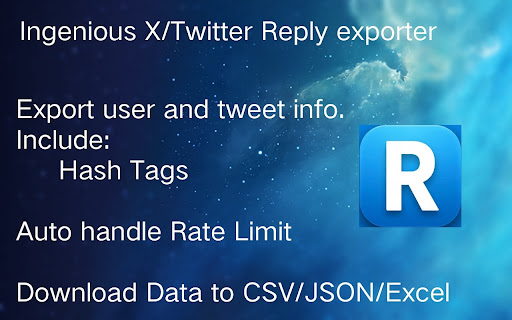
Scrape and Extract X/Twitter replies & comment, Save reply content and user info list to CSV / Excel / JSON.

HOW TO USE?
1. Enter a Tweet link
2. Click the start button

Exported data have websites, name fields. You can find emails with domain and name by some email hunters.

Features
- Automatically handling Twitter's rate limit
- Automatically handling 403 429 400 error.
- Save as CSV / Excel / JSON
- Continue task progress from history.
- Export X reply results in bulk, automatically one by one.
- Save export history to local storage. No need to worry about browser restart


Note
- Ingenious X Twitter Reply Exporter follows a freemium model, enabling you to export up to 100 reply or users at no cost. If additional exports are required, consider upgrading to our premium version.
- Twitter imposes rate limits to manage the volume of requests to its API and prevent abuse. This extension automatically calculate rest time, ensuring uninterrupted exports.
If you have any questions, please keep in touch via [email protected].

🔒 DATA PRIVACY
All data is processed in your local computer, never passing through our web server, and no one knows what you save.

📝ChangeLog
1.3.4
upgrade package version
1.3.3
Download Button optimize in X.
Add download ProgressBar
1.3.0
Optimize Job Management page.
1.2.6
fix batch delete.
Hide "Resume" button when reach max download count
1.2.2
Fix can not export next page Error
1.2.1
Add “Normal or Spam” Field and export more data!
fix item_total_cnt. Use current tweet, not origin tweet item_total_cnt/
fix previous job lost after Login.
fix "Suspend" button not really take effect some time.
remove page refresh after User click "Download" or "More" button in X
fix job downloaded status.

Disclaimer
Twitter is a trademark of Twitter, LLC. This extension is not affiliated with or endorsed by Twitter, Inc.
Technical
- Version
- 4.3.5
- Manifest
- V3
- Size
- 4.52MiB
- Min Chrome
- 88
- Languages
- 1
- Featured
- No
Metadata
- ID
- ngofdnnnhidkhafmlhjmejklfoldenaf
- Developer ID
- u0d6f831075eb2697b38d9e9a8918e778
- Developer Email
- [email protected]
- Created
- Jun 3, 2025
- Last Updated (Store)
- May 2, 2026
- Last Scraped
- Jun 12, 2026
- Website
- —
- Support URL
- —
- Privacy Policy
- —
Similar extensions
Alternatives to Ingenious XReply - X/Twitter Comment Reply Export Downloader, ranked by description similarity.

Broada XReply - X/Twitter Comment Reply Export Downloader
Quickly save your Tweet Comment Reply as Excel/JSON/CSV file with this simple one click exporting extension.
6

Ingenious TwSearch - X/Twitter Search Result exporter
One click to export X/Twitter search result list to CSV/JSON/Excel. Save all tweet feeds and user info.
7

Ingenious X/Twitter Followers Backup
Ingenious Quickly save your Twitter followers, verified followers, following as CSV/Excel/JSON file.
44
★ 5.0

Broada X/Twitter Followers Backup
Broada Quickly save your Twitter followers, verified followers, following as CSV/Excel/JSON file.
20

XCommentExport - Export Twitter Comments
Export comments from any Twitter/X tweet to CSV or Excel with a single click.
118

Twitter/X Exporter - Export Tweets, Followers, Bookmarks to CSV
Export tweets, replies, likes, bookmarks, followers & search results from Twitter/X. Download data as CSV, Excel, or JSON. Fast…
611
★ 5.0

TwExportly: Export Tweets From Any Account
TwExportly is a Chrome extension for Twitter, allows you to export & download tweets from any account into an CSV or Excel file.
10.0K
★ 3.3

Twitter Comment Exporter - Export Twitter/X comments into CSV or Excel
Export and download all tweets to CSV or Excel for Twitter/X
257
Data sourced from the Chrome Web Store · last verified Jun 12, 2026.