
Pomodoro AI
Pomodoro timer with Google login, cross-device sync, and a GitHub-style stats heatmap.
As of June 2026, Pomodoro AI has 3 users and a 5.00/5 rating from 2 reviews in the Productivity category.
Usersno change0%
3
3
Ratingno change0%
5.00
2 reviews
Reviewsno change0%
2
Version
1.0.0
Manifest V3
History
2 snapshotsTracking since Jun 2, 2026.
Not enough history yet for this metric — the chart fills in as we collect more snapshots.
View as table
| Date | Users | Rating | Reviews | Version |
|---|---|---|---|---|
| Jun 2, 2026 | — | — | — | 1.0.0 |
| Jun 8, 2026 | — | — | — | 1.0.0 |
| Now | 3 | 5.00 | 2 | 1.0.0 |
Permissions & access
- Permissions
- alarmsnotificationsstorageidentity
- Host access
- https://pomodoro.gtex.io/*
Screenshots


About
Pomodoro AI is a personal focus timer built around the way you actually work. Sign in once with Google and everything — sessions, stats, and settings — follows you across every device automatically.

🍅 TIMER
A clean progress ring counts down your session. Pick from 25, 30, or 50-minute presets, or type any custom duration. A subtle tomato dot on the toolbar icon lets you know a session is running without breaking your concentration. Pause, resume, and reset whenever you need to.

🔔 FOCUS SESSION FINISHED
When a session ends, a full-page card opens — no silent auto-starts. It plays a soft chime and announces your name: "Focus session finished. Time for a break." Then you choose: Start break, Focus again, or just close it and get on with your day.

📊 TRACK EVERY SESSION
Today's count and your all-time total are always front and centre. A GitHub-style activity heatmap shows 18 weeks of daily focus history — month labels, weekday rows, and colour-coded intensity so you can see how consistent you've been. Hover any square for the exact date and count.

🎙 YOUR VOICE, YOUR SETTINGS
Choose any voice installed on your system to read the announcements. Toggle the chime and voice on or off, set your preferred break length, and control the toolbar dot — all from the settings panel inside the popup. Every preference syncs across your devices automatically.

🔑 SIGN IN ONCE, FOCUS EVERYWHERE
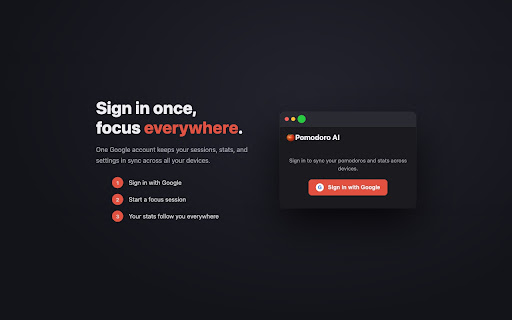
One Google account keeps everything in sync. Sign in on any device and your full session history and stats are right there.
Technical
- Version
- 1.0.0
- Manifest
- V3
- Size
- 110KiB
- Min Chrome
- 88
- Languages
- 1
- Featured
- No
Metadata
- ID
- nfnbfhbnjjbglndebndpodkkbehgcfdd
- Developer ID
- u17fa28fa61f2081bc58d4072a4b1b8da
- Developer Email
- [email protected]
- Created
- Jun 1, 2026
- Last Updated (Store)
- Jun 1, 2026
- Last Scraped
- Jun 8, 2026
- Website
- —
- Support URL
- —
- Privacy Policy
- https://pomodoro.gtex.io/privacy
Data sourced from the Chrome Web Store · last verified Jun 8, 2026.