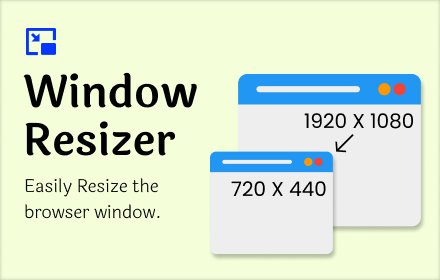
Window Resizer
Resize your browser window to custom sizes, test layouts, emulate resolutions, and improve productivity with multi-monitor support.
As of June 2026, Window Resizer has 6,000 users and a 3.83/5 rating from 6 reviews in the Productivity category.
Usersup 20.0 percent+20.0%
6.0K
6,000
Ratingno change0%
3.83
6 reviews
Reviewsno change0%
6
Version
1.0.3
Manifest V3
90-day change · In the last 90 days this extension gained 1.0K users.
History
1 snapshotsTracking since May 13, 2026.
View as table
| Date | Users | Rating | Reviews | Version |
|---|---|---|---|---|
| May 13, 2026 | 5.0K | 3.83 | 6 | 1.0.3 |
| Now | 6.0K | 3.83 | 6 | 1.0.3 |
Permissions & access
- Permissions
- storagetabswindows
- Host access
- https://*.extfy.com/*
Screenshots


About
Window resizer is a utility extension that allows you to resize any browsing window to a list of options or customize the size per your needs.

Use this one-click extension for computer browser tab resizes into mobile, desktop & custom sizes and is extremely useful for web page Design.It allows you to configure any website in various sizes.

Easy window resizer shortcut for Google Chrome.

- Resize any current window tab
- Use existing sized
- Add Size
- Set direct customize size
- Rotate tab in vertical or horizontal
- Easy to use & install

This extension adjusts the sizes of the browser tab to emulate various layouts to help web developers & designers to test their sites on different platforms like mobile, desktop, and tablet. Fully customizable extension with add, delete, rotate function, or you can set custom width and height in a simple, accessible way.

This way, you won't need to do the window resizing manually.

How to use:

1. This extension works on all websites, so visit any domain and open the extension.
2. Click on this static button, and then the window screen resizes according to the width and height that you have selected or set.
3. Click on add button to add customize the size, and you can delete it later. For temporary size, add the width & height, then click “set”.
4. Click on “Rotation” for vertical & horizontal screens.

Note: The current tab option is not working on the blank tab (Chrome://) and also not working on the chrome extension gallery or internal browser pages.
Technical
- Version
- 1.0.3
- Manifest
- V3
- Size
- 3.86MiB
- Min Chrome
- 88
- Languages
- 23
- Featured
- No
Metadata
- ID
- nfiacafhpjfajijlkibhkkgpeijeghnb
- Developer ID
- u9c6e97c367e847d8027c76114695c3e1
- Developer Email
- [email protected]
- Created
- Jan 29, 2024
- Last Updated (Store)
- Jul 8, 2025
- Last Scraped
- Jun 7, 2026
- Website
- —
- Support URL
- —
- Privacy Policy
- —
Similar extensions
Alternatives to Window Resizer, ranked by description similarity.

Tab Page & Window Resizer
Simplify browsing with resizable current tab page, multi-monitor support, and customizable layouts for enhanced productivity.
192
★ 3.0

PanePro - Split Screen Layouts
Resize your tab and the ones to its right into separate, organized windows
34

Easy Window Resizer
A tool to easily resize browser windows
1.0K
★ 4.2

Window Resizer
Easily set the layout (size & position) of your browser window
10.0K
★ 3.6

Tab To Popup Window
Quickly convert any tab into a standalone popup window. Supports batch conversion and shortcut customization.
8.0K
★ 4.6

window resizer plus
Quickly resize and position browser windows from a simple popup, with custom sizes, aspect ratios, and saved presets.
6

Jelly Window Resizer
以指定尺寸開啟 jelly 視窗,協助前端開發與響應式測試
3

Open in Clean Window
Clean Window adds simple right-click tools that let you instantly open pages or links in distraction-free Chrome windows.
With one…
7
★ 5.0
Data sourced from the Chrome Web Store · last verified Jun 7, 2026.