
Highlight
Supercharge Google Docs with text-synced audio recording.
As of May 2026, Highlight has 295 users and a 4.60/5 rating from 10 reviews in the Workflow & Planning category.
Usersdown 4.5 percent−4.5%
295
295
Ratingno change0%
4.60
10 reviews
Reviewsno change0%
10
Version
3.2.0
Manifest V3
History
6 snapshotsTracking since Apr 2, 2026.
View as table
| Date | Users | Rating | Reviews | Version |
|---|---|---|---|---|
| Apr 2, 2026 | 309 | 4.60 | 10 | 3.2.0 |
| Apr 19, 2026 | 315 | 4.60 | 10 | 3.2.0 |
| Apr 29, 2026 | 317 | 4.60 | 10 | 3.2.0 |
| May 9, 2026 | 314 | 4.60 | 10 | 3.2.0 |
| May 16, 2026 | 325 | 4.60 | 10 | 3.2.0 |
| May 30, 2026 | 316 | 4.60 | 10 | 3.2.0 |
| Now | 295 | 4.60 | 10 | 3.2.0 |
Permissions & access
- Permissions
- storageunlimitedStorageactiveTabtabsoffscreenalarmsidentitydesktopCapture
- Host access
- *://*.highlight-api.gethighlight.com/*
Screenshots

About
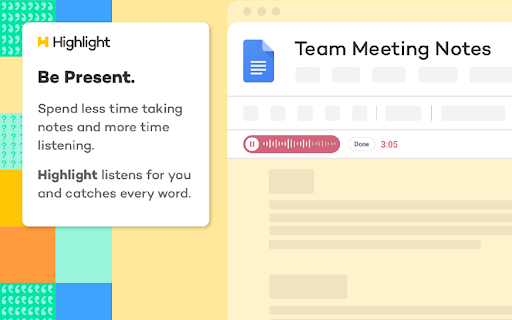
Stop worrying about taking notes and be more present actually listening. Recall every word. Find the most important moments effortlessly. Never lose a recording. Highlight works inside Google Docs to record your meetings. Be fully present now, review the highlights later.

Sign up for your free account, then use Highlight to:

-	Record audio directly within Google Docs
-	Sync your notes to the recorded audio
-	Quickly search your recording by clicking anywhere in your notes
-	Hear what was said and see what you wrote simultaneously
-	Automatically organize and manage your recordings
-	Easily collaborate and share the audio with others


PRIVACY AND SECURITY

-	Your recordings are important, so Highlight takes privacy and security seriously.
-	Highlight uses the minimum possible personal information.
-	Highlight doesn’t see or store your Google Doc content. We treat everything as sensitive.
-	No one hears your audio unless you want them to. Audio files are private by default and are only ever available to collaborators who you share a Highlighted Google Doc with.
-	Recorded audio and document indexes are restricted and secured via AWS Cloud Security.


ABOUT HIGHLIGHT

Capture every word. Highlights audio recording allows you to have confidence that you won’t miss a thing.

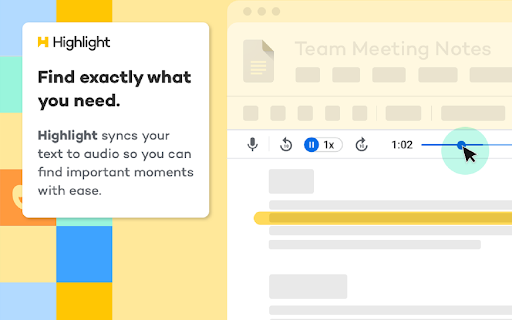
Sync audio to text. Get the full picture of what you thought and what you heard. Highlight syncs it up for you. Don’t worry about forgetting those aha moments. Instead, jot down your Highlights.

Find exactly what you’re looking for. Highlight helps you easily recall what was important, so that insights come together naturally. You already sat through an hour-long meeting. Don’t spend another hour searching your notes for those lightbulb moments.

Document playback. Never worry about getting that quote or sound bite wrong. Highlight gives you confidence that you have every word available to you for whenever you need it.

Quick search. Quickly search for your keywords and highlights. Don’t spend time scrubbing for important moments in a conversation, find them in seconds, and spend more time expanding on your ideas.

Live Collaboration. Take notes and discover insights with teammates in real-time. Collaborate on interview synthesis by keeping a living record of what was said and what was thought.

Native to G Suite. Use the system you know and love. Skip the extra training and stress of switching to a new app. With Highlight, you can search Google Drive for old notes with ease.

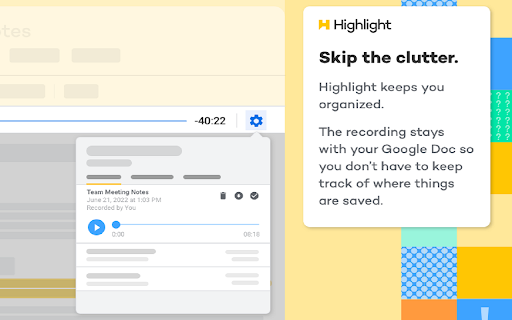
Stay clutter free. Highlight recordings are stored in the cloud along with your Google Docs, making sure you don’t clutter up other devices or lose a recording.
Technical
- Version
- 3.2.0
- Manifest
- V3
- Size
- 6.04MiB
- Min Chrome
- 88
- Languages
- 1
- Featured
- Yes
Metadata
- ID
- nffionklkilbohdkhcmkbbkofhkbmggl
- Developer ID
- ud4d8773d11db091c052132cdf0fab445
- Developer Email
- [email protected]
- Created
- Aug 8, 2020
- Last Updated (Store)
- Nov 17, 2025
- Last Scraped
- May 30, 2026
- Support URL
- https://gethighlight.com/support
- Privacy Policy
- https://gethighlight.com/privacy-notice/
Similar extensions
Alternatives to Highlight, ranked by description similarity.

NoteTracker
A beautiful and intuitive NoteTracker with a rich text editor, cool features, insert tables, create multiple note tabs, & autosave.
15
★ 5.0
Record Google Meet
Seamlessly Record Google Meet. Video call capturing is that easy! Create a Google Meet recording even when it is unavailable
50.0K
★ 3.5

MeetMan
Meetman provides seamless real-time chat during and after meetings to talk to your meetings.
21
★ 5.0
MinutesLink: Record, Transcribe & Summarize Meetings
AI note taker for online calls
13

Scribbl: AI Note Taker for Google Meet, Zoom, and MS Teams
Record, transcribe, & take notes with our bot-free AI note taker for Google Meet, Zoom, & MS Teams
40.0K
★ 5.0

Web Highlighter – Highlight Text, Save Notes & AI Study Tool
Highlight text on any webpage, save notes, AI flashcards & summaries. Free annotation & research tool. Liner & Weava alternative.
811
★ 4.6
Briefly: AI meeting summary & email follow up
Capture meeting notes, transcribe, summarize and gather insights without distraction.
4.0K
★ 4.5

Bluedot: AI notetaker & Meeting Recorder
Bot-free AI note taker & AI meeting notes for Google Meet, Zoom & Teams meetings.
80.0K
★ 4.7
Data sourced from the Chrome Web Store · last verified May 30, 2026.