
The search engine to improve your productivity - GoSearch
The premium internet search engine to use the OffiDocs productivity platform free of charge
As of June 2026, The search engine to improve your productivity - GoSearch has 1,000 users and a 3.91/5 rating from 11 reviews in the Workflow & Planning category.
Usersdown 50.0 percent−50.0%
1.0K
1,000
Ratingno change0%
3.91
11 reviews
Reviewsno change0%
11
Version
1.4.2
Manifest V3
90-day change · In the last 90 days this extension lost 1.0K users.
History
3 snapshotsTracking since Apr 8, 2026.
View as table
| Date | Users | Rating | Reviews | Version |
|---|---|---|---|---|
| Apr 8, 2026 | 2.0K | 3.91 | 11 | 1.4.2 |
| Apr 19, 2026 | 1.0K | 3.91 | 11 | 1.4.2 |
| Apr 24, 2026 | 2.0K | 3.91 | 11 | 1.4.2 |
| Now | 1.0K | 3.91 | 11 | 1.4.2 |
Permissions & access
- Permissions
- storage
- Host access
- None declared
Screenshots


About
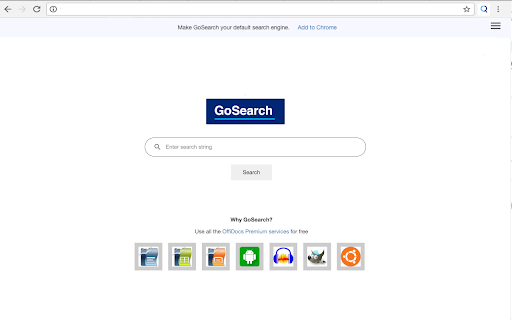
This extension sets your search engine to GoSearch so you can improve your productivity with every internet search. Get GoSearch, the premium search engine designed and integrated with multiple collaboration tools. By setting your search engine to GoSearch, you’ll gain a powerful partner in boosting your efficiency. Simply register your email address with the extension, and you will have free access access to the entire suite of OffiDocs productivity tools.

With GoSearch, you’ll have free access to a wide array of tools, including:
● Office Editors: Create and edit documents, spreadsheets, and presentations effortlessly.
● Android Emulators: Run Android apps directly from your browser.
● Image and Audio Editors: Edit media files with ease.
● Linux Online Workstations: Utilize powerful Linux-based tools online.
● Disk Space: Enjoy up to 10GB of free storage.

Once you’ve installed the GoSearch extension, direct links to these tools will appear with every search you make streamlining your workflow. Start using GoSearch today and discover how your productivity can be enhanced.

Installation Steps:
1. Add to Chrome: Click "Add to Chrome" and confirm your selection.
2. Installation: Chrome will automatically download and install the extension.
3. Confirmation: After installation, a confirmation message will appear.
4. Access: Look for the GoSearch icon in your toolbar.
5. IMPORTANT: When prompted by Chrome to change your search engine settings, select "Keep it" to begin using GoSearch immediately.

Whether you're conducting in-depth research, gathering information, or simply searching over the internet, GoSearch serves as your reliable partner for efficient web navigation. Try GoSearch today and experience an unparalleled level of productivity.

Privacy Protection: At GoSearch, your privacy is our priority. We don’t create profiles based on your activities, never sell your data to advertisers, and ensure all searches are SSL-encrypted. Our goal is to enhance your productivity, not compromise your data.
Technical
- Version
- 1.4.2
- Manifest
- V3
- Size
- 662KiB
- Min Chrome
- 88
- Languages
- 18
- Featured
- No
Metadata
- ID
- ncpaocdidimfckjmhafkpghjpedlcocc
- Developer ID
- ue9deed8b46b1d6087401a43f7731745b
- Developer Email
- [email protected]
- Created
- May 3, 2024
- Last Updated (Store)
- Mar 11, 2026
- Last Scraped
- Jun 7, 2026
- Website
- offidocs.com
- Support URL
- —
- Privacy Policy
- https://www.offidocs.com/index.php/online-apps-policy
Similar extensions
Alternatives to The search engine to improve your productivity - GoSearch, ranked by description similarity.

SearchGPT for Chrome
ChatGPT AI's capability across various search engines such as Google, Bing, Yahoo, DuckDuckGo and beyond.
3.0K
★ 5.0

Ultimate Office Tools
Easily Access Office Tools Right from Your Browser.
1.0K
★ 5.0

Social Search Extension
Extension for privacy protection for your browser.
584

Google Drive Quick Search
Google Drive Quick Search is a powerful yet simple Google Chrome extension that allows you to search your Google Drive with live…
1.0K
★ 2.8

SearchSync - Custom Instant Search
Automates copying text to preset URLs with paste and submit.
7
★ 5.0

GoLinks
The official GoLinks.io, go/links browser extension. Create team shortlinks "go links" with one click.
100.0K
★ 4.5

SearchToDo
With SearchToDo, you can create and edit your own to-do lists, with our simple and beautiful customized new tab!
10.0K
★ 4.6

Search Enhancer for Google™
Enhance Google™ search with infinite scroll, server country icons, "View Image" and "Download Image" buttons, and more.
2.0K
★ 4.6
Data sourced from the Chrome Web Store · last verified Jun 7, 2026.