
HashMaps
Adding Google Maps search to your address bar.
As of June 2026, HashMaps has 94 users and a 5.00/5 rating from 5 reviews in the Productivity category.
Usersno change0%
94
94
Ratingno change0%
5.00
5 reviews
Reviewsno change0%
5
Version
1.4.0
Manifest V3
History
1 snapshotsTracking since Jun 25, 2026.
View as table
| Date | Users | Rating | Reviews | Version |
|---|---|---|---|---|
| Jun 25, 2026 | 94 | 5.00 | 5 | 1.4.0 |
| Now | 94 | 5.00 | 5 | 1.4.0 |
Permissions & access
- Permissions
- storage
- Host access
- None declared
Screenshots


About
HashMaps lets you search for places and directions straight from the address bar.

HOW TO USE:
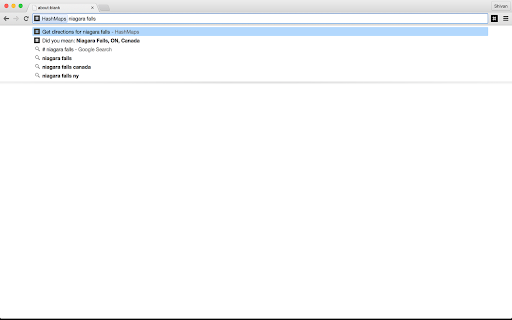
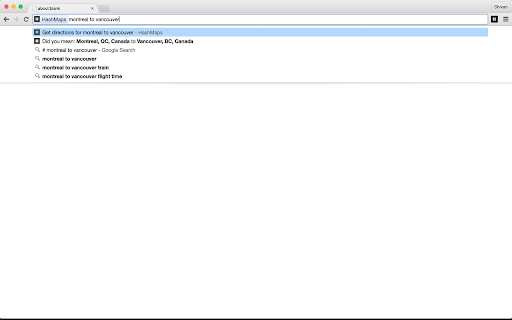
Once installed, in the address box, type in #, and press either Space or Tab. That's it! Now look for places or directions.

You can save commonly used addresses like 'Home' or 'Work', which would allow you to search something like "home to work".
To save: Click on the extension icon (#) next to the address bar, and put in addresses.
Or, go to chrome://extensions, find HashMaps, and click on the Options button. Note that you don't need to do this if you've already saved your Home/Work addresses in your Google Account.

TO SEARCH FOR PLACES:
Simply type in the name of the place, and press Enter. Example: "McGill University". Screencast: https://www.youtube.com/watch?v=zGTYNvsGLgU

TO SEARCH FOR DIRECTIONS:
Type in the origin and the destination separated by a 'to', and press Enter. Example: "Montreal to New York". Screencast: https://www.youtube.com/watch?v=VPGPeumO-d4
Technical
- Version
- 1.4.0
- Manifest
- V3
- Size
- 9.78KiB
- Min Chrome
- 88
- Languages
- 1
- Featured
- No
Metadata
- ID
- ncbcjemlgfabkoebboepbofhbmhekion
- Developer ID
- u9216d619e75b5ef6b569825f304fb9ee
- Developer Email
- [email protected]
- Created
- Feb 12, 2015
- Last Updated (Store)
- Jun 24, 2026
- Last Scraped
- Jun 25, 2026
- Website
- shivankaul.com
- Privacy Policy
- —
Data sourced from the Chrome Web Store · last verified Jun 25, 2026.