Glean.ly - Quick Fact
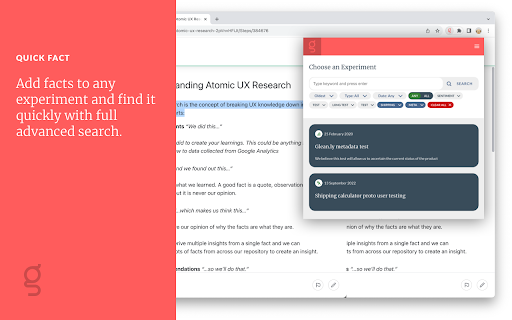
Browser Tool for quick adding facts to you Glean.ly experiments.
As of May 2026, Glean.ly - Quick Fact has 132 users in the Workflow & Planning category.
Usersup 11.9 percent+11.9%
132
132
Ratingno change0%
—
— reviews
Reviewsno change0%
—
Version
2.0.0
Manifest V3
History
2 snapshotsTracking since Apr 29, 2026.
View as table
| Date | Users | Rating | Reviews | Version |
|---|---|---|---|---|
| Apr 29, 2026 | 118 | — | — | 2.0.0 |
| May 26, 2026 | 113 | — | — | 2.0.0 |
| Now | 132 | — | — | 2.0.0 |
Permissions & access
- Permissions
- activeTabscripting
- Host access
- None declared
Screenshots
About
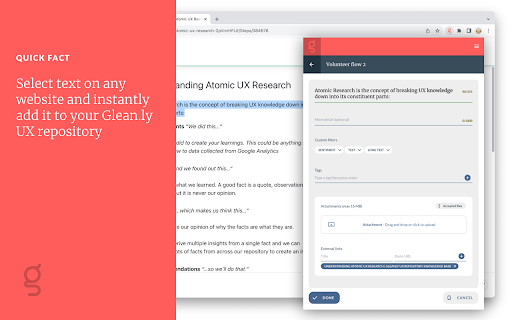
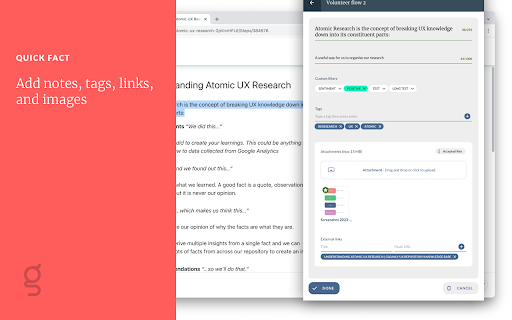
Select text on any website and instantly add it to your Glean.ly UX repository - along with a link to the source - in just a click.

You will need a Glean.ly account to use this tool.

Privacy policy: https://glean.ly/privacy/
Technical
- Version
- 2.0.0
- Manifest
- V3
- Size
- 1.03MiB
- Min Chrome
- 88
- Languages
- 1
- Featured
- No
Metadata
- ID
- nbckmikdnpbccdnffjacnpapofmhefdn
- Developer ID
- u7747e2270449b1ed082334318b1b6551
- Developer Email
- [email protected]
- Created
- Jun 29, 2021
- Last Updated (Store)
- Sep 6, 2023
- Last Scraped
- May 26, 2026
- Website
- —
- Support URL
- https://glean.ly
- Privacy Policy
- https://glean.ly/privacy/
Similar extensions
Alternatives to Glean.ly - Quick Fact, ranked by description similarity.

Email Finder
Find and download emails from the current page
3
Easy web scraper by Databar
A simple, no-code extension to collect data from any website.
1.0K
★ 4.8

Google to ChatGPT
Send any webpage url to ChatGPT for instant summaries, analysis, and more – in one click.
12
★ 5.0

Post Selected
Posts selected text to a URL such as a zapier webhook.
91
★ 4.7
Easy Scraper - One-click web scraper
A free web scraper for instant results. Scrape any website with one click. No coding required.
100.0K
★ 5.0

NoteSkrib Clipper
Capture web content, videos, and images to your NoteSkrib account
6

Glubler - Gluing the Internet
Instantly save and organize websites to your Glubler account with one click!
9
★ 5.0

Tasks
Highlight text, right-click, and save it to a list.
2
Data sourced from the Chrome Web Store · last verified May 26, 2026.