No Swipe - Disable Swipe
Disable trackpad two fingers navigation.
As of June 2026, No Swipe - Disable Swipe has 3,000 users and a 4.52/5 rating from 21 reviews in the Functionality & UI category.
Usersno change0%
3.0K
3,000
Ratingno change0%
4.52
21 reviews
Reviewsno change0%
21
Version
1.0.1
Manifest V3
90-day change · In the last 90 days this extension 1 version update.
History
4 snapshotsTracking since Apr 29, 2026.
View as table
| Date | Users | Rating | Reviews | Version |
|---|---|---|---|---|
| Apr 29, 2026 | 3.0K | 4.52 | 21 | 1.0.0 |
| May 4, 2026 | 3.0K | 4.52 | 21 | 1.0.1 |
| May 9, 2026 | 5.0K | 4.52 | 21 | 1.0.1 |
| May 12, 2026 | 4.0K | 4.52 | 21 | 1.0.1 |
| Now | 3.0K | 4.52 | 21 | 1.0.1 |
Permissions & access
- Permissions
- activeTabscriptingtabsstorage
- Host access
- <all_urls>
Screenshots
About
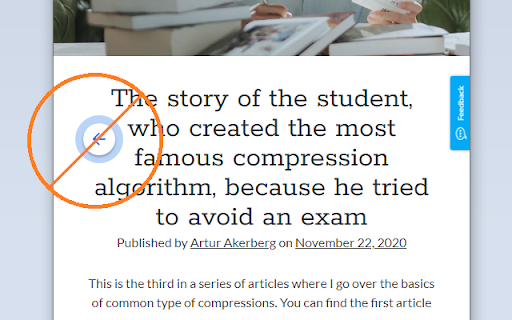
Prevent browsers' back & forward gestures.
Stops horizontal scrolling from triggering page navigation.

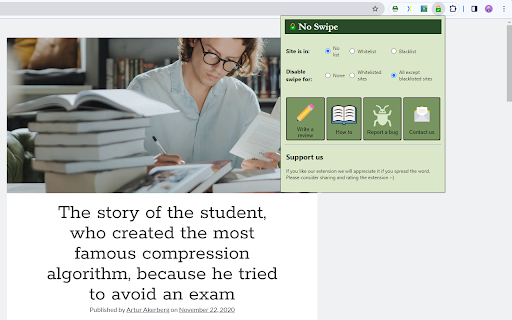
You can select which sites will have the swipe gestures disabled using the extension popup (by default the swipe gesture is disabled in all sites).

Follow these steps to disable touchpad navigation:
1) Pin extensions to the toolbar.
2) Press the extension icon.
3) Select mode of operation.
4) Set the site to a list.

If you are unable to stop navigation by trackpad, please use the "contact us" button in the pop-up to let us know.

#Limitations:
-All extensions can work on web sites ONLY - The extension will NOT work on the new tab page or -PDF files.
-All extensions can't work on the Chrome web store.
-The extension kicks in a few moments after the page loads.

The purpose of this extension is to give you the option to selectively disable gesture navigation.
If you're simply looking to disable swipe navigation on all sites, you can do this in the Chrome settings under the Accessibility tab.

The use of a whitelist and blacklist requires a paid subscription after the 14-day trial. The rest of the features are free.
Technical
- Version
- 1.0.1
- Manifest
- V3
- Size
- 80.02KiB
- Min Chrome
- 88
- Languages
- 55
- Featured
- No
Metadata
- ID
- nalejidoccmgcmjjdcioafcjbilcjmlc
- Developer ID
- u599713063e4e6565f674d92ec7aaa6c7
- Developer Email
- [email protected]
- Created
- Feb 16, 2024
- Last Updated (Store)
- Apr 15, 2026
- Last Scraped
- Jun 14, 2026
- Website
- suricata.software
- Support URL
- https://suricata.software/en/no_swipe
- Privacy Policy
- —
Similar extensions
Alternatives to No Swipe - Disable Swipe, ranked by description similarity.

Restore Swipe Navigation
Enables two finger swipe gestures for for/back navigation when a site disables the functionality
—

Smooth Scroll
Use Smooth Scroll Extension to make scrolling feel fluid, controlled, and comfortable across websites. Customize speed,…
12
★ 2.0

Mouse Gestures with Path Drawing
A Chrome extension that allows mouse gestures with visual path drawing.
98
★ 5.0

Fine, I'll Scroll It Myself
Emulates Windows-style middle-click autoscroll for Linux/Wayland users.
33
★ 5.0

Auto Scroll Webpage
Auto Scroll Webpage: Hands-free scrolling.
—

Swipe Navigation Gesture (back & forth)
[FOSS] Navigate back and forth with 2-finger swipe gestures
1.0K
★ 4.8

Trackball Scroller
Scroll with your trackball
154
★ 5.0

Enhanced Smooth Scroll
Advanced smooth scrolling with dynamic acceleration and natural feel
—
★ 4.3
Data sourced from the Chrome Web Store · last verified Jun 14, 2026.