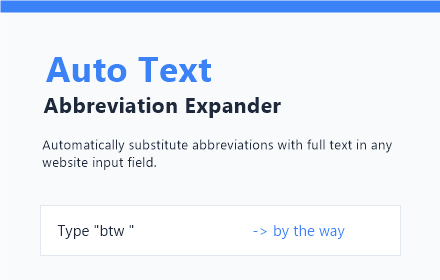
Auto Text Abbreviation Expander
Automatically substitute abbreviations with full text in any website input field.
As of June 2026, Auto Text Abbreviation Expander has 6 users in the Productivity category.
Usersno change0%
6
6
Ratingno change0%
—
— reviews
Reviewsno change0%
—
Version
1.0
Manifest V3
History
3 snapshotsTracking since May 31, 2026.
View as table
| Date | Users | Rating | Reviews | Version |
|---|---|---|---|---|
| May 31, 2026 | — | — | — | 1.0 |
| Jun 6, 2026 | — | — | — | 1.0 |
| Jun 24, 2026 | 3 | — | — | 1.0 |
| Now | 6 | — | — | 1.0 |
Permissions & access
- Permissions
- storage
- Host access
- None declared
Screenshots

About
# Auto Text Abbreviation Expander - Chrome Web Store Description

## Boost Your Productivity and Say Goodbye to Repetitive Typing!

Are you tired of typing the same email signatures, standard responses, or complex technical terms over and over again? Do you find yourself wishing for a faster way to enter your address, phone number, or frequently used code snippets? Meet **Auto Text Abbreviation Expander**, your ultimate productivity companion for the web.

Auto Text Abbreviation Expander is a lightweight, powerful, and highly customizable Chrome extension designed to streamline your workflow by automatically substituting user-defined abbreviations with their corresponding full text strings. Whether you are a customer support professional, a developer, a writer, or anyone who spends a significant amount of time typing, this extension is built to save you thousands of keystrokes every single day.

---

### 🚀 Key Features

#### 1. Instant Text Expansion
Experience the magic of instant expansion. Simply type your predefined abbreviation, hit your chosen trigger key, and watch as it instantly transforms into the full text. No more copying and pasting from notes or trying to remember complex phrases.

#### 2. Fully Configurable Trigger Keys
We understand that everyone has a different typing style. That’s why Auto Text Abbreviation Expander allows you to choose your preferred trigger key. Select from:
- **Space:** The natural choice for most writers.
- **Enter:** Perfect for ending lines or submitting forms.
- **Tab:** Ideal for developers and power users who navigate via keyboard.

#### 3. Privacy-First Local Storage
Your data is yours alone. All your abbreviations and their corresponding expansions are stored locally within your browser. We do not use external servers to store your snippets, ensuring maximum privacy and lightning-fast operation without any network latency.

#### 4. Works Everywhere
The extension is designed to work seamlessly across the entire web. From Gmail and Outlook to GitHub, Jira, and even your favorite social media platforms. Any website with an input field or text area is compatible with Auto Text Abbreviation Expander.

#### 5. Simple and Intuitive Management
Manage your collection of snippets with ease. Our minimalist and modern popup interface allows you to:
- **Add new abbreviations** in seconds.
- **View your entire list** of active snippets.
- **Delete outdated abbreviations** with a single click.
- **Update your trigger key** on the fly.

---

### 💡 Why You Need Auto Text Abbreviation Expander

#### For Customer Support Professionals
Speed up your response times by creating abbreviations for common greetings, troubleshooting steps, and closing remarks. "hi" can become "Hello! Thank you for reaching out to us today. How can I assist you?", and "ty" can become "Thank you for your patience. Your issue has been resolved."

#### For Developers and Engineers
Stop typing the same boilerplate code or terminal commands. Create shortcuts for frequently used Git commands, CSS snippets, or JavaScript functions. "gcm" can expand to "git commit -m ''", and "clg" to "console.log();".

#### For Writers and Bloggers
Maintain your flow by creating abbreviations for long words, scientific names, or recurring character names. "ata" can become "Auto Text Abbreviation Expander", saving you time and reducing the risk of typos in complex terms.

#### For General Daily Use
Simplify your digital life. Create shortcuts for your email address ("@@"), your home address ("addr"), or even long links you share frequently. Typing becomes a breeze when your most-used phrases are just a few keystrokes away.

---

### 🛠️ How It Works

Getting started with Auto Text Abbreviation Expander is as easy as 1-2-3:

1. **Install the Extension:** Add it to your browser from the store.
2. **Define Your Snippets:** Click the extension icon to open the popup. Enter your desired abbreviation (e.g., "brb") and the full text (e.g., "be right back").
3. **Type and Expand:** Go to any website, type your abbreviation, and press your trigger key. The text expands instantly!

---

### 🔒 Privacy and Security

We take your privacy seriously. Auto Text Abbreviation Expander:
- **Does not** track your browsing history.
- **Does not** send your keystrokes to any server.
- **Does not** require invasive permissions.
- **Stores all data locally** using Chrome's secure storage API.

---

### 📈 Efficiency at Your Fingertips

In a world where time is our most valuable resource, why waste it on repetitive tasks? Auto Text Abbreviation Expander is more than just a tool; it's a productivity multiplier. By automating the mundane parts of typing, you can focus your energy on what truly matters—creating, communicating, and solving problems.


*Note: This extension is free to use and respects your privacy. All updates and improvements are guided by user feedback. If you love the extension, please consider leaving us a rating!*
Technical
- Version
- 1.0
- Manifest
- V3
- Size
- 53.69KiB
- Min Chrome
- 88
- Languages
- 41
- Featured
- No
Metadata
- ID
- naaldfcppllcfmgbapodpcjckhhgaolc
- Developer ID
- u2cf2374587df1b2b7296a964e6571fab
- Developer Email
- [email protected]
- Created
- May 30, 2026
- Last Updated (Store)
- May 30, 2026
- Last Scraped
- Jun 24, 2026
- Website
- —
- Support URL
- —
- Privacy Policy
- https://software-autotext-expander.pdfwork.com/privacy
Data sourced from the Chrome Web Store · last verified Jun 24, 2026.