
Mealist Recipe Manager
Save recipes from any website with Mealist
As of June 2026, Mealist Recipe Manager has — users in the Workflow & Planning category.
Usersno change0%
—
—
Ratingno change0%
—
— reviews
Reviewsno change0%
—
Version
1.0.0
Manifest V3
History
3 snapshotsTracking since Apr 1, 2026.
Not enough history yet for this metric — the chart fills in as we collect more snapshots.
View as table
| Date | Users | Rating | Reviews | Version |
|---|---|---|---|---|
| Apr 1, 2026 | — | — | — | 1.0.0 |
| Apr 17, 2026 | — | — | — | 1.0.0 |
| Apr 27, 2026 | — | — | — | 1.0.0 |
| Now | — | — | — | 1.0.0 |
Permissions & access
- Permissions
- storageactiveTab
- Host access
- <all_urls>
Screenshots


About
Mealist Chrome Extension

Your favorite recipes, organized. Import from anywhere. Cook with confidence.

🔑 KEY FEATURES:

✨ One-Click Import from Thousands of Sites
Download recipes from AllRecipes, Food Network, NYT Cooking, Serious Eats, and more. Ingredients and instructions are automatically extracted and formatted.

✨ Smart Recipe Detection
Our advanced parser extracts recipes accurately from most recipe websites, even complex layouts.

✨ Organize with Collections & Tags
Create custom collections like "Quick Dinners" or "Holiday Favorites." Add tags for easy searching and filtering.

✨ Real-Time Sync
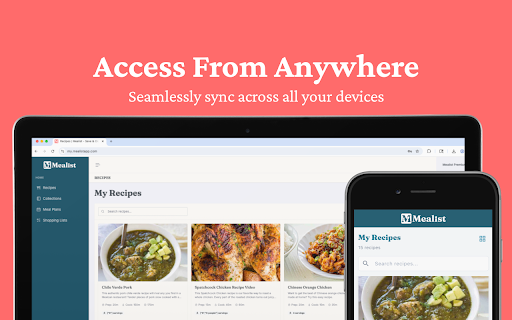
Recipes instantly sync to your Mealist account at https://my.mealistapp.com. Access your recipes on any device.

✨ Works with Subscription Sites
Already subscribe to premium recipe sites? Import those recipes too! The extension captures the page you're viewing.

✨ Preview Before Saving
Review the extracted recipe, select a collection, and add tags before saving.

✨ Cloud Storage
All recipes are safely stored in the cloud and accessible from anywhere.

✨ Edit & Customize
After importing, edit recipes, adjust servings, add personal notes, and more in the web app.

✨ Privacy First
We only access recipe pages you explicitly save. We never track your browsing history.

💻 HOW TO USE:

💫 Click "Add to Chrome" and pin the extension to your toolbar
💫 Log in to your Mealist account (or create one for free)
💫 Visit any recipe website
💫 Click the Mealist icon to preview the recipe
💫 Choose a collection, add tags (optional)
💫 Click "Save to Collection" - done!

🗣️ FAQ:

📌 Is it free to use?
Yes! Free accounts can save up to 15 recipes and 3 collections. For unlimited access, upgrade to Premium.

📌 What websites does it work with?
Most recipe websites including AllRecipes, Food Network, NYT Cooking, Serious Eats, Bon Appétit, and thousands more.

📌 Can I use it on my phone?
Yes! Mealist is available for iOS and Android. Your recipes sync across all devices.

📌 What if a recipe doesn't import correctly?
You can edit any recipe after importing. Plus, our parser is constantly improving!

----

Need help? Email us at: [email protected]

Terms of Service: https://mealistapp.com/terms-of-service
Privacy Policy: https://mealistapp.com/privacy-policy
Technical
- Version
- 1.0.0
- Manifest
- V3
- Size
- 262KiB
- Min Chrome
- 88
- Languages
- 1
- Featured
- No
Metadata
- ID
- mpkekkkgnefebeekccndlgnblgadaplm
- Developer ID
- ufe737df7d898e5b747b366710028bf21
- Developer Email
- [email protected]
- Created
- Mar 24, 2026
- Last Updated (Store)
- Mar 24, 2026
- Last Scraped
- Jun 10, 2026
- Website
- mealistapp.com
- Support URL
- https://mealistapp.com
- Privacy Policy
- https://mealistapp.com/privacy-policy
Data sourced from the Chrome Web Store · last verified Jun 10, 2026.