
AutoAdvance
Automatically advances to the next video on YouTube Shorts and Instagram Reels.
As of June 2026, AutoAdvance has 24 users and a 5.00/5 rating from 1 reviews in the Functionality & UI category.
Usersup 140.0 percent+140.0%
24
24
Ratingno change0%
5.00
1 reviews
Reviewsno change0%
1
Version
1.1.1
Manifest V3
History
4 snapshotsTracking since Apr 22, 2026.
View as table
| Date | Users | Rating | Reviews | Version |
|---|---|---|---|---|
| Apr 22, 2026 | 10 | 5.00 | 1 | 1.1.1 |
| May 18, 2026 | 9 | 5.00 | 1 | 1.1.1 |
| May 28, 2026 | 15 | 5.00 | 1 | 1.1.1 |
| Jun 5, 2026 | 17 | 5.00 | 1 | 1.1.1 |
| Now | 24 | 5.00 | 1 | 1.1.1 |
Permissions & access
- Permissions
- storagetabs
- Host access
- None declared
Screenshots
About
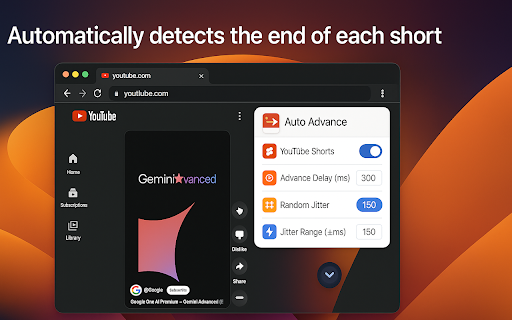
Auto Advance is a browser extension that automatically moves to the next video when the current one finishes on YouTube Shorts and Instagram Reels. Designed for convenience, efficiency, and privacy, it operates entirely within your browser—no user data is ever collected or transmitted.

Key Features:
- Auto advance for YouTube Shorts & Instagram Reels
- Configurable delay and random jitter for human-like behavior
- Popup UI for easy settings management
- No user data collection or tracking

How It Works:
1. Detects when a video ends or loops on YouTube Shorts or Instagram Reels
2. Waits for a configurable delay (with optional random jitter)
3. Advances to the next video automatically
4. UI indicator is injected into player controls for status and toggling
5. All settings are managed via a popup interface and stored locally (or via Chrome sync)
Technical
- Version
- 1.1.1
- Manifest
- V3
- Size
- 66.92KiB
- Min Chrome
- 88
- Languages
- 1
- Featured
- No
Metadata
- ID
- mnlkcmmohjdidekdbambakpgaamffgll
- Developer ID
- uea94749ebeeec84a1a9b7ca0cf47005d
- Developer Email
- [email protected]
- Created
- Apr 29, 2025
- Last Updated (Store)
- Jan 6, 2026
- Last Scraped
- Jun 5, 2026
- Website
- —
- Support URL
- —
Similar extensions
Alternatives to AutoAdvance, ranked by description similarity.

AutoShorts - YouTube Shorts Auto Scroll
Automatically plays next YouTube Shorts videos for seamless viewing experience
69

YouTube Shorts Auto-Scroll
Automatically scroll through YouTube Shorts with smart controls. Set viewing limits and enjoy hands-free content discovery.
640
★ 4.2

Youtube Shorts auto next!
Next Shorts: Enjoy a hands-free YouTube Shorts experience! With this extension, you no longer need to click 'Next' when a short…
418
★ 3.2

YouTube Shorts Auto-Scroll
Auto-scroll YouTube Shorts, save favorites, create playlists, customize hotkeys, and block channels.
42
★ 3.0

YTShortsFlow
Auto-scrolls YouTube Shorts when the video ends. Customizable, with keyboard shortcuts and a beautiful popup UI.
1

Auto Skip Video - Pular Vídeos Automaticamente
Pula automaticamente para o próximo vídeo quando o atual termina em Shorts, Reels, TikTok e outras plataformas
22
★ 5.0

Auto Next
Auto-scroll through short videos on YouTube Shorts, TikTok, Instagram Reels, Facebook Reels, and Snapchat Spotlight.
86

Video Pilot
Supercharge your video experience
3
Data sourced from the Chrome Web Store · last verified Jun 5, 2026.