
Kee - Password Manager
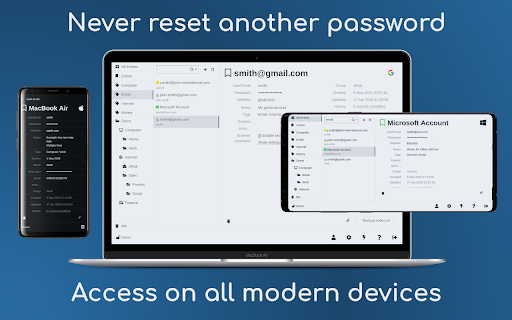
Kee adds private, secure and easy password management features which save time and keep your private data more secure.
As of June 2026, Kee - Password Manager has 80,000 users and a 4.43/5 rating from 93 reviews in the Privacy & Security category.
Usersno change0%
80.0K
80,000
Ratingno change0%
4.43
93 reviews
Reviewsno change0%
93
Version
4.0.6
Manifest V3
History
1 snapshotsTracking since Apr 23, 2026.
View as table
| Date | Users | Rating | Reviews | Version |
|---|---|---|---|---|
| Apr 23, 2026 | 80.0K | 4.43 | 93 | 4.0.6 |
| Now | 80.0K | 4.43 | 93 | 4.0.6 |
Permissions & access
- Permissions
- alarmstabscontextMenusstorageclipboardWritewebNavigationactiveTabprivacywebRequestAuthProviderwebRequestnotificationsunlimitedStorageidlescriptingoffscreen
- Host access
- <all_urls>
Screenshots


About
Save time, sign in easily to websites and avoid the hassle of forgotten password resets.

Protect yourself and people you know from the nightmare of your accounts being hacked.

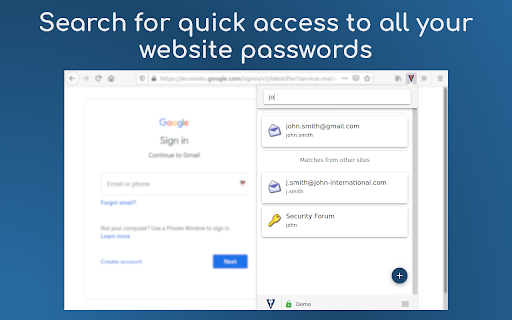
➤ Secure and automatic sign in to all your favourite websites
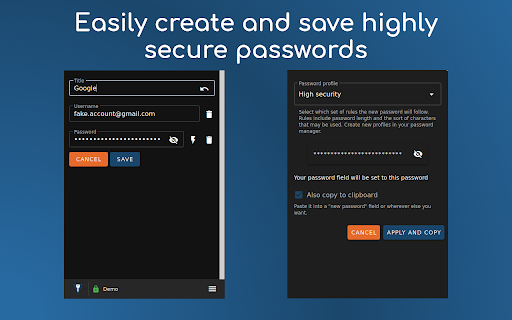
➤ Protect your personal and financial data by letting Kee create and remember high security passwords for you
➤ Your passwords stay under your control, protected by the most popular and thoroughly tested open source secure password storage system
➤ Open source with no adverts

★ No payment required

Kee offers an easy and cheap password management solution via the Kee Vault service. This is available for a free trial period with no credit card required. If you decide that's not for you, the add-on can instead work with the free KeePass Password Safe 2 software and we offer step by step instructions for how to install and configure that to work on your Windows machine (and it can also be made to work on Mac and Linux with a bit more effort, with multiple guides existing to help in that endeavour)

★ Who we are

Kee has been the most highly rated Mozilla Firefox password management extension for nearly 10 years! We have recently changed our icon to coincide with the launch of the Chrome version of the extension and the announcement of the Kee Vault password manager service.

You can look forward to even more improvements this year and join the discussion on the community forum at https://forum.kee.pm/ to let us know what features you'd most like to see developed next.

★ Having trouble?

If you would like to try Kee and it is not working for you, please use the help resources at https://forum.kee.pm/t/help-and-support/24 since requests for support within review comments will remain un-noticed for a year or longer.

You should pay particular attention to the full detailed installation instructions at https://forum.kee.pm/t/installing-kee-instructions/23, the getting started tutorial at https://tutorial-addon.kee.pm/ and any advice at the top of that page.

★ Permissions

Kee needs a variety of permissions to deliver it's functionality to you. We maintain a page that details these permissions and why we require them at https://www.kee.pm/extension-permissions/.

The built-in Chrome password manager will no longer prompt you to save passwords after you install this add-on. Any existing data will not be affected but you are strongly advised to delete any stored passwords from your Chrome password store in order to increase the security of your personal data and to avoid possible confusion in future.
Technical
- Version
- 4.0.6
- Manifest
- V3
- Size
- 2.53MiB
- Min Chrome
- 123
- Languages
- 15
- Featured
- Yes
Metadata
- ID
- mmhlniccooihdimnnjhamobppdhaolme
- Developer ID
- ub56876b404a7bf5fd72337a3e911df4f
- Developer Email
- [email protected]
- Created
- Aug 2, 2017
- Last Updated (Store)
- Jun 17, 2024
- Last Scraped
- Jun 8, 2026
- Website
- kee.pm
- Support URL
- https://forum.kee.pm/t/help-and-support/24
- Privacy Policy
- https://www.kee.pm/extension-privacy/
Similar extensions
Alternatives to Kee - Password Manager, ranked by description similarity.

Sekure Password
Store and manage your passwords. Sign into sites quicker with the autofill feature.
12
★ 5.0

SecuraKey Pro – Secure Password Manager & 2FA Wallet
Zero-knowledge password manager with AES-256 encryption, smart autofill, and built-in 2FA for maximum security.
3

Vault Password Manager Beta
This extension will help you to manage your passwords
59
★ 4.6

ExpressKeys: Password Manager
Securely save and fill unlimited passwords in your browser and sign in to sites faster.
400.0K
★ 2.2

SecurePass Analytics - Smart Password Manager
Smart password manager with encryption, breach alerts, and health monitoring.
2

Smart Key Vault
A locally hosted password vault with secure, on-device encryption
4

DualSafe Password Manager & Digital Vault
DualSafe Password Manager extension lets you safely manage passwords in one place to autosave, autofill & access them anytime.
200.0K
★ 4.4

ViewPass - Effortlessly Reveal Hidden Passwords
ViewPass reveals hidden passwords, simplifying browsing. Manage passwords effortlessly for a smoother online experience.
468
★ 5.0
Data sourced from the Chrome Web Store · last verified Jun 8, 2026.