
Selector Z - Automation Recorder and Selector Finder
Records browser interactions and generates selectors.
As of June 2026, Selector Z - Automation Recorder and Selector Finder has 104 users and a 5.00/5 rating from 1 reviews in the Developer Tools category.
Usersup 18.2 percent+18.2%
104
104
Ratingno change0%
5.00
1 reviews
Reviewsno change0%
1
Version
0.1.1
Manifest V3
History
3 snapshotsTracking since Apr 20, 2026.
View as table
| Date | Users | Rating | Reviews | Version |
|---|---|---|---|---|
| Apr 20, 2026 | 88 | 5.00 | 1 | 0.1.1 |
| May 5, 2026 | 88 | 5.00 | 1 | 0.1.1 |
| Jun 4, 2026 | 83 | 5.00 | 1 | 0.1.1 |
| Now | 104 | 5.00 | 1 | 0.1.1 |
Permissions & access
- Permissions
- activeTabscriptingstorage
- Host access
- None declared
Screenshots

About
🌟 SelectorZ – The Ultimate CSS & XPath Selector Helper for Web Automation & Scraping Say goodbye to the endless hunt for the perfect selector. SelectorZ is your personal assistant for recording, identifying, testing, and automating browser actions — all with a few clicks. 🚀 What SelectorZ Does: 🔴 Record Your Actions Just hit Record, click through the steps on any web page (e.g., open a profile, click "Send Message", type something), and SelectorZ captures it all. 🎯 Auto-Detects Multiple Selectors For each element, SelectorZ instantly generates 10+ CSS & XPath selectors. Say goodbye to trial and error. Now you’ve got options — and backups — for every click. 🧠 Step-by-Step JSON Output Every interaction is saved in clean, structured JSON — including actions and selectors. Perfect for developers using Puppeteer, Playwright, Selenium, n8n, or other automation tools. 💡 Easy ChatGPT Integration Paste the JSON into ChatGPT and ask it to generate a working automation script. It just works. 🛠️ Upcoming Features ▶️ One-Click Automation Preview (in-browser!) Run your recorded steps directly in the browser to test them. Fine-tune your selectors by trying alternatives until everything works perfectly. 🧪 Selector Testing UI See how many elements match each selector. Highlight matched elements visually on the page with a single click. Quickly switch between selectors to find the best one. 📤 Export Ready-to-Run Scripts Export final, working scripts based on your tested actions — no coding required. 💬 In-App Feedback Box Got feedback or an idea? Send it directly from the extension — no setup, no email fuss. 👨💻 Built For: - Web Scrapers & Automation Devs - QA Engineers & Testers - Growth Hackers & Marketers - No-Code Automators (Zapier, Make, n8n) - Anyone tired of digging through code to find working selectors Stop wasting time. Start automating. SelectorZ is the smart, simple way to turn your clicks into clean code. Need help? Got feedback? Reach out anytime!
Technical
- Version
- 0.1.1
- Manifest
- V3
- Size
- 68.16KiB
- Min Chrome
- 88
- Languages
- 1
- Featured
- No
Metadata
- ID
- mmeknnieojfoanaacaignajimcaepklh
- Developer ID
- u2637921d73605c692341111079cb207e
- Developer Email
- [email protected]
- Created
- Apr 22, 2025
- Last Updated (Store)
- Apr 28, 2025
- Last Scraped
- Jun 4, 2026
- Website
- —
- Support URL
- —
- Privacy Policy
- https://deckermax.com/privacy-policy/
Similar extensions
Alternatives to Selector Z - Automation Recorder and Selector Finder, ranked by description similarity.

XPath Finder Pro
Streamline automation with instant unique XPath/CSS generation, smart verification, and a premium draggable UI.
20
★ 5.0

RPA Selector Helper
Generates robust CSS selectors for RPA bots without AI.
38

QA Selector Picker
Pick elements and generate robust selectors for QA workflows.
72

Element Extractor Pro
Extract web elements and generate sample data with DeepSeek AI
10

Selector Scout
Right-click any element to copy selectors, generate test snippets, and check accessibility.
3

SelectorsHub
Locators Plugin to Auto Generate and Verify Playwright Locators, XPath & CSS Selectors.
400.0K
★ 4.8

Web Element Selector Generator
Generate XPath and CSS selectors for web elements.
60
★ 5.0
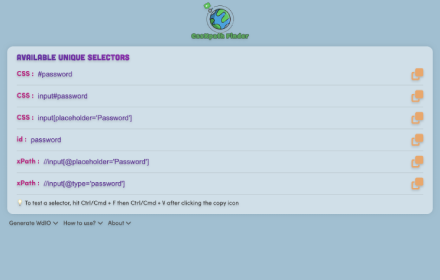
CssXpath Finder
The best CSS & Xpath finder for your web automation!
210
★ 5.0
Data sourced from the Chrome Web Store · last verified Jun 4, 2026.