Wicked Good Unarchiver
Open 7z/ar/CAB/CPIO/deb/ISO/jar/lha/pax/rpm/tar/warc files in Files app.
As of June 2026, Wicked Good Unarchiver has 100,000 users and a 2.77/5 rating from 403 reviews in the Developer Tools category.
Usersno change0%
100.0K
100,000
Ratingno change0%
2.77
403 reviews
Reviewsno change0%
403
Version
2020.11.0.77
Manifest V2
History
1 snapshotsTracking since Apr 23, 2026.
View as table
| Date | Users | Rating | Reviews | Version |
|---|---|---|---|---|
| Apr 23, 2026 | 100.0K | 2.77 | 403 | 2020.11.0.77 |
| Now | 100.0K | 2.77 | 403 | 2020.11.0.77 |
Permissions & access
- Permissions
- alwaysOnTopWindowsfileSystemProvidernotificationsstorage
- Host access
- None declared
Screenshots
About
***For Chrome OS Only***

NB: This has largely been obsoleted by recent CrOS releases.  R104+ should support these archive formats:
7z crx iso tar
And it should support these compression formats:
bz2/bzip/bzip2 gz/gzip lzma xz Z zstd

So there isn't much reason to install anymore.

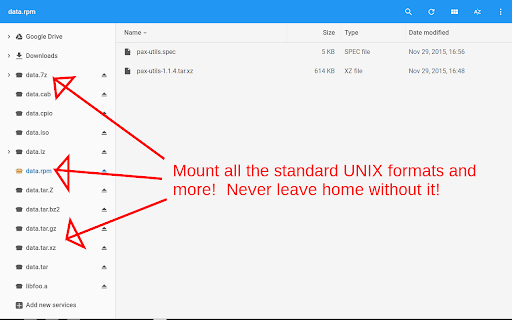
Enable mounting of a variety of archive formats (and different compression schemes) in the Files.app just like the native ZIP/RAR support that exists today.  Most notably, 7z & tarballs!

Supported archive formats:
7z ar cab cpio crx deb iso jar lha/lzh mtree pak pax rpm tar warc
Supported compression formats:
bz2/bzip/bzip2 gz/gzip lzma lz4 lzip lzo/lzop uu xz Z zstd

Please be aware that the extraction performance is not optimal with these "streaming" archive formats because of the design of the file format itself.  There is little that can be done in the extension when the file itself does not include an index.  Whenever you want to extract a file, the whole archive must be scanned.  The larger the archive file (and the # of files in it), the slower things will be.

If you wish to uninstall, please follow the documentation:
  https://support.google.com/chrome_webstore/answer/2664769
If your Chromebook is enrolled and your administrator has force-installed the extension, you need to talk to them instead. There's nothing I can do about that.

Source code can be found here:
https://github.com/vapier/chrome-ext-wicked-good-unarchiver
Technical
- Version
- 2020.11.0.77
- Manifest
- V2
- Size
- 1.65MiB
- Min Chrome
- 44.0.2400.0
- Languages
- 44
- Featured
- No
Metadata
- ID
- mljpablpddhocfbnokacjggdbmafjnon
- Developer ID
- u55fa6fe3304fddbb8d6b000989664584
- Developer Email
- [email protected]
- Created
- Feb 28, 2016
- Last Updated (Store)
- Oct 8, 2022
- Last Scraped
- Jun 8, 2026
- Website
- —
- Privacy Policy
- —
Similar extensions
Alternatives to Wicked Good Unarchiver, ranked by description similarity.

Chrome extension source viewer
View source code of Chrome extensions, Firefox addons or Opera extensions (crx/nex/xpi) from the Chrome web store and elsewhere.
100.0K
★ 4.6

CRX Downloader or zip
Download CRX Files directly as crx or zip file depending upon your choice
1.0K
★ 5.0

My Little Password
Create password protected ZIP files
7.0K
★ 3.9

Chrome Extension Downloader (CRX & ZIP)
Download Chrome extensions directly as CRX or ZIP files, giving you the flexibility to choose your preferred format.
1.0K
★ 5.0

GzipMate
GzipMate is a Chrome extension that decompresses Gzip-encoded input into JSON, with keyword search and copy-to-clipboard features.
306
★ 5.0

Extension Downloader & Source Viewer
View source code of browser extensions from Chrome, Firefox, Opera, Edge, and other browsers. Works with CRX, XPI, and NEX files.
12
★ 5.0

ExtSource Pro
Download the complete source code of any Chrome Web Store extension in CRX or ZIP format.
12
★ 5.0

New Chrome extension source viewer
View source code of Chrome extensions, Firefox addons or Opera extensions (crx/nex/xpi) from the Chrome web store and elsewhere.
410
★ 3.0
Data sourced from the Chrome Web Store · last verified Jun 8, 2026.