
Calendar Timezone Sync
Real-time cross-timezone synchronization overlay for Google Calendar
As of June 2026, Calendar Timezone Sync has 5 users and a 5.00/5 rating from 1 reviews in the Productivity category.
Usersup 66.7 percent+66.7%
5
5
Ratingno change0%
5.00
1 reviews
Reviewsno change0%
1
Version
1.1.0
Manifest V3
90-day change · In the last 90 days this extension 1 version update.
History
5 snapshotsTracking since Apr 17, 2026.
View as table
| Date | Users | Rating | Reviews | Version |
|---|---|---|---|---|
| Apr 17, 2026 | 3 | 5.00 | 1 | 1.0.0 |
| May 1, 2026 | 2 | 5.00 | 1 | 1.0.0 |
| May 8, 2026 | 2 | 5.00 | 1 | 1.1.0 |
| May 12, 2026 | 3 | 5.00 | 1 | 1.1.0 |
| Jun 6, 2026 | 4 | 5.00 | 1 | 1.1.0 |
| Now | 5 | 5.00 | 1 | 1.1.0 |
Changelog
- May 1, 2026name
SyncView Pro
Calendar Timezone Sync
Permissions & access
- Permissions
- storage
- Host access
- https://calendar.google.com/*
Screenshots

About
Detailed Description
SyncView Pro adds a real-time timezone overlay directly into Google Calendar. Simply hover over any time slot in Day or Week view to see the equivalent time in up to 3 additional timezones — displayed in a clean floating badge that follows your cursor.

FEATURES
- Dynamic sync line that follows your cursor across the calendar grid
- Floating badge showing your local time + up to 3 target timezones
- Color-coded timezone rows (green, orange, purple) for quick scanning
- Works in both Day and Week views; auto-disables in Month and Schedule views
- Searchable timezone picker with 400+ timezones and UTC offsets
- Master ON/OFF toggle to quickly enable or disable the overlay
- Fully DST-aware timezone conversions using the Intl API

PERFECT FOR
- Remote teams coordinating across time zones
- Scheduling international meetings without mental math
- Freelancers working with clients worldwide
- Anyone who checks "what time is it there?" multiple times a day

PRIVACY
- All settings are stored locally in your browser (chrome.storage.local)
- No data is collected, transmitted, or shared with any server
- No analytics, no tracking, no accounts required
- Open source — inspect every line of code

HOW TO USE
1. Install the extension
2. Click the SyncView Pro icon in your toolbar
3. Toggle "Enable overlay" ON
4. Add up to 3 target timezones using the searchable dropdown
5. Open Google Calendar in Day or Week view
6. Hover over the time grid — the sync line and badge appear instantly
Technical
- Version
- 1.1.0
- Manifest
- V3
- Size
- 21.13KiB
- Min Chrome
- 88
- Languages
- 1
- Featured
- No
Metadata
- ID
- mkjggfcmgfnlcckfdbaahommagmlbhmc
- Developer ID
- u4051ece1fce7aca53f9f6970ea3bcb6c
- Developer Email
- [email protected]
- Created
- Mar 18, 2026
- Last Updated (Store)
- Apr 30, 2026
- Last Scraped
- Jun 6, 2026
- Website
- —
- Support URL
- —
- Privacy Policy
- —
Similar extensions
Alternatives to Calendar Timezone Sync, ranked by description similarity.

Timezone Helper
Display time in selected time zones for Google Meet meetings
6
★ 5.0

Timezones Helper
Convert meeting times across multiple timezones with ease
3

Zutime - Meeting Scheduler Helper
Instantly see all attendee timezones when scheduling Google Calendar meetings. Never book 2 AM calls again.
—

TimeZone Converter
Grammarly-style time zone converter for Gmail and Outlook Web compose boxes
10
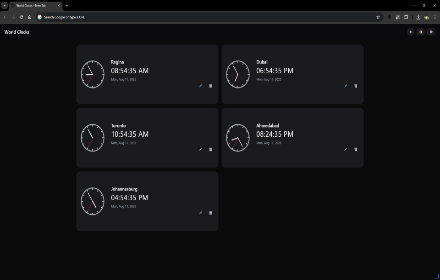
World Clocks Pro
Multi-timezone clocks with digital & analog views, themes, layout options, and customizable icons.
11

Time Zone Organizer
Displays multiple time zones on your new tab page
11

TimeTwister - Timezone Control for Selected Websites
This FREE extension allows you to change the browser's time zone for selected websites.
71

TimeOps
Instant Access to Your Complete Schedule, Right From Your Browser.
6
Data sourced from the Chrome Web Store · last verified Jun 6, 2026.