
Butt Vision
AI Powered MCQ Solver. Intended for Research Purposes
As of June 2026, Butt Vision has 163 users and a 5.00/5 rating from 1 reviews in the Education category.
Usersup 45.5 percent+45.5%
163
163
Ratingno change0%
5.00
1 reviews
Reviewsno change0%
1
Version
1.5.1
Manifest V3
90-day change · In the last 90 days this extension 2 version updates, changed permissions.
History
10 snapshotsTracking since Apr 18, 2026.
View as table
| Date | Users | Rating | Reviews | Version |
|---|---|---|---|---|
| Apr 18, 2026 | 112 | 5.00 | 1 | 1.3 |
| Apr 23, 2026 | 125 | 5.00 | 1 | 1.4 |
| Apr 28, 2026 | 128 | 5.00 | 1 | 1.4 |
| May 6, 2026 | 105 | 5.00 | 1 | 1.4 |
| May 11, 2026 | 147 | 5.00 | 1 | 1.4 |
| May 16, 2026 | 167 | 5.00 | 1 | 1.5.1 |
| May 23, 2026 | 200 | 5.00 | 1 | 1.5.1 |
| May 30, 2026 | 165 | 5.00 | 1 | 1.5.1 |
| Jun 5, 2026 | 147 | 5.00 | 1 | 1.5.1 |
| Jun 12, 2026 | 149 | 5.00 | 1 | 1.5.1 |
| Now | 163 | 5.00 | 1 | 1.5.1 |
Changelog
- May 11, 2026description
Assists users in practicing MCQs.
Only intended for research purposes.

How to use:

Screenshot mode:
Press Ctrl+Shift+Q on Windows or Option+Shift+Q on Mac.
The answer appears in the bottom-right corner.
Press Esc to dismiss.

Text selection mode:
Highlight the question text on any page, click the "?" button that appears, and the answer is shown in the bottom right corner.
Press Esc to dismiss.

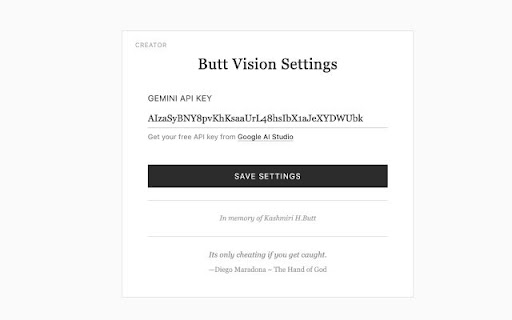
Requires a free Groq API key.
Configure it once in the extension settings.
Assists users in practicing MCQs. Only intended for research purposes. How to use: Press Ctrl+Shift+Q on Windows or Option+Shift+Q on Mac. The answer appears in the bottom-right corner. Auto disappears in ~3 seconds. Free tier: Groq models. Pro: Frontier models via Openrouter Configure it once in the extension settings.
- May 11, 2026host_permissions
https://api.groq.com/*, https://us.i.posthog.com/*
https://api.groq.com/*, https://openrouter.ai/*, https://us.i.posthog.com/*
- Apr 18, 2026description
Assists users in efficiently practicing MCQs. Only intended for research purposes. How to use: 1. Configure your Groq API Key. 2. Have a multiple choice question visible on the screen. 3. Shortcut keys: - For Windows press "Ctrl + Shift + Q" - For Mac press "⌥Option + Shift + Q" 4. The correct answer will be displayed in the bottom right corner. 5. Press "esc" to exit.
Assists users in practicing MCQs. Only intended for research purposes. How to use: Screenshot mode: Press Ctrl+Shift+Q on Windows or Option+Shift+Q on Mac. The answer appears in the bottom-right corner. Press Esc to dismiss. Text selection mode: Highlight the question text on any page, click the "?" button that appears, and the answer is shown in the bottom right corner. Press Esc to dismiss. Requires a free Groq API key. Configure it once in the extension settings. - Apr 18, 2026host_permissions
https://api.groq.com/*
https://api.groq.com/*, https://us.i.posthog.com/*
Permissions & access
- Permissions
- tabsactiveTabscriptingstorage
- Host access
- https://api.groq.com/*, https://openrouter.ai/*, https://us.i.posthog.com/*
Screenshots
About
Assists users in practicing MCQs.
Only intended for research purposes.

How to use:
Press Ctrl+Shift+Q on Windows or Option+Shift+Q on Mac.
The answer appears in the bottom-right corner.
Auto disappears in ~3 seconds.

Free tier:
Groq models.
Pro:
Frontier models via Openrouter
Configure it once in the extension settings.
Technical
- Version
- 1.5.1
- Manifest
- V3
- Size
- 42.43KiB
- Min Chrome
- 88
- Languages
- 1
- Featured
- No
Metadata
- ID
- mjnfcjebdanmdjhahdjcnbjnlofbagma
- Developer ID
- u1476034fb287f3a4598f2406d351eae6
- Developer Email
- [email protected]
- Created
- Nov 20, 2025
- Last Updated (Store)
- May 7, 2026
- Last Scraped
- Jun 12, 2026
- Website
- —
- Support URL
- —
- Privacy Policy
- https://bv-privacy-policy.vercel.app
Similar extensions
Alternatives to Butt Vision, ranked by description similarity.

CMind Quiz Helper
AI-powered quiz analysis tool
48
★ 5.0

QuizWhiz
An AI assistant that can read text and screenshot-based quizzes.
4

Quiz Generator
AI Quiz Generator - Generate quizzes based on the current page content using Gemini or GPT.
9
★ 5.0

RightClick
RightClick not only helps you get through work quicker, it helps you learn faster too. Not to mention scoring perfect grades.
4.0K
★ 2.4

Quiz Answer Assistant
Get quick answers for quiz questions with text selection
98
★ 3.0

Study Buddy
Cheat on Proctored Exams
1.0K
★ 3.1

QuizMentor
Capture multiple choice questions from your screen and review them using your own AI tools for learning and study support.
—

Quibble - Homework Helper
Learn smarter, not harder.
792
★ 4.3
Data sourced from the Chrome Web Store · last verified Jun 12, 2026.