
CrossPilot
Install Opera extensions in Chrome in a sandboxed environment
As of June 2026, CrossPilot has 400,000 users and a 4.60/5 rating from 1,151 reviews in the Accessibility category.
Usersno change0%
400.0K
400,000
Ratingdown 0.2 percent−0.2%
4.60
1.2K reviews
Reviewsno change0%
1.2K
Version
2.2.4
Manifest V3
History
2 snapshotsTracking since Apr 18, 2026.
View as table
| Date | Users | Rating | Reviews | Version |
|---|---|---|---|---|
| Apr 18, 2026 | 400.0K | 4.61 | 1.2K | 2.2.4 |
| Apr 28, 2026 | 400.0K | 4.61 | 1.2K | 2.2.4 |
| Now | 400.0K | 4.60 | 1.2K | 2.2.4 |
Permissions & access
- Permissions
- alarmsstorageunlimitedStorageoffscreenscriptingsidePaneldeclarativeNetRequestWithHostAccess
- Host access
- None declared
Screenshots


About
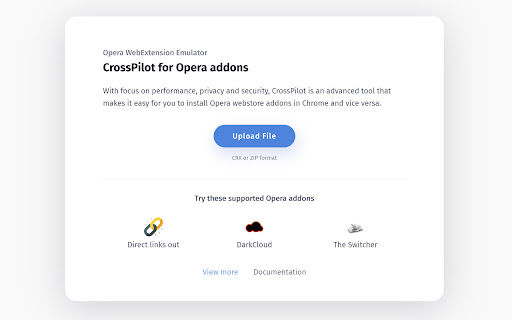
With focus on performance, privacy and security, CrossPilot is an advanced tool that makes it easy for you to install Opera webstore addons in Chrome and vice versa.

How to use
- Visit Opera addons webstore and find your desired addon.
- Click on Install with CrossPilot button in sidebar.
- Installation process will begin in CrossPilot installation page
- Review the optional permissions (Grant/Deny)
- You are ready to use your Opera addon in Chrome.

CrossPilot requires minimum permissions possible to operate. All optional permissions can be granted or denied by the user. See the following section on use of permissions for more details.

Use of permissions:
CrossPilot requires 3 permissions upon install:
1. Storage - (Used to store CrossPilot settings)
2. Unlimited Storage - (Chrome Extension storage is limited to 5MB, We require higher storage for larger extensions)
3. Alarms - (Used to create repeating tasks, mainly used for checking updates)

Optional permissions:
1. http://*/ and https://*/ (Used to for installed extensions' content scripts)
2. Downloads, downloads.open (Create and read downloads, open downloaded files, for download managers)
3. tabs (Can be used for screenshot extensions, PDF generators)

Data Privacy Policy
We do not track any of your data, period.
We do not track any usage of the extension - that includes searches, filters, tabs, windows, popup opens, etc
We do not track any websites, website usage, etc
We do not transfer any data to any 3rd party servers
The extension uses Google Analytics to collect installation metrics and code error information anonymously to improve extension quality.
The only data that we store is your storage data. You save this data to your local browser storage. We never touch or see this data. This data is exclusively stored inside your browser.
The same goes for your settings - your settings are saved solely inside your browser.

Feel free to contact us if you got any questions or concerns about data privacy, we will be happy to help.
Technical
- Version
- 2.2.4
- Manifest
- V3
- Size
- 405KiB
- Min Chrome
- 120
- Languages
- 1
- Featured
- No
Metadata
- ID
- migomhggnppjdijnfkiimcpjgnhmnale
- Developer ID
- u96521456547253e4261dee12953ce6c1
- Developer Email
- [email protected]
- Created
- Oct 31, 2019
- Last Updated (Store)
- Nov 11, 2025
- Last Scraped
- Jun 8, 2026
- Website
- crosspilot.io
- Support URL
- https://crosspilot.io/contact
- Privacy Policy
- https://crosspilot.io/privacy-policy
Similar extensions
Alternatives to CrossPilot, ranked by description similarity.

WebInSight (Chrome)
Insightful annotations and summaries of any page
4
★ 5.0

WebCRX
Easily and safely install local CRX files in Chrome
1.0M
★ 4.9

CRX Emulator
Emulate CRX files in your browser
500.0K
★ 4.7

Open CoPilot™ in SideBar
CoPilot™ Chrome Extension. Open CoPilot™ in SideBar
2.0K
★ 4.0

Allow Copy Plus
Unlocks content with allow copy feature.
7.0K
★ 4.5

VoicePilot - Control your browser hands-free with voice commands
Control your browser hands-free with voice commands. Navigate, search, and manage tabs easily.
29

CoPilot™ Open SideBar in Chrome
CoPilot™ Extensions For Chrome. CoPilot™ New AI and Open SideBar in Chrome
7.0K
★ 4.1
Proper Menubar for Google Chrome
Add the best menu bar to get easy and fast access to all your useful browser options and internet products!
30.0K
★ 3.8
Data sourced from the Chrome Web Store · last verified Jun 8, 2026.