
MaxAI: Ask AI anything as you browse (GPT, Gemini, Claude, Grok, etc.)
Save time with your AI assistant that helps you read, write, and search faster wherever you work online.
As of June 2026, MaxAI: Ask AI anything as you browse (GPT, Gemini, Claude, Grok, etc.) has 700,000 users and a 4.75/5 rating from 14,559 reviews in the Productivity category.
Usersno change0%
700.0K
700,000
Ratingno change0%
4.75
14.6K reviews
Reviewsup 0.5 percent+0.5%
14.6K
Version
8.37.2
Manifest V3
90-day change · In the last 90 days this extension 1 version update.
History
19 snapshotsTracking since Apr 5, 2026.
View as table
| Date | Users | Rating | Reviews | Version |
|---|---|---|---|---|
| Apr 5, 2026 | 700.0K | 4.75 | 14.5K | 8.37.1 |
| Apr 8, 2026 | 700.0K | 4.75 | 14.5K | 8.37.1 |
| Apr 14, 2026 | 700.0K | 4.75 | 14.5K | 8.37.1 |
| Apr 19, 2026 | 700.0K | 4.75 | 14.5K | 8.37.1 |
| Apr 22, 2026 | 800.0K | 4.75 | 14.5K | 8.37.1 |
| Apr 25, 2026 | 800.0K | 4.75 | 14.5K | 8.37.1 |
| Apr 28, 2026 | 700.0K | 4.75 | 14.5K | 8.37.1 |
| May 8, 2026 | 700.0K | 4.75 | 14.5K | 8.37.1 |
| May 12, 2026 | 700.0K | 4.75 | 14.5K | 8.37.1 |
| May 15, 2026 | 700.0K | 4.75 | 14.5K | 8.37.1 |
| May 20, 2026 | 700.0K | 4.75 | 14.5K | 8.37.1 |
| May 24, 2026 | 700.0K | 4.75 | 14.5K | 8.37.1 |
| May 29, 2026 | 700.0K | 4.75 | 14.5K | 8.37.1 |
| Jun 3, 2026 | 700.0K | 4.75 | 14.5K | 8.37.1 |
| Jun 6, 2026 | 700.0K | 4.75 | 14.5K | 8.37.2 |
| Jun 8, 2026 | 700.0K | 4.75 | 14.6K | 8.37.2 |
| Jun 11, 2026 | 700.0K | 4.75 | 14.6K | 8.37.2 |
| Jun 15, 2026 | 700.0K | 4.75 | 14.6K | 8.37.2 |
| Jun 22, 2026 | 700.0K | 4.75 | 14.6K | 8.37.2 |
| Now | 700.0K | 4.75 | 14.6K | 8.37.2 |
Permissions & access
- Permissions
- tabsscriptingstoragemanagementcontextMenusclipboardReadclipboardWritedeclarativeNetRequestWithHostAccess
- Host access
- <all_urls>
Screenshots

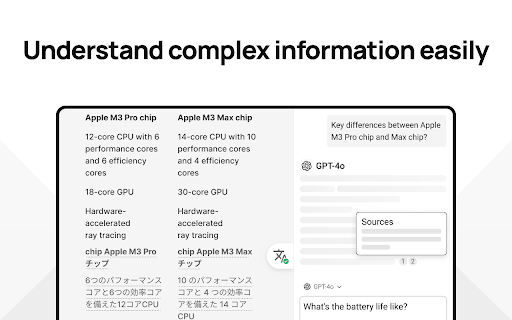


About
MaxAI for Chrome offers a complete set of powerful AI tools in a clean, minimalist interface designed to boost your productivity online, no matter what task you're working on.

➤ How it works
MaxAI adds an AI sidebar and an AI context menu to your browser. With the AI sidebar, you can ask questions about the webpage you're viewing, such as summarizing content, finding information, analyzing data, or getting answers to your questions. The AI context menu lets you select any text online and have the AI improve your writing, translate, explain, or answer the selected text with a single click.

➤ What's included?

~ Free
The free version of MaxAI includes basic AI features designed to help you read, write, and search more quickly and effectively.
• Ask AI anything in the AI sidebar
• Ask about webpages and your files
• AI web search
• AI writing assistance
• AI reading assistance
• AI reply (emails, social media, messages)
• AI translate
• Create reusable prompts

~ Pro
MaxAI Pro includes everything available for free, plus an expanded range of AI features designed to help you get more accurate answers and produce higher-quality results that make an impact.
• Choose a smarter AI
• 5x more web search sources
• In-depth content and data analysis
• Advanced reasoning
• Customizable responses
• Voice input
• Ask multiple AI models at once
• Image generation

➤ AI models
MaxAI is powered by the latest top AI models from OpenAI, Anthropic, Google, and others.

~ Powered by OpenAI
• GPT-4.1 / GPT-4o
• o4-mini
• GPT-Image-1 (the image generation model in ChatGPT)
• DALL·E 3

~ Powered by Anthropic
• Claude-3.7-Sonnet
• Claude-3.5-Haiku

~ Powered by Google
• Gemini-2.5-pro
• Gemini-2.0-Flash

~ Powered by xAI
• Grok-3

~ Powered by DeepSeek
• DeepSeek-R1
• DeepSeek-V3

~ Powered by Mistral AI
• Mistral-Large-2
• Llama-3.3-70B

~ Powered by Black Forest Labs
• FLUX-1-Pro
• FLUX-1-Dev
• FLUX-1-Schnell

~ Powered by Stability AI
• SD3-Medium

➤ Use cases

~ Ask AI anything
• Get answers
• Search the web
• Extract text from images
• Create images
• Generate and debug code
• Generate diagrams and flowcharts
• Compare answers from different AI models

~ AI reading assistance
• Summarize
• Find information
• Explain complex concepts
• Analyze content and data
• Translate sentences
• Translate the entire webpage

~ AI writing assistance
• Clarity-focused sentence rewrites
• Improve writing
• Adjust tone
• Translate sentences
• Improve vocabulary (word choice, formality level)
• Check grammar
• Check spelling
• Check punctuation
• Quickly reply to emails, social posts, and messages
• Create a draft

➤ Works where you work
MaxAI is designed to work seamlessly in your browser—no copying or pasting required. Use it in Google Docs, email clients, social media, and across the web. MaxAI for Chrome works across:
• Google Docs
• YouTube
• Gmail
• LinkedIn
• And more!

➤ Our mission
We're a small, independent team of highly talented individuals based in Silicon Valley, California.
Our mission is to make generative AI accessible and useful for everyone.

➤ Important notes
• Make sure to reload/refresh the webpage after installing the extension to ensure its proper functionality.
• For security reasons, the extension will not work on any Chrome Web Store pages.

➤ Terms and Conditions
By installing the extension, you agree to and acknowledge:
https://www.maxai.co/terms/
https://www.maxai.co/privacy/

➤ Any questions, suggestions, or feedback?
Drop us a line at [email protected]
Technical
- Version
- 8.37.2
- Manifest
- V3
- Size
- 30.7MiB
- Min Chrome
- 88
- Languages
- 55
- Featured
- Yes
Metadata
- ID
- mhnlakgilnojmhinhkckjpncpbhabphi
- Developer ID
- uf9f63244cc1fab18fedb8406a554d3b9
- Developer Email
- [email protected]
- Created
- Mar 20, 2023
- Last Updated (Store)
- Jun 3, 2026
- Last Scraped
- Jun 22, 2026
- Website
- maxai.co
- Support URL
- https://www.maxai.co/
- Privacy Policy
- https://www.maxai.me/privacy
Similar extensions
Alternatives to MaxAI: Ask AI anything as you browse (GPT, Gemini, Claude, Grok, etc.), ranked by description similarity.

ChromeAiAgent
AI assistant for browser automation with natural language commands and intelligent web page interaction.
8

MindStudio
MindStudio Chrome Extension
10.0K
★ 4.4

TeamAI - Your AI Copilot
Unlock the full potential of AI directly in your browser with TeamAI. This extension seamlessly integrates a suite of advanced AI…
1.0K
★ 5.0

Merlin AI
AI-powered browser agent by Merlin
900.0K
★ 4.8

AI Agent Utils
Chrome extension with AI agent capabilities for web page interaction and automation
7

Egenie AI
Egenie AI
—

AI assistant
Use AI Assistant Chrome Extension for ai coding assistant and ai chat online productivity with smart, instant help in your browser.
688
★ 5.0

PageIntel by MaxTAF
PageIntel connects ChatGPT to the browser to execute your AI tasks based on the webpage content.
—
Data sourced from the Chrome Web Store · last verified Jun 22, 2026.