
Pro Dashboard New Tab
A beautiful productivity dashboard for your new tab with focus tools, notes, tasks, and quick links.
As of June 2026, Pro Dashboard New Tab has 5 users in the Workflow & Planning category.
Usersno change0%
5
5
Ratingno change0%
—
— reviews
Reviewsno change0%
—
Version
1.0.0
Manifest V3
History
5 snapshotsTracking since May 13, 2026.
View as table
| Date | Users | Rating | Reviews | Version |
|---|---|---|---|---|
| May 13, 2026 | — | — | — | 1.0.0 |
| May 19, 2026 | 1 | — | — | 1.0.0 |
| May 25, 2026 | 3 | — | — | 1.0.0 |
| Jun 1, 2026 | 2 | — | — | 1.0.0 |
| Jun 7, 2026 | 3 | — | — | 1.0.0 |
| Now | 5 | — | — | 1.0.0 |
Permissions & access
- Permissions
- tabsgeolocationbookmarksalarms
- Host access
- None declared
Screenshots


About
Pro Dashboard features a modern glassmorphism interface that combines transparency, soft gradients, and smooth visual layers to create a premium and calming aesthetic. Every element is carefully designed to feel lightweight and visually pleasing without distracting you from your tasks.

You can customize your workspace with beautifully crafted themes such as:

Atlas Blue – A clean and professional blue theme that promotes focus and clarity.

Pine Mist – A calming green tone inspired by nature to reduce digital fatigue.

Ember Coast – A warm, sunset-inspired theme that adds energy and creativity to your workspace.

These themes are optimized for readability and visual comfort, ensuring your dashboard always looks stunning while remaining easy to use. Whether you prefer cool professional tones or warm creative vibes, Pro Dashboard lets you personalize your environment to match your style.

⏱️ Focus Timer for Deep Work

Staying focused in a world full of digital distractions can be challenging. That’s why Pro Dashboard includes a built-in Focus Timer based on the Pomodoro productivity method.

This timer helps you break your work into structured sessions:

Focus sessions for deep concentration

Short breaks to recharge your mind

Longer breaks after completing multiple sessions

By following this proven productivity technique, you can maintain mental clarity, prevent burnout, and improve your efficiency throughout the day. The timer is simple, intuitive, and seamlessly integrated into your dashboard, making it easy to start a focused work session whenever you open a new tab.

✅ Smart Task Management

Your daily goals deserve a simple and accessible system to track them. Pro Dashboard includes a clean and minimal to-do list that helps you organize tasks without overwhelming you with unnecessary complexity.

You can quickly:

Add tasks for the day

Mark items as completed

Remove tasks once they’re done

Keep your priorities visible at all times

Because the task manager is built directly into your new tab page, your goals remain front and center whenever you start browsing. This gentle visual reminder helps you stay productive and focused on what truly matters.

📝 Sticky Notes for Quick Thoughts

Great ideas often appear when you least expect them. With Sticky Notes, Pro Dashboard gives you a simple space to capture your thoughts instantly.

Whether you want to write down:

Quick reminders

Ideas for projects

Important information

Temporary notes

You can jot them down within seconds without switching apps or opening additional tools. Sticky notes stay visible on your dashboard so your important thoughts are never lost.

This feature is perfect for brainstorming, planning, and keeping important information within easy reach.

🌦️ Live Weather Updates

Stay connected with your environment through real-time weather updates directly on your dashboard.

Pro Dashboard automatically detects your location and displays current weather conditions so you can quickly check:

Temperature

Weather conditions

Local forecasts

This small but useful feature helps you plan your day better—whether you're heading to work, scheduling outdoor activities, or simply deciding what to wear.

The weather widget is designed to be informative yet subtle, blending naturally into the overall dashboard design.

🔗 Quick Links to Your Favorite Websites

Pro Dashboard allows you to create custom shortcuts to your most-used websites, making navigation faster and more convenient.

Instead of typing URLs or searching through bookmarks, you can instantly access your favorite platforms such as:

Work tools

Learning platforms

Social media

Productivity apps

News websites

Your quick links appear neatly organized on your dashboard, giving you a faster and smoother browsing experience. This simple feature saves time and reduces unnecessary clicks during your daily workflow.

🌱 Daily Inspiration and Greetings

Every new tab is an opportunity to reset your mindset. Pro Dashboard includes daily inspirational quotes and personalized greeting messages to help you start your day with positivity and motivation.

These thoughtful messages can:

Inspire creativity

Encourage productivity

Boost your mood

Provide small moments of reflection

Combined with the calming design of the dashboard, these daily inspirations create a refreshing experience that helps you stay motivated and mentally energized.

A Workspace Designed for Focus

Many new tab extensions overload users with complex widgets and distracting visuals. Pro Dashboard takes the opposite approach by focusing on simplicity, clarity, and usability.

Every feature is designed with intention:

Clean layouts that reduce visual clutter

Smooth interactions that feel natural

Carefully balanced elements that keep your workspace organized

The result is a digital environment that supports your productivity rather than competing for your attention.

Lightweight and Efficient

Pro Dashboard is built to be fast, lightweight, and responsive, ensuring it doesn’t slow down your browsing experience. It integrates seamlessly with your browser while maintaining optimal performance.

You get the benefits of powerful productivity tools without sacrificing speed or simplicity.

Personalize Your Productivity

Everyone works differently, and Pro Dashboard respects that. By combining customization options with essential productivity features, it adapts to your workflow and helps you create a workspace that truly feels personal.

Whether you use it for work, studying, planning, or everyday browsing, Pro Dashboard turns your new tab into a meaningful productivity space.

Start Every Tab with Purpose

Instead of opening another empty tab filled with distractions, open a workspace designed to help you think clearly, work efficiently, and stay inspired.

With its elegant design, practical productivity tools, and thoughtful features, Pro Dashboard transforms your browser into a powerful daily companion.

Make every new tab count. Upgrade your browsing experience with Pro Dashboard.
Affiliate Disclosure
This extension may use affiliate links when you choose to open products or services on supported platforms. These links help support development at no additional cost to you.

These commissions help support ongoing development, improvements, and maintenance of the extension.

Affiliate Disclosure
This extension may use affiliate links when you choose to open products or services on supported platforms. These links help support development at no additional cost to you.

These commissions help support ongoing development, improvements, and maintenance of the extension.
Technical
- Version
- 1.0.0
- Manifest
- V3
- Size
- 210KiB
- Min Chrome
- 88
- Languages
- 54
- Featured
- No
Metadata
- ID
- mhdnihhjklkoeopfbcibikhabfollepl
- Developer ID
- u9113803f61221c9ff5bcaa152463be1b
- Developer Email
- [email protected]
- Created
- Mar 12, 2026
- Last Updated (Store)
- Jun 2, 2026
- Last Scraped
- Jun 7, 2026
- Website
- extensionsstore.blogspot.com
- Support URL
- —
- Privacy Policy
- https://sites.google.com/view/pro-dashboar/home
Similar extensions
Alternatives to Pro Dashboard New Tab, ranked by description similarity.

Priority Zero
Master your day with a visual timeline, Eisenhower task matrix, and deep work tracking on a beautiful, glassmorphic new tab page.
4

Focus Tab
Your own new tab to help you Focus
97
★ 4.9

Aurovia - Productivity New Tab Dashboard
Turn every new tab into a calm productivity dashboard with TaskFlow, Pomodoro, Aura AI, weather, and optional cloud sync.
38
★ 5.0
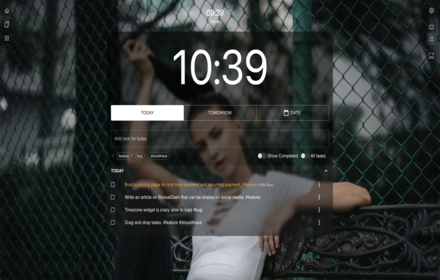
BonsaiDash - Your productivity tab
Your productivity tab
69
★ 5.0

Aura Dashboard Live Wallpaper
Transform your New Tab into a stunning, glassmorphic dashboard with Tasks, Notes, Calendar, World Clocks, and Smart Search.
10

BaseTab - Productive New Tab
Transform your new tab into a beautiful productivity dashboard with tasks, Pomodoro timer, weather, quotes & stunning backgrounds.
18

Floez – Productive New Tab
Minimal new-tab dashboard with to-dos, site blocking, Pomodoro timer and browsing analytics.
11
★ 5.0

Glassy - New Tab
Where clarity meets productivity – Tab manager, Pomodoro, Quick links, Zen-mode, Notes and customization.
1.0K
★ 4.9
Data sourced from the Chrome Web Store · last verified Jun 7, 2026.