
Anybox
Control Chrome with Anybox Agent.
As of June 2026, Anybox has — users in the Productivity category.
Usersno change0%
—
—
Ratingno change0%
—
— reviews
Reviewsno change0%
—
Version
0.1.0
Manifest V3
History
1 snapshotsTracking since Jun 19, 2026.
Not enough history yet for this metric — the chart fills in as we collect more snapshots.
View as table
| Date | Users | Rating | Reviews | Version |
|---|---|---|---|---|
| Jun 19, 2026 | — | — | — | 0.1.0 |
| Now | — | — | — | 0.1.0 |
Permissions & access
- Permissions
- debuggernativeMessagingscriptingstoragetabs
- Host access
- <all_urls>
Screenshots

About
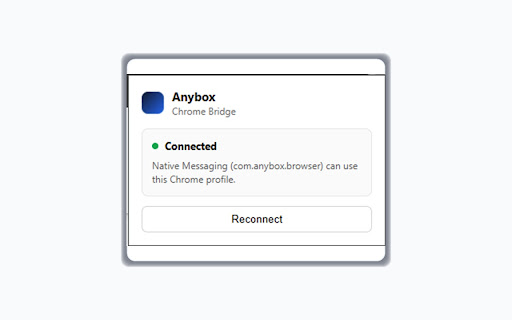
Anybox is a Chrome extension bridge for Anybox Desktop Agent.

It lets users connect their local Anybox Desktop app to Chrome and automate their own browser tabs through user-initiated commands. With Anybox, users can list and open tabs, activate a tab, inspect page content, capture screenshots, click, type, scroll, and perform browser automation tasks from the Anybox desktop app.

This extension is designed to work with the locally installed Anybox Desktop application. After installing the extension, start Anybox Desktop and use the browser automation features from the desktop app. The extension connects to the local Anybox native messaging host when available, or to the local Anybox agent service during development.

Anybox does not provide standalone cloud automation. Browser actions are initiated by the user through their local Anybox environment.
Technical
- Version
- 0.1.0
- Manifest
- V3
- Size
- 134KiB
- Min Chrome
- 88
- Languages
- 1
- Featured
- No
Metadata
- ID
- mgpdddgemohfmonbnpehohhlbndakdpg
- Developer ID
- ucf915c76727b652f7dfbd36dfcf6006f
- Developer Email
- [email protected]
- Created
- Jun 18, 2026
- Last Updated (Store)
- Jun 18, 2026
- Last Scraped
- Jun 19, 2026
- Website
- —
- Support URL
- —
- Privacy Policy
- https://fanfande-studio.pages.dev/privacy/
Data sourced from the Chrome Web Store · last verified Jun 19, 2026.