
Awesome New Tab Page
Enhance your New Tab Page with ultimate customizability and power. Awesome, like you. [ANTP]
As of June 2026, Awesome New Tab Page has 70,000 users and a 4.29/5 rating from 13,604 reviews in the Workflow & Planning category.
Usersdown 12.5 percent−12.5%
70.0K
70,000
Ratingno change0%
4.29
13.6K reviews
Reviewsdown 0.1 percent−0.1%
13.6K
Version
2025.415.73
Manifest V3
90-day change · In the last 90 days this extension lost 10.0K users.
History
3 snapshotsTracking since Apr 20, 2026.
View as table
| Date | Users | Rating | Reviews | Version |
|---|---|---|---|---|
| Apr 20, 2026 | 80.0K | 4.29 | 13.6K | 2025.415.73 |
| May 11, 2026 | 80.0K | 4.29 | 13.6K | 2025.415.73 |
| Jun 6, 2026 | 80.0K | 4.29 | 13.6K | 2025.415.73 |
| Now | 70.0K | 4.29 | 13.6K | 2025.415.73 |
Permissions & access
- Permissions
- managementtabsstorageunlimitedStorage
- Host access
- chrome://favicon/, <all_urls>
Screenshots

About
Awesome New Tab Page transforms your Chrome new tab into a personalized dashboard with apps, shortcuts, and widgets you'll actually use.

Features:
- Interactive widgets that display real-time information
- Fully customizable layout - add, remove, and resize tiles
- Create personalized shortcuts to your favorite sites
- Direct search from shortcuts
- Flexible resizing for apps and widgets

Awesome New Tab Page is a privacy-oriented extension. It does not track your browsing activity or sell it or in any way share it with third parties. Awesome New Tab Page is 100% ad free and completely customizable.

Current Widgets:
- Weather
- xkcd Comic
- Cryptocurrency Price Trackers (BTC, XRP, ETH)
- More crypto widgets coming soon with enhanced features! Have suggestions? Contact us at [email protected]

How to Use:
1. Unlock the grid with the padlock icon
2. Open the widgets drawer and drag a widget out onto the grid
3. Customize to your heart's content
4. Lock the grid when finished


FAQ
Q: How can I add my own links and images?
A: Unlock the grid, then click on an empty tile. This will create a custom shortcut and open the tile editor, allowing you to start customizing.

Q: Can I remove tiles from my dashboard?
A: Yes! Unlock the grid, click the "X" on any tile, then lock again to use your dashboard.

Q: Can I change the background image or color?
A: Yes! Click the settings icon and use the color picker to select any background color.

Q: How do I go back to the default Chrome new tab page?
A: Uninstall the extension through Chrome's extension management. Thanks for trying it, and please share any feedback you have!


It would mean a lot if you would like and share on Bluesky: https://bsky.app/profile/antp.co

Use License:
Permission granted for personal, non-commercial use only. This license prohibits:
- Modifying or copying materials
- Commercial use or public display
- Reverse engineering
- Removing copyright notices
- Redistributing materials

Disclaimer:
Awesome New Tab Page is provided "as is." Awesome HQ, LLC makes no warranties regarding merchantability, fitness for purpose, or non-infringement of rights. We do not guarantee accuracy, results, or reliability of materials within Awesome New Tab Page.

Widgets may display content from third-party sources including weather services, cryptocurrency data providers, and other external sources. Awesome HQ, LLC is not responsible for the accuracy, content, or availability of these third-party services. User-created shortcuts, bookmarks, and custom content are the sole responsibility of the user who created them.
Technical
- Version
- 2025.415.73
- Manifest
- V3
- Size
- 4.35MiB
- Min Chrome
- 90
- Languages
- 1
- Featured
- Yes
Metadata
- ID
- mgmiemnjjchgkmgbeljfocdjjnpjnmcg
- Developer ID
- u4d1a7de01343048a3d3585e3f518b8d3
- Developer Email
- [email protected]
- Created
- Oct 25, 2011
- Last Updated (Store)
- Apr 15, 2025
- Last Scraped
- Jun 6, 2026
- Website
- antp.co
- Support URL
- —
- Privacy Policy
- —
Similar extensions
Alternatives to Awesome New Tab Page, ranked by description similarity.

New Tab Widgets - Personal Dashboard
Turn every new tab into your personal dashboard with widgets for weather, tasks, notes, and more.
1.0K
★ 4.1
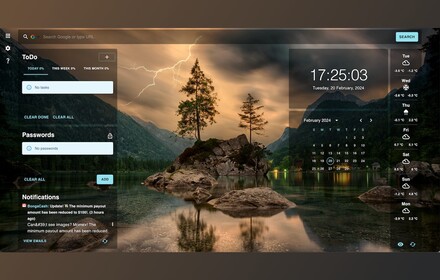
SmartTab
SmartTab transforms your new tab into a personalized, productivity-boosting dashboard with customizable widgets and themes
2.0K
★ 4.7
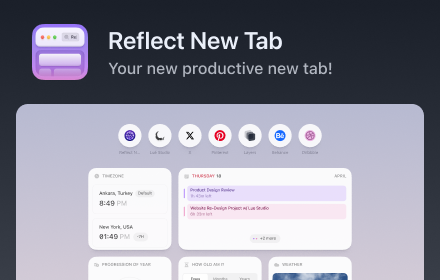
Reflect New Tab
Replace Google Chrome's default new tab page with a beautiful dashboard of customizable widgets.
You can see an overview of your…
6.0K
★ 4.0

Aura Dashboard Live Wallpaper
Transform your New Tab into a stunning, glassmorphic dashboard with Tasks, Notes, Calendar, World Clocks, and Smart Search.
10

Daily Tab - New tab for Chrome
Get modern New tab. Customize your bookmarks, layout, background and more.
1.0K
★ 4.6

ProductivityTab — Custom Homepage Dashboard
A remarkably customizable personal homepage featuring 50+ widgets, breathtaking backgrounds and much more.
30.0K
★ 4.2

New Tab Page Extension
Transform your Chrome New Tab with PresentBoard! Pick from stunning dashboards or create your own with free, customizable widgets.
5.0K
★ 4.3

Nexus Tab: Your Daily Command Center
Transform your new tab into a modular productivity command center with glassmorphism widgets you can toggle on or off.
10
Data sourced from the Chrome Web Store · last verified Jun 6, 2026.