
Selenideium Element Inspector
A handy tool to log attributes and Selenide, Selenium, Cypress, Playwright, Squish and TestCafe locators of the clicked element.
As of May 2026, Selenideium Element Inspector has 2,000 users and a 4.20/5 rating from 5 reviews in the Developer Tools category.
Usersno change0%
2.0K
2,000
Ratingno change0%
4.20
5 reviews
Reviewsno change0%
5
Version
2.0
Manifest V3
History
1 snapshotsTracking since Apr 23, 2026.
View as table
| Date | Users | Rating | Reviews | Version |
|---|---|---|---|---|
| Apr 23, 2026 | 2.0K | 4.20 | 5 | 2.0 |
| Now | 2.0K | 4.20 | 5 | 2.0 |
Permissions & access
- Permissions
- storage
- Host access
- None declared
Screenshots

About
Selenideium Element Inspector is a handy tool with which you can automatically generate complete line of copy-pastable Selenide, Selenium, Cypress, Playwright, TestCafe and Squish locators with a single click for any element.

Just copy-past the printed selector straight into your favourite IDE and that's it.

You can save dozens of minutes each day by using this extension.

Please leave a review in case you find the plugin useful!

Buy me a coffee in case you save time by using Selenideium Element Inspector!: https://buymeacoffee.com/mikiszeles 😊

Release notes

V2.0
- Added support for:
    - Selenium JavaScript
    - Selenium Python
    - Selenium C#
    - Cypress
    - TestCafe
    - Playwright
    - Squish
- Provide an option to select the testing frameworks for which selectors will be generated

V1.2
- Printing relative XPath selector for both Selenide and Selenium
- Printing CSS selectors based on any unique attribute for both Selenide and Selenium
- Printing CSS selectors based on any unique class for both Selenide and Selenium
- Automatically adding ";" to the end of the selector, so you really only have to copy-paste the
  code.
- Marking the start and end of the logs belonging to Selenideium Element Inspector

V1.1
- Updated extension description

V1.0
- Printing the clicked element to the console for both Selenide and Selenium
- Printing id based selector for both Selenide and Selenium
- Printing name based selector for both Selenide and Selenium
- Printing tagName based selector for both Selenide and Selenium
- Printing linkText based selector for both Selenide and Selenium
- Printing withText based selector for Selenide
- Printing CSS based selector for both Selenide and Selenium
Technical
- Version
- 2.0
- Manifest
- V3
- Size
- 34.96KiB
- Min Chrome
- 88
- Languages
- 1
- Featured
- Yes
Metadata
- ID
- mgfhljklijclnfeglclagdeoiknnmnda
- Developer ID
- ucbcbe3c93da4284c5030066c29472871
- Developer Email
- [email protected]
- Created
- Feb 15, 2022
- Last Updated (Store)
- Mar 3, 2022
- Last Scraped
- May 19, 2026
- Website
- mszeles.com
- Support URL
- —
- Privacy Policy
- —
Similar extensions
Alternatives to Selenideium Element Inspector, ranked by description similarity.

Element Spy
Generate CSS selectors and XPath locators for web automation testing. Press Ctrl while hovering to inspect elements.
99
★ 5.0

LocatorPro | Element Locators for Test Automation
Professional DOM element locator generator for Playwright, Cypress, and Selenium test automation
74

WebElement Inspector
A powerful browser extension to simplify locating unique elements within a DOM structure.
181
★ 5.0
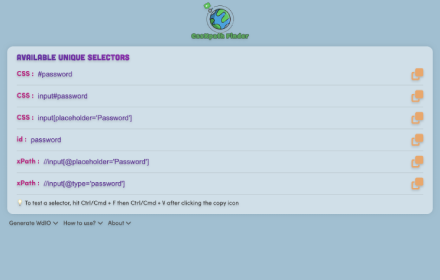
CssXpath Finder
The best CSS & Xpath finder for your web automation!
210
★ 5.0

Selector Scout
Right-click any element to copy selectors, generate test snippets, and check accessibility.
3

Web Element Selector
Advanced element locator with AI-powered xpath and css selector generation. Supports ChatGPT, Gemini, DeepSeek, and Claude.
416
★ 5.0

AutoMate – CSS Selector XPath Locator Finder
Generate & validate CSS/XPath locators for web automation. Works with Selenium, Playwright & Cypress. Highlight elements too.
200
★ 5.0

Click & Scrape
Visual element selection with CSS selector generation for developers and test engineers
9
Data sourced from the Chrome Web Store · last verified May 19, 2026.