
BombBomb Video - Webcam & Screen Recorder
Create, share, and track webcam and screen capture videos with the BombBomb Browser Extension.
As of June 2026, BombBomb Video - Webcam & Screen Recorder has 30,000 users and a 4.82/5 rating from 622 reviews in the Workflow & Planning category.
Usersno change0%
30.0K
30,000
Ratingno change0%
4.82
622 reviews
Reviewsdown 0.5 percent−0.5%
622
Version
6.0.23
Manifest V3
History
2 snapshotsTracking since Apr 18, 2026.
View as table
| Date | Users | Rating | Reviews | Version |
|---|---|---|---|---|
| Apr 18, 2026 | 30.0K | 4.82 | 625 | 6.0.23 |
| May 23, 2026 | 30.0K | 4.82 | 623 | 6.0.23 |
| Now | 30.0K | 4.82 | 622 | 6.0.23 |
Permissions & access
- Permissions
- alarmscookiesnotificationsstoragedeclarativeNetRequest
- Host access
- https://app.bombbomb.com/*, https://api.bombbomb.com/*, https://*.bombbomb.io/, https://*.bombbomb.com/*, https://mail.google.com/*, https://www.linkedin.com/*, https://*.googleusercontent.com/*
Screenshots


About
Get better results with video.

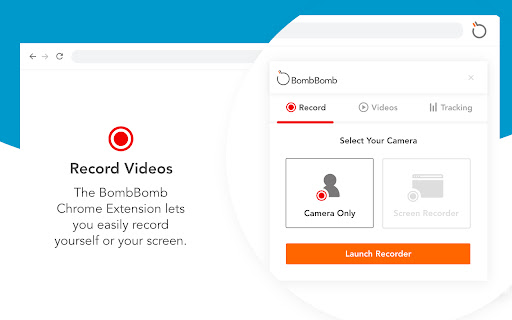
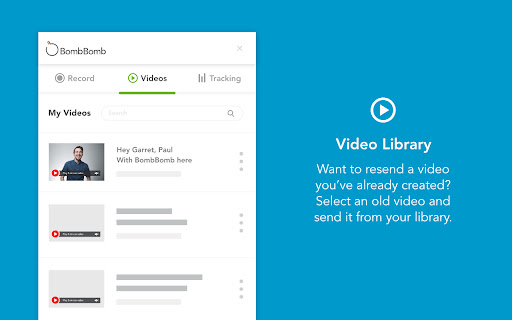
Quickly and easily create, share, and track webcam and screen capture videos from any page in Chrome with the BombBomb Chrome Extension.


🎥  RECORD OR UPLOAD VIDEOS
‣ Record your webcam, your screen, or both
‣ Create and add in-video Calls-to-Action


✉️  SHARE YOUR VIDEOS
‣ Embed video on a page or in an email, or share video URL
‣ 3-second Animated Preview in emails
‣ Add logo to your video player pages
‣ Recipients can like and comment on videos
‣ Recipients can reply with their own video


📊  TRACK ENGAGEMENT WITH YOUR VIDEOS
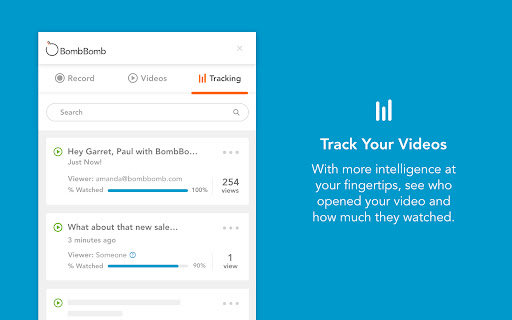
‣ Track emails opened, videos played, links clicked
‣ Real-time activity feed
‣ Know how much of your videos were watched
‣ Browser and smartphone push notifications


★★ Using Gmail? Enjoy all of the above features added directly to your Gmail inbox, PLUS:


🗒  SNIPPETS (GMAIL ONLY)
‣ Create and save canned responses to be reused
‣ Include text, images, links, and videos

We believe that every message you send can (and should!) be as effective as an in-person meeting. Join 40,000+ Sales and Customer Success professionals by humanizing your digital messages with BombBomb Video.

WHY BOMBBOMB?

BombBomb has been pioneering video communication since 2006. With over a decade of experience, an engaged community, and the definitive guide (we literally wrote the book on it!), you'll have the education, training, and support you need to be successful with video.

Try free for 14 days (no credit card required).
Technical
- Version
- 6.0.23
- Manifest
- V3
- Size
- 2.39MiB
- Min Chrome
- 88
- Languages
- 1
- Featured
- Yes
Metadata
- ID
- mfldbojpjpgjlphijlbgefdjebkhdjom
- Developer ID
- u4fad3e1ee117dfc05b09f1a223439072
- Developer Email
- [email protected]
- Created
- Jun 6, 2013
- Last Updated (Store)
- Dec 6, 2025
- Last Scraped
- Jun 3, 2026
- Website
- http://bombbomb.com/
- Support URL
- https://support.bombbomb.com/
- Privacy Policy
- http://bombbomb.com/privacy/
Similar extensions
Alternatives to BombBomb Video - Webcam & Screen Recorder, ranked by description similarity.

Video & Screen Recorder For Work | Covideo
Record video from your webcam & screen, share them instantly, track who’s watching!
2.0K
★ 5.0

vidREACH for Gmail
Insert a vidREACH video into a message draft with just a couple of clicks
47
★ 5.0

Bonjoro
Free HD screen recorder for Chrome
3.0K
★ 4.3

Quickpage - Video and Screen Recorder
Record your video and screen with one click. Share that content in an instant with a Quickpage.
1.0K
★ 5.0

Vidyard - Screen Recorder & Screen Capture
Capture your screen, share your video and track who's watching it!
300.0K
★ 4.2

Videoyards - Screen Recorder with Custom Cursor & Auto Zoom
Create stunning, professional-quality screen recordings effortlessly. Perfect for tutorials, product demos, and more.
430
★ 4.5

Powtoon Capture - Screen and Webcam Recorder
Make a video recording from a website, application, or anything else you can show on your screen to start communicating visually.
60.0K
★ 4.2

Screen & Webcam recorder - Flonnect
Allows Screen Recording from your Webcam and Desktop
100.0K
★ 4.6
Data sourced from the Chrome Web Store · last verified Jun 3, 2026.