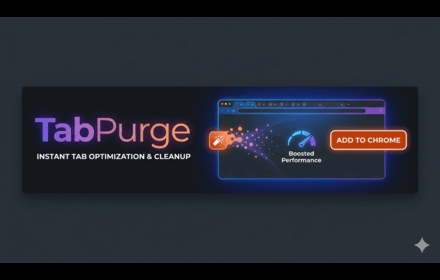
TabPurge
Close everything. Lose nothing. Purge your tabs.
As of June 2026, TabPurge has 5 users and a 5.00/5 rating from 2 reviews in the Developer Tools category.
Usersno change0%
5
5
Ratingno change0%
5.00
2 reviews
Reviewsno change0%
2
Version
1.0.0
Manifest V3
History
7 snapshotsTracking since May 1, 2026.
View as table
| Date | Users | Rating | Reviews | Version |
|---|---|---|---|---|
| May 1, 2026 | — | — | — | 1.0.0 |
| May 7, 2026 | — | — | — | 1.0.0 |
| May 12, 2026 | 4 | 5.00 | 2 | 1.0.0 |
| May 18, 2026 | 6 | 5.00 | 2 | 1.0.0 |
| May 24, 2026 | — | 5.00 | 2 | 1.0.0 |
| May 31, 2026 | 5 | 5.00 | 2 | 1.0.0 |
| Jun 6, 2026 | 6 | 5.00 | 2 | 1.0.0 |
| Now | 5 | 5.00 | 2 | 1.0.0 |
Permissions & access
- Permissions
- tabsstoragenotificationsalarms
- Host access
- https://tabpurge-server-production.up.railway.app/*
Screenshots


About
TabPurge saves your open tabs into sessions so you can restore them whenever you need them. No more remembering which tabs you had open or manually reopening them every day.

## What It Does

TabPurge helps you manage your browsing workflow by allowing you to:

• **Save Current Session** - Save all open tabs in the current window with one click
• **Restore Saved Sessions** - Bring back an entire session instantly
• **Manage Multiple Sessions** - Create and organize different sessions for work, research, personal browsing
• **Automatic Tab Recovery** - Never worry about accidentally closing Chrome and losing your tabs

## How It Works

1. Click the TabPurge icon in your browser toolbar
2. Click "Save Session" to save all your current open tabs
3. Later, open TabPurge and click "Restore" on any saved session
4. All your saved tabs open automatically - no manual effort needed

## Perfect For

✓ **Daily browsing routines** - Save your morning news/email tabs and restore them each day
✓ **Project research** - Save research sessions and pick up right where you left off
✓ **Work from home** - Maintain separate sessions for work and personal browsing
✓ **Students** - Save research tabs for assignments and reopen them later

## Key Benefits

• **Save Time** - Stop manually reopening the same tabs every day
• **Reduce Frustration** - No more trying to remember what you had open
• **Stay Organized** - Keep different projects and workflows separate
• **Never Lose Tabs** - Your saved sessions persist even after browser restarts

## Privacy First

Your tab data saves locally on your device. TabPurge does not read or transmit your browsing history. Only anonymous usage analytics (like how many sessions you save) are sent to improve the extension - never your actual URLs.

**Free to use, no hidden costs.**
Technical
- Version
- 1.0.0
- Manifest
- V3
- Size
- 31.66KiB
- Min Chrome
- 88
- Languages
- 1
- Featured
- No
Metadata
- ID
- meaokamianjoonehbmaojdidpiabooca
- Developer ID
- ue0a00dd4714d374b6b31d753142febcd
- Developer Email
- [email protected]
- Created
- Apr 30, 2026
- Last Updated (Store)
- Apr 30, 2026
- Last Scraped
- Jun 6, 2026
- Website
- —
- Support URL
- —
Data sourced from the Chrome Web Store · last verified Jun 6, 2026.