
Quillmorph — Image Converter
Convert images to PNG, JPG, WebP, AVIF, or ICO locally. Drag and drop, batch, no uploads, no ads.
As of July 2026, Quillmorph — Image Converter has — users in the Productivity category.
Usersno change0%
—
—
Ratingno change0%
—
— reviews
Reviewsno change0%
—
Version
0.1.0
Manifest V3
History
1 snapshotsTracking since Jul 8, 2026.
Not enough history yet for this metric — the chart fills in as we collect more snapshots.
View as table
| Date | Users | Rating | Reviews | Version |
|---|---|---|---|---|
| Jul 8, 2026 | — | — | — | 0.1.0 |
| Now | — | — | — | 0.1.0 |
Permissions & access
- Permissions
- None declared
- Host access
- None declared
Screenshots


About
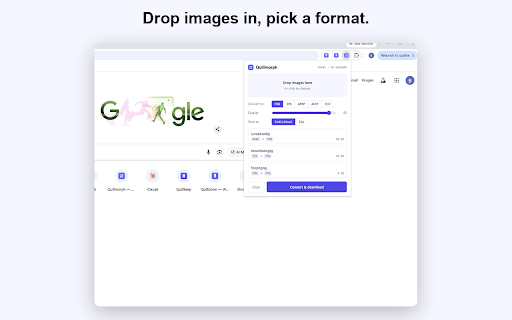
Quillmorph converts images right in your browser. Drop in a file, pick a format, and get it back in seconds. Nothing uploads, so your images never leave your machine.
Most converters handle one input and one output, or push you to a website that uploads your files. Quillmorph reads the formats you actually run into, including the WebP and AVIF that older apps can't open, and turns them into whatever you need next. GIF, BMP, and SVG work as inputs too, and you can save your result as PNG, JPG, WebP, AVIF, or an ICO favicon.
It does more than one-off conversions. Convert a whole folder at once and download the results together as a zip. Set the quality when you're saving to JPG, WebP, or AVIF. Turn a transparent image into a JPG on a clean white background instead of a black one. Build a multi-size ICO favicon from any image.
Everything happens in your browser using its built-in graphics. Quillmorph makes no network requests, collects nothing, and has no account system. You can confirm it yourself in the Network tab: nothing leaves your machine.
Technical
- Version
- 0.1.0
- Manifest
- V3
- Size
- 1.13MiB
- Min Chrome
- 88
- Languages
- 1
- Featured
- No
Metadata
- ID
- mdilpdmldabfhdncnkeopjojklfolbil
- Developer ID
- u909bda23e3ff1ce86e9fc8b3ada63f28
- Developer Email
- [email protected]
- Created
- Jul 7, 2026
- Last Updated (Store)
- Jul 7, 2026
- Last Scraped
- Jul 8, 2026
- Website
- —
- Support URL
- https://quillmorph.com
- Privacy Policy
- https://quillmorph.com/privacy
Data sourced from the Chrome Web Store · last verified Jul 8, 2026.