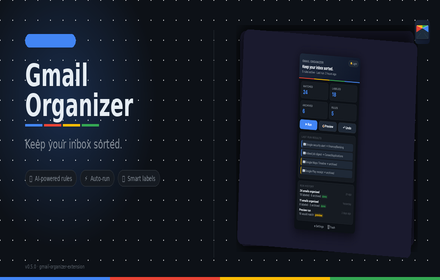
Gmail Organizer
Organize Gmail with labels, AI rules, analytics, unsubscribe, snooze, thread summaries, and priority inbox.
As of June 2026, Gmail Organizer has 9 users in the Productivity category.
Usersno change0%
9
9
Ratingno change0%
—
— reviews
Reviewsno change0%
—
Version
0.9.1
Manifest V3
History
8 snapshotsTracking since Apr 18, 2026.
View as table
| Date | Users | Rating | Reviews | Version |
|---|---|---|---|---|
| Apr 18, 2026 | — | — | — | 0.9.1 |
| Apr 23, 2026 | — | — | — | 0.9.1 |
| Apr 30, 2026 | 1 | — | — | 0.9.1 |
| May 11, 2026 | — | — | — | 0.9.1 |
| May 17, 2026 | 2 | — | — | 0.9.1 |
| May 23, 2026 | 3 | — | — | 0.9.1 |
| May 30, 2026 | 5 | — | — | 0.9.1 |
| Jun 14, 2026 | 6 | — | — | 0.9.1 |
| Now | 9 | — | — | 0.9.1 |
Permissions & access
- Permissions
- alarmsidentitystoragenotifications
- Host access
- https://gmail.googleapis.com/*, https://generativelanguage.googleapis.com/*
Screenshots


About
Gmail Organizer keeps your inbox sorted automatically — no Gmail filter syntax required.

Define simple rules that match emails by sender domain, subject keywords, or sender name. Each rule labels and optionally archives the matched threads. Run rules on demand, preview (dry-run) before applying, or schedule them to run automatically.

──────────────────────────────────────
KEY FEATURES
──────────────────────────────────────

▸ Rule-based organization
  Build rules that match by: sender domain, from name contains, subject includes. Each rule assigns a Gmail label and optionally archives the thread.

▸ AI-powered rule generation (Gemini)
  Describe your inbox problem in plain English and let Gemini generate a set of rules for you. Rules are merged safely into your existing set with no duplicates.

▸ Built-in presets
  One-click presets for the most common inbox patterns: security alerts, job alerts, newsletters, receipts, social notifications, verification codes, and more.

▸ Dry-run Preview mode
  Test your rules before applying them. Preview shows exactly which emails would be matched and labeled — without touching your inbox.

▸ Run history & undo
  Every run is logged with matched/labeled/archived counts. Undo the most recent run to revert changes.

▸ Scheduled auto-run
  Set the organizer to run automatically on a schedule (every N minutes) so your inbox stays clean without manual effort.

▸ Light / Dark theme
  Toggle between dark and light mode directly from the popup or settings page. Theme preference is saved per device.

▸ Multi-language support
  Available in 7 languages: English, French, Arabic, Spanish, German, Italian, and Turkish. Arabic includes full right-to-left (RTL) layout. Language is auto-detected from your Chrome browser settings.

──────────────────────────────────────
HOW IT WORKS
──────────────────────────────────────

1. Click the Gmail Organizer icon in Chrome
2. Sign in with your Google account (OAuth — no password stored)
3. Set up rules in Settings (or use presets / AI generation)
4. Click Run — or enable auto-run for hands-free organization

──────────────────────────────────────
PERMISSIONS
──────────────────────────────────────

Gmail Organizer requests only what it needs:

• gmail.modify — to read email metadata and apply labels/archive
• identity — for Google sign-in via OAuth
• storage — to save your rules and run history locally
• alarms — to power the auto-run schedule
• notifications — to notify you when a run completes

Your email content is never sent to any external server owned by this project. All processing happens through the official Gmail API.

──────────────────────────────────────
PRIVACY
──────────────────────────────────────

Gmail Organizer does not sell your data, does not store email content externally, and does not use third-party analytics. Your rules and run history are stored locally in Chrome extension storage. See the full Privacy Policy linked below.

Support: [email protected]
Technical
- Version
- 0.9.1
- Manifest
- V3
- Size
- 119KiB
- Min Chrome
- 116
- Languages
- 7
- Featured
- No
Metadata
- ID
- mdbchaedobdhbgnoeliockdijhgnpjaa
- Developer ID
- u87bb967836b74756472053fdcff6fd90
- Developer Email
- [email protected]
- Created
- Apr 17, 2026
- Last Updated (Store)
- Apr 17, 2026
- Last Scraped
- Jun 14, 2026
- Website
- —
- Support URL
- —
Data sourced from the Chrome Web Store · last verified Jun 14, 2026.