
AWS Colorize
Color codes your AWS header based on what account you are logged into.
As of June 2026, AWS Colorize has 292 users and a 5.00/5 rating from 5 reviews in the Developer Tools category.
Usersdown 7.6 percent−7.6%
292
292
Ratingno change0%
5.00
5 reviews
Reviewsno change0%
5
Version
0.2.1
Manifest V3
History
3 snapshotsTracking since Apr 1, 2026.
View as table
| Date | Users | Rating | Reviews | Version |
|---|---|---|---|---|
| Apr 1, 2026 | 316 | 5.00 | 5 | 0.2.1 |
| May 2, 2026 | 322 | 5.00 | 5 | 0.2.1 |
| Jun 1, 2026 | 313 | 5.00 | 5 | 0.2.1 |
| Now | 292 | 5.00 | 5 | 0.2.1 |
Permissions & access
- Permissions
- storage
- Host access
- None declared
Screenshots
About
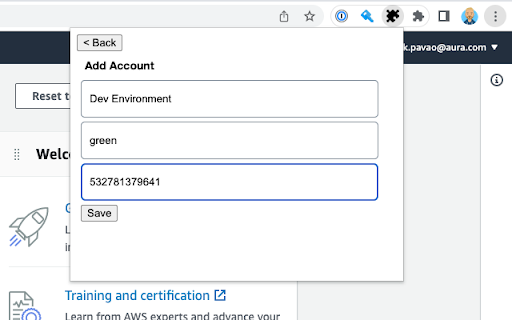
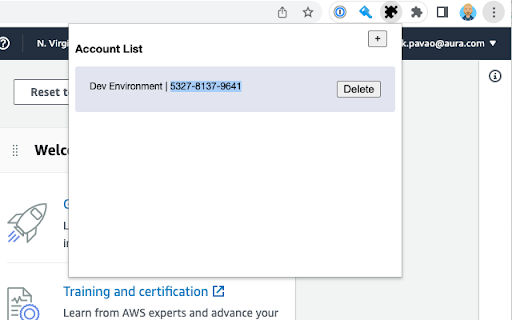
AWS Colorize allows you to choose a name and color to represent the AWS accounts
you log into. This is useful when you have different environments deployed
to different AWS accounts.

When logging into these accounts directly, as one does when using SSO, it's
often hard to tell what environment you are logged into. Mistaking `prod` for `test`
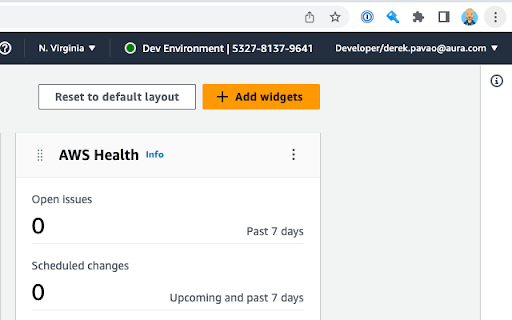
is not desireable ;) When using AWS Colorize you can choose a nickname and color
to be displayed in the header of the AWS console next to the loggd in user's name.

If using AWS Organizations and sub accounts and using AWS switch role
to switch between them, You'd probably be better served by the
`AWS Extend Swtich Roles` extension.
Technical
- Version
- 0.2.1
- Manifest
- V3
- Size
- 15.48KiB
- Min Chrome
- 88
- Languages
- 1
- Featured
- No
Metadata
- ID
- mdbbjjffailicnmbohffnjflngmpinco
- Developer ID
- ufefcdef91dc72c6df5df617c0db8bff7
- Developer Email
- [email protected]
- Created
- Apr 15, 2023
- Last Updated (Store)
- Nov 27, 2024
- Last Scraped
- Jun 1, 2026
- Website
- —
- Support URL
- —
- Privacy Policy
- —
Similar extensions
Alternatives to AWS Colorize, ranked by description similarity.

AWS Console Colorize
customizing aws console header color by account name and region
9

Extension for AWS IAM Identity Center (AWS SSO)
This extension is for AWS IAM Identity Center, formerly known as AWS Single Sign-On (AWS SSO).
61

AWS Account Identifier
A browser extension to identify AWS accounts by their name and colors.
—

Extension for AWS SSO
This extension is for AWS Single Sign-On (AWS SSO).
1.0K
★ 4.8

AWS Nav Tint
Changes the AWS Console nav bar color based on the account. You can color code your prod / dev with this!
1

AWS Peacock Management Console
Browser Extension to change color of AWS Management Console, by Account ID
2.0K
★ 4.6

Customize AWS Console Header
Change AWS Console Header. background color and text label.
2.0K
★ 4.6
AWS SSO Colourise
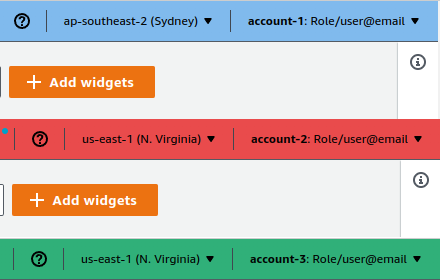
Change the AWS navbar colour based on account (and a few other little niceties)
26
★ 5.0
Data sourced from the Chrome Web Store · last verified Jun 1, 2026.