
飞书听歌签名
用飞书签名分享你正在听的歌,让好友看见你的音乐品味。支持 Spotify · 每分钟自动同步
As of June 2026, 飞书听歌签名 has 96 users and a 5.00/5 rating from 29 reviews in the Productivity category.
Usersup 7.9 percent+7.9%
96
96
Ratingno change0%
5.00
29 reviews
Reviewsup 26.1 percent+26.1%
29
Version
2.0.1
Manifest V3
90-day change · In the last 90 days this extension 1 version update, changed permissions.
History
8 snapshotsTracking since Apr 1, 2026.
View as table
| Date | Users | Rating | Reviews | Version |
|---|---|---|---|---|
| Apr 1, 2026 | 89 | 5.00 | 23 | 0.0.3 |
| Apr 20, 2026 | 87 | 5.00 | 23 | 0.0.3 |
| May 6, 2026 | 82 | 5.00 | 23 | 0.0.3 |
| May 11, 2026 | 103 | 5.00 | 27 | 2.0.1 |
| May 17, 2026 | 102 | 5.00 | 27 | 2.0.1 |
| May 23, 2026 | 97 | 5.00 | 28 | 2.0.1 |
| May 30, 2026 | 103 | 5.00 | 28 | 2.0.1 |
| Jun 12, 2026 | 77 | 5.00 | 28 | 2.0.1 |
| Now | 96 | 5.00 | 29 | 2.0.1 |
Changelog
- May 6, 2026description
-让同事们实时了解您正在聆听的音乐
- 一个让人心情愉悦的小程序
- 你让我的飞书又增添了一丝生机
- 想去每个群里溜达一圈,顶着,潮流签名,打工人的快乐
- 有了这个小尾巴,不敢听土歌

🎯 自动同步
- 每分钟自动获取 last.fm 最新播放记录,并更新到飞书个人签名中
- 支持 Spotify、YouTube Music、Apple Music 等主流音乐平台(通过 last.fm 关联)

🎨 个性化定制
- 自定义签名前缀和后缀(如:🎧、🎵等表情符号)
- 灵活的签名格式:[前缀] + [歌曲名 - 艺术家] + [后缀]
- 支持设置默认签名,关闭同步时自动恢复

🔒 隐私安全
- 所有配置信息仅保存在本地浏览器
- 不上传任何个人数据到第三方服务器
- 仅访问必要的 last.fm 和飞书API

🎯 精准控制
- 一键开启/关闭同步功能
- 实时状态提示
- 简洁直观的操作界面

📋 使用步骤
1. 前置准备
- 在浏览器中登录飞书网页版
- 注册 last.fm 账号并关联您的音乐平台( https://www.last.fm/about/trackmymusic )
- 申请 last.fm API 密钥 (https://www.last.fm/api/accounts)

2. 插件配置
- 填入 last.fm用户名和 API Key
- 设置个性化的签名前缀和后缀
- 开启"同步到飞书签名"开关

3. 开始使用
- 插件将每分钟自动检查您的最新播放记录
- 自动更新飞书个人签名
- 关闭同步时自动恢复默认签名

Lark Song
Automatically sync your Last.fm recent tracks to Lark (Feishu) personal signature with customizable format options.

Detailed Description
🎵 Lark Song Sync is a Chrome browser extension designed for music enthusiasts that automatically synchronizes your latest Last.fm playback records to your Lark (Feishu) personal signature, allowing colleagues to see what music you're currently enjoying in real-time.

✨ Core Features
 🎯 Automatic Synchronization
- Automatically fetches Last.fm latest playback records every minute
- Real-time updates to Lark personal signature
- Supports mainstream music platforms like Spotify (via Last.fm integration)

🎨 Personalization
- Customize signature prefix and suffix (e.g., 🎧, 🎵 emojis)
- Flexible signature format: [Prefix] + [Song - Artist] + [Suffix]
- Support for default signature that auto-restores when sync is disabled

🔒 Privacy & Security
- All configuration data stored locally in browser only
- No personal data uploaded to third-party servers
- Only accesses necessary Last.fm and Lark APIs

🎯 Precise Control
- One-click enable/disable sync functionality
- Real-time status indicators
- Clean and intuitive user interface

📋 Setup Instructions
1. Prerequisites
- Log into Lark web version in your browser
- Register a Last.fm account and connect your music platform (https://www.last.fm/about/trackmymusic)
- Obtain a Last.fm API key (https://www.last.fm/api/accounts)

2. Extension Configuration
- Enter your Last.fm username and API key
- Set personalized signature prefix and suffix
- Enable "Sync to Lark Signature" toggle

3. Start Using
- Extension automatically checks your latest playback every minute
- Automatically updates Lark personal signature
- Auto-restores default signature when sync is disabled
你在听什么,让签名告诉大家。

  飞书听歌签名会把你正在听的歌曲实时同步到飞书个人签名,好友、同事一眼就能看到。打开音乐,签名自动更新;关
  掉音乐,自动恢复默认签名。

  ──────────────────────────────

  【三个核心功能】

  🎧 签名同步
  连接 Spotify(通过 Last.fm),每分钟自动更新飞书签名。支持自定义前缀、后缀,以及关闭时恢复的默认签名。

  📊 本周数据
  查看本周 scrobbles 总数、艺人榜单、歌曲榜单,以及 24h × 7
  天活动热力图。一键生成高清分享图,与朋友晒出你的本周音乐口味。

  🎵 此刻频道
  开启后,签名自动追加 fonter.net/m 链接。好友点击即可看到大家此刻在听什么,像一个实时的音乐直播间。

  ──────────────────────────────

  【使用前准备】

  1. 在浏览器登录飞书网页版(feishu.cn 或 larkoffice.com)
  2. 在 Last.fm 关联 Spotify(约 1 分钟)
  3. 获取 Last.fm API Key(免费申请)
  4. 打开插件,填入用户名和 Key,开启同步

  ──────────────────────────────

  【权限说明】

  · storage:保存你的配置和本周数据缓存
  · alarms:每分钟触发一次同步
  · cookies:读取飞书登录态,调用飞书签名接口
  · 网络权限:仅访问 Last.fm、Deezer(专辑封面)、飞书域名、fonter.net

  插件不收集任何个人数据,不上传任何信息到第三方服务器。

  ──────────────────────────────

  ---
  What are you listening to? Let your Feishu status tell everyone.

  Feishu Song syncs your currently playing track to your Feishu (Lark) personal status in real time.
  Friends and colleagues can see what you're listening to at a glance. Play music — status updates
  automatically. Stop music — it reverts to your default.

  ──────────────────────────────

  THREE CORE FEATURES

  🎧 Signature Sync
  Connect Spotify via Last.fm and your Feishu status updates every minute. Customize a prefix, suffix, and
  a fallback message for when you're not listening.

  📊 This Week
  See your weekly scrobble count, top artists, top tracks, and a 24h × 7-day activity heatmap. Generate a
  high-res shareable image with one tap to show off your weekly listening.

  🎵 Now Channel
  Enable this to append a fonter.net/m link to your status. Anyone who clicks it can see what everyone in
  the room is listening to right now — a live, communal music feed.

  ──────────────────────────────

  SETUP (about 3 minutes)

  1. Log into Feishu web (feishu.cn or larkoffice.com) in your browser
  2. Connect Spotify to Last.fm at last.fm/about/trackmymusic
  3. Get a free Last.fm API Key at last.fm/api/accounts
  4. Open the extension, enter your username and API Key, flip the switch

  ──────────────────────────────

  PERMISSIONS

  · storage — saves your settings and weekly data cache locally
  · alarms — triggers a sync once per minute
  · cookies — reads your Feishu session to call the status API
  · host permissions — only accesses Last.fm, Deezer (album art), Feishu domains, and fonter.net

  No personal data is collected. Nothing is sent to any third-party server beyond what's needed for the
  sync.

  ──────────────────────────────

  Made by fonter & Yara Lu
- May 6, 2026short_description
飞书听歌签名:将Last.fm最近听的歌曲同步到飞书个人签名
用飞书签名分享你正在听的歌,让好友看见你的音乐品味。支持 Spotify · 每分钟自动同步
- May 6, 2026host_permissions
https://ws.audioscrobbler.com/*, https://*.feishu.cn/*, https://*.larkoffice.com/*, https://*.larksuite.com/*
https://ws.audioscrobbler.com/*, https://api.deezer.com/*, https://*.feishu.cn/*, https://*.larkoffice.com/*, https://*.larksuite.com/*, https://fonter.net/*
- May 6, 2026permissions
storage, alarms, tabs, cookies, activeTab
storage, alarms, cookies
Permissions & access
- Permissions
- storagealarmscookies
- Host access
- https://ws.audioscrobbler.com/*, https://api.deezer.com/*, https://*.feishu.cn/*, https://*.larkoffice.com/*, https://*.larksuite.com/*, https://fonter.net/*
Screenshots


About
你在听什么,让签名告诉大家。

  飞书听歌签名会把你正在听的歌曲实时同步到飞书个人签名,好友、同事一眼就能看到。打开音乐,签名自动更新;关
  掉音乐,自动恢复默认签名。

  ──────────────────────────────

  【三个核心功能】

  🎧 签名同步
  连接 Spotify(通过 Last.fm),每分钟自动更新飞书签名。支持自定义前缀、后缀,以及关闭时恢复的默认签名。

  📊 本周数据
  查看本周 scrobbles 总数、艺人榜单、歌曲榜单,以及 24h × 7
  天活动热力图。一键生成高清分享图,与朋友晒出你的本周音乐口味。

  🎵 此刻频道
  开启后,签名自动追加 fonter.net/m 链接。好友点击即可看到大家此刻在听什么,像一个实时的音乐直播间。

  ──────────────────────────────

  【使用前准备】

  1. 在浏览器登录飞书网页版(feishu.cn 或 larkoffice.com)
  2. 在 Last.fm 关联 Spotify(约 1 分钟)
  3. 获取 Last.fm API Key(免费申请)
  4. 打开插件,填入用户名和 Key,开启同步

  ──────────────────────────────

  【权限说明】

  · storage:保存你的配置和本周数据缓存
  · alarms:每分钟触发一次同步
  · cookies:读取飞书登录态,调用飞书签名接口
  · 网络权限:仅访问 Last.fm、Deezer(专辑封面)、飞书域名、fonter.net

  插件不收集任何个人数据,不上传任何信息到第三方服务器。

  ──────────────────────────────

  ---
  What are you listening to? Let your Feishu status tell everyone.

  Feishu Song syncs your currently playing track to your Feishu (Lark) personal status in real time.
  Friends and colleagues can see what you're listening to at a glance. Play music — status updates
  automatically. Stop music — it reverts to your default.

  ──────────────────────────────

  THREE CORE FEATURES

  🎧 Signature Sync
  Connect Spotify via Last.fm and your Feishu status updates every minute. Customize a prefix, suffix, and
  a fallback message for when you're not listening.

  📊 This Week
  See your weekly scrobble count, top artists, top tracks, and a 24h × 7-day activity heatmap. Generate a
  high-res shareable image with one tap to show off your weekly listening.

  🎵 Now Channel
  Enable this to append a fonter.net/m link to your status. Anyone who clicks it can see what everyone in
  the room is listening to right now — a live, communal music feed.

  ──────────────────────────────

  SETUP (about 3 minutes)

  1. Log into Feishu web (feishu.cn or larkoffice.com) in your browser
  2. Connect Spotify to Last.fm at last.fm/about/trackmymusic
  3. Get a free Last.fm API Key at last.fm/api/accounts
  4. Open the extension, enter your username and API Key, flip the switch

  ──────────────────────────────

  PERMISSIONS

  · storage — saves your settings and weekly data cache locally
  · alarms — triggers a sync once per minute
  · cookies — reads your Feishu session to call the status API
  · host permissions — only accesses Last.fm, Deezer (album art), Feishu domains, and fonter.net

  No personal data is collected. Nothing is sent to any third-party server beyond what's needed for the
  sync.

  ──────────────────────────────

  Made by fonter & Yara Lu
Technical
- Version
- 2.0.1
- Manifest
- V3
- Size
- 139KiB
- Min Chrome
- 88
- Languages
- 1
- Featured
- No
Metadata
- ID
- mbopdkalommlagafagdncemkpiohelib
- Developer ID
- u1310a7af1544aded1cb68b7e6308e14d
- Developer Email
- [email protected]
- Created
- Aug 2, 2025
- Last Updated (Store)
- Apr 27, 2026
- Last Scraped
- Jun 12, 2026
- Website
- —
- Privacy Policy
- https://fonter.net/privacy
Similar extensions
Alternatives to 飞书听歌签名, ranked by description similarity.

lark-project-linker
一个浏览器插件,连接 GitLab/GitHub/Sentry 与飞书项目。自动转换项目 ID 为可点击链接,支持智能类型识别和一键创建飞书工单 --- powered by wangbax
24

Syncrics - Lyrics Downloader
Fetch synced and unsynced lyrics from Spotify tracks, albums, and playlists. Save as LRC files.
64
★ 1.0

NCM → Spotify 导入助手
网易云歌单一键导入 Spotify | Made By 麻蛇
57
联甲新标签页
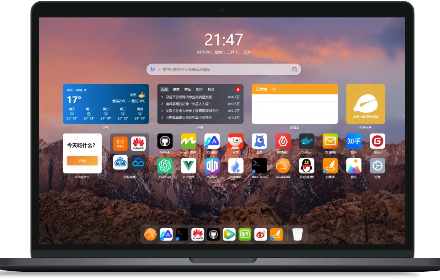
告别杂乱无章的开始页。联甲新标签页为您打造一个集美观、高效与个性化于一体的浏览器首页。智能聚合天气、热搜、待办事项与您最爱的网站,让每一次点击都直抵核心。安全、快速、高度可定制,联甲助您开启高效每一天。
11

Stream Live Radio
Stream Live Radio provides access to a vast library of radio stations. Enjoy seamless streaming, browse by genre, and save favorites
152

Synced Lyrics Sidebar
Displays synced lyrics in the side panel for the current playing song.
16

Chrome Bookmarks Search
快速搜索Chrome书签、标签页、历史记录和下载内容
312
★ 5.0

抖音采集助手
筛选抖音博主高赞视频,一键保存到飞书表格
77
Data sourced from the Chrome Web Store · last verified Jun 12, 2026.