
ColorPal: Color Picker & Eyedropper
Color picker, Eyedropper. Pick colour and gradient, HEX, RGB. Better than color pick, eye dropper, colour pick, colorzilla, geco.
As of May 2026, ColorPal: Color Picker & Eyedropper has 5,000 users and a 4.20/5 rating from 15 reviews in the Developer Tools category.
Usersdown 16.7 percent−16.7%
5.0K
5,000
Ratingno change0%
4.20
15 reviews
Reviewsno change0%
15
Version
2.0.3
Manifest V3
90-day change · In the last 90 days this extension lost 1.0K users.
History
1 snapshotsTracking since May 30, 2026.
View as table
| Date | Users | Rating | Reviews | Version |
|---|---|---|---|---|
| May 30, 2026 | 6.0K | 4.20 | 15 | 2.0.3 |
| Now | 5.0K | 4.20 | 15 | 2.0.3 |
Permissions & access
- Permissions
- None declared
- Host access
- None declared
Screenshots


About
Features:
✔️ Color Picker
✔️ EyeDropper
✔️ Save favorite colors
✔️ Auto copy color code
✔️ RGB, HEX, HSL, HSV formats
✔️ Tints and Shades
✔️ Download palette image
✔️ Download colors data csv
✔️ Move colors
✔️ Delete colors
✔️ 30.000 color names
✔️ Light and Dark theme

Advanced color tools for developer, designer, artist. Useful for website development with HTML, CSS and JavaScript. Create and download your color palette. Easily find the best colors for CSS gradient.

ColorPal is safe and open source! No permission is required and no information is collected! https://github.com/nikosdaridis/colorpal

The Eyedropper tool works on Windows, Mac, and Linux operating systems and is compatible with Chrome, Edge and Chromium browsers. It is not supported on Chromebook (ChromeOS) and not supported with Opera and Firefox browsers.

Grab Colors from any website with the Color Picker extension ColorPal. With colour picker you can find color code on any pixel of the browser. Simply copy and paste the color code. It offers HEX, RGB, HSL and HSV colour codes on any element.

You can easily pick any color from any website with this extension. Eyedropper tool will get the color palette from any webpage you need. It's a useful tool for web developers and web designers. ColorPal is easy to use, it has a simple and user-friendly interface. It provides you an amazing and useful eyedropper tool so you can get colours from any page. Extract color from web sites. There are four color format available:  RGB, HEX, HSL, HSV.

Enjoying ColorPal? Rate with ⭐ ⭐ ⭐ ⭐ ⭐ !
If you like ColorPal, help spread the word by giving it a 5 star rating.
If you're not fully satisfied, send a message to improve ColorPal.
Technical
- Version
- 2.0.3
- Manifest
- V3
- Size
- 15.45MiB
- Min Chrome
- 88
- Languages
- 54
- Featured
- No
Metadata
- ID
- mbnpegpimodgjmlbfhkkdgbcfjmgpoad
- Developer ID
- u902267392b920857a35a9d70101983c7
- Developer Email
- [email protected]
- Created
- Jun 20, 2023
- Last Updated (Store)
- Jul 17, 2025
- Last Scraped
- May 30, 2026
- Website
- colorpal.daridis.com
- Support URL
- —
- Privacy Policy
- —
Similar extensions
Alternatives to ColorPal: Color Picker & Eyedropper, ranked by description similarity.

Eye Dropper Pro - Color Picker & Palette Tool
Pick any color from any webpage. Get HEX, RGB, HSL codes instantly. Save color history. Free for designers and developers.
3

Color Picker Pro - Eyedropper, Palette Generator, Gradient & CSS Colors
Pick colors from any webpage, build palettes, and copy color values instantly for web design.
6
★ 5.0

What the Color?
An advanced, movable color picker to select, modify, and copy colors from any webpage.
6
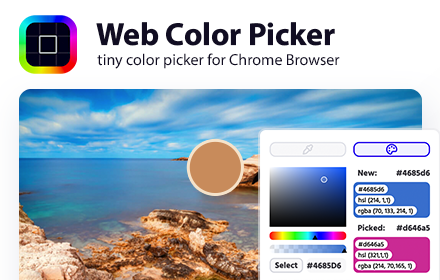
Web Color Picker - online color grabber
Grab colors from web pages. Color picker, color history. Live smart color picker tool in HEX, RGBA. Eyedropper colorpick for free
30.0K
★ 4.0

Color Picker Pro
A sleek color picker with history - pick colors from anywhere on your screen
1

Color by Fardos - Color Picker
Pick colors from websites, save colors & gradients, get matching shades and tints and create beautiful gradients.
60.0K
★ 2.8

Eye Dropper
Pick colors from any website.
1.0M
★ 4.3

Color Picker & Converter
Color picker with HEX/RGB/HSL converter, WCAG contrast checker. Free, instant, no account needed.
—
Data sourced from the Chrome Web Store · last verified May 30, 2026.