Lightshot (screenshot tool)
Simple and convenient screenshot tool. Select an area, edit your screenshot and upload it to the server.
As of May 2026, Lightshot (screenshot tool) has 2,000,000 users and a 4.36/5 rating from 7,024 reviews in the Productivity category.
Usersno change0%
2.0M
2,000,000
Ratingno change0%
4.36
7.0K reviews
Reviewsup 0.1 percent+0.1%
7.0K
Version
7.0.1
Manifest V3
History
3 snapshotsTracking since Apr 1, 2026.
View as table
| Date | Users | Rating | Reviews | Version |
|---|---|---|---|---|
| Apr 1, 2026 | 2.0M | 4.36 | 7.0K | 7.0.1 |
| Apr 30, 2026 | 2.0M | 4.36 | 7.0K | 7.0.1 |
| May 28, 2026 | 2.0M | 4.36 | 7.0K | 7.0.1 |
| Now | 2.0M | 4.36 | 7.0K | 7.0.1 |
Permissions & access
- Permissions
- activeTabstorageunlimitedStoragenotificationsclipboardWritedownloadscookies
- Host access
- *://*/*
Screenshots

About
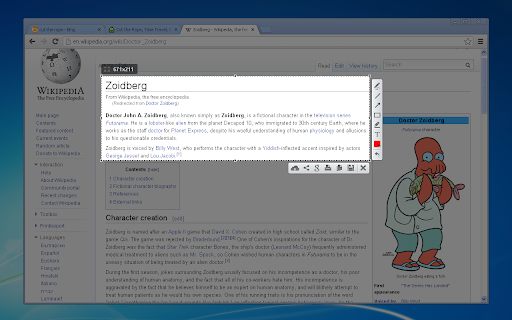
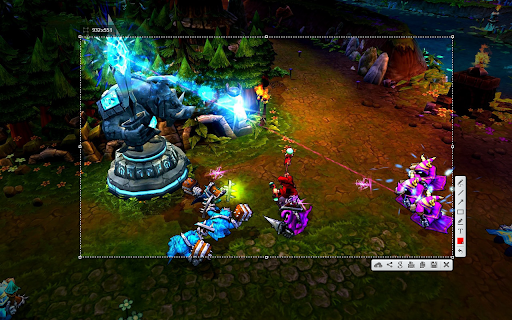
Lightshot is the fastest way to take a customizable screenshot. Simple interface, nothing useless and light weight.

Features:
* take screenshot and share it in few clicks
* select any part of the page
* edit screenshot in place
* save on a disk or upload to the cloud
* search for similar screenshots
* copy screenshot in clipboard

More information here: http://app.prntscr.com/
Privacy policy: https://app.prntscr.com/en/privacy.html?privacy

Clarification of the extension permissions:
* Read your browsing history - Chrome adds this line when we request tabs manipulation permission. Lightshot opens screenshot in a new tab, that is why we need it.
* Display notifications - Lightshot displays notification every time you upload screenshot
* Modify data you copy and paste - Lightshot allows you to copy screenshot into your Clipboard
* Manage your downloads - Lightshot allows you to save screenshot as a new file (works using download functions)

Contact e-mail: [email protected] Send your requests and bug reports here. We appreciate your contribution!
Technical
- Version
- 7.0.1
- Manifest
- V3
- Size
- 685KiB
- Min Chrome
- 88
- Languages
- 40
- Featured
- No
Metadata
- ID
- mbniclmhobmnbdlbpiphghaielnnpgdp
- Developer ID
- u3f13cde6f90081b89090c16f56de36c3
- Developer Email
- [email protected]
- Created
- Mar 22, 2010
- Last Updated (Store)
- Jul 23, 2024
- Last Scraped
- May 28, 2026
- Website
- https://app.prntscr.com/
- Support URL
- https://app.prntscr.com/help.html
- Privacy Policy
- https://app.prntscr.com/en/privacy.html?privacy
Similar extensions
Alternatives to Lightshot (screenshot tool), ranked by description similarity.

InstantShot
Instantly capture and download selected parts of a webpage as an image
—

QuickShot Screenshot & Crop
Select any area of a webpage and capture it as an image.
33

Fast Screenshot - One Click Capture
Capture full-page screenshots instantly with just one click. Simple, fast and lightweight tool for quick screen captures.
122

SnapShot - Full-page screenshot and annotation
Fast, free screenshot tool. Capture visible area, selected region, or full page. Annotate and save instantly.
61
★ 5.0

ScribShot - Screenshot Tool
Simple, powerful screenshots for the web
8
★ 5.0

SleekShot – Effortless Screenshots with Beautiful Backgrounds
Screenshots with beautiful backgrounds, instantly ready to share on social media, presentations, emails, blogs, and more.
55

ClearShot: Screenshot & Annotate
Screenshot tool that works. Select any area, annotate with arrows & text, save locally. No upload, no account, no blank images.
59

SnapShot – Browser Screenshot Tool
Capture full browser view screenshots instantly.
29
★ 5.0
Data sourced from the Chrome Web Store · last verified May 28, 2026.