
HelloChrono
Create a Google Calendar event by simply highlighting text
As of May 2026, HelloChrono has 3 users in the Productivity category.
Usersno change0%
3
3
Ratingno change0%
—
— reviews
Reviewsno change0%
—
Version
1.0
Manifest V3
Permissions & access
- Permissions
- activeTabcontextMenusscripting
- Host access
- https://www.gentry.bio/*
Screenshots
About
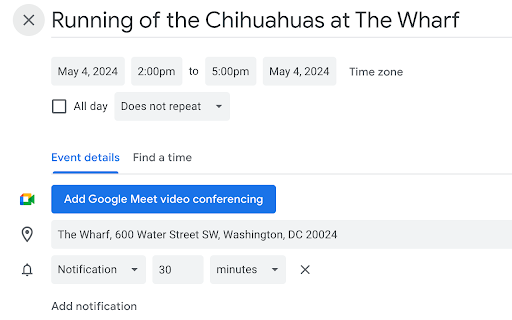
Never hand-type a calendar event from an email or webpage again. HelloChrono uses AI to extract the title, time, date, location, and details of an event and opens a newly-created Google Calendar event in a new tab. It even handle tricky recurring or relative dates like "We meet every other Friday" or "Let's grab coffee in three days".

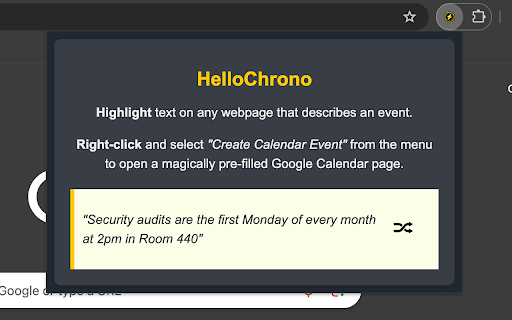
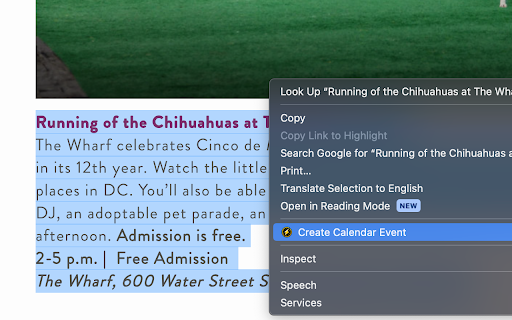
Just highlight, right click, and choose "Create a Calendar Event" to have your event in seconds.
Technical
- Version
- 1.0
- Manifest
- V3
- Size
- 64.03KiB
- Min Chrome
- 88
- Languages
- 1
- Featured
- No
Metadata
- ID
- mapjmmaphkkmbbammffbidndibijleoj
- Developer ID
- ue8931985da5bc8cc1e4107f363a00beb
- Developer Email
- [email protected]
- Created
- May 1, 2024
- Last Updated (Store)
- May 1, 2024
- Last Scraped
- May 28, 2026
- Website
- —
- Support URL
- —
Similar extensions
Alternatives to HelloChrono, ranked by description similarity.

Chronos - Natural Calendar Assistant
Create calendar events in Google & Outlook with natural language. Recurring events, undo/redo, and multi-event support.
7

Selection to Google Calendar
Select a date on any page and save to Google Calendar.
1

AutoCal
Email to Calendar Manager
—

Calendar Event Creator
Create Google Calendar events from selected text using OpenAI API
87

Event to Calendar
Select event text, right-click, and add to Google Calendar instantly.
9
★ 5.0

CalPaste
Highlight any date or time on a webpage, right-click, and paste it straight into Google Calendar.
—

Pictures to Google Calendar by CalAutobot
AI that automatically creates Google Calendar events from screenshots, emails, text and PDFs.
85
★ 3.0

EasyCal: Google Calendar Made Quick
View and add google calendar events with one click
—
Data sourced from the Chrome Web Store · last verified May 28, 2026.