
Media Looper
Set A-B loop points on any video with visual timeline markers and keyboard shortcuts
As of June 2026, Media Looper has 8 users and a 5.00/5 rating from 1 reviews in the art category.
Usersup 100.0 percent+100.0%
8
8
Ratingno change0%
5.00
1 reviews
Reviewsno change0%
1
Version
1.0.0
Manifest V3
History
8 snapshotsTracking since Apr 1, 2026.
View as table
| Date | Users | Rating | Reviews | Version |
|---|---|---|---|---|
| Apr 1, 2026 | 4 | 5.00 | 1 | 1.0.0 |
| Apr 9, 2026 | 3 | 5.00 | 1 | 1.0.0 |
| Apr 20, 2026 | 6 | 5.00 | 1 | 1.0.0 |
| Apr 25, 2026 | 6 | 5.00 | 1 | 1.0.0 |
| May 9, 2026 | 7 | 5.00 | 1 | 1.0.0 |
| May 13, 2026 | 5 | 5.00 | 1 | 1.0.0 |
| May 19, 2026 | 8 | 5.00 | 1 | 1.0.0 |
| May 26, 2026 | 10 | 5.00 | 1 | 1.0.0 |
| Now | 8 | 5.00 | 1 | 1.0.0 |
Permissions & access
- Permissions
- storage
- Host access
- <all_urls>
Screenshots


About
Media Looper: Precision Playback Control

Media Looper gives you complete control over video playback. Create, save, and manage up to 20 independent loop points per video, with stored locally in your browser, automatically, with no account needed

Set precise start and end points on any video, fine-tune them frame by frame, organize them into numbered slots with custom colors and personal notes, trigger them instantly with keyboard shortcuts, and a full undo button to fix accidental changes

Who uses it:
DJs and producers use it to isolate and loop specific bars, drops, transitions and phrases for deep listening, arrangement analysis and sound design study — jumping between verse, hook and bridge markers with a single keystroke.

Musicians and instrumentalists use it to repeat difficult passages without touching the mouse. Whether it's a fast run, a chord voicing or a rhythm pattern, loop it until it's locked in.

Dancers and choreographers use it to mark counts, isolate movements and replay transitions with frame-level precision to break down complex routines and study technique.

Language learners can use it to loop pronunciation examples and conversational exchanges to build listening comprehension and natural speaking rhythm at their own pace.

Students, teachers, and researchers use it to attach notes to specific moments in lectures and tutorials, return to key explanations instantly and loop complex material until it fully lands.

Athletes and coaches use it to isolate technique segments, replay form breakdowns without constant manual rewinding and attach coaching notes directly to each loop.

Content creators use it to study pacing, transitions and structural decisions from reference material with multi-point markers across a single video without needing to ever download the video itself.

Transcriptionists use it to loop short audio segments repeatedly for accurate capture without interrupting their workflow.

YTP enthusiasts can use it accordingly.

All data is saved locally using Chrome's storage API and never leaves your device. No accounts, no servers, no data collection. Simple as that, the bear will explain the rest (:
Technical
- Version
- 1.0.0
- Manifest
- V3
- Size
- 690KiB
- Min Chrome
- 88
- Languages
- 1
- Featured
- No
Metadata
- ID
- mapipcdckejfcinjbbhncfgnaelleedl
- Developer ID
- u0a55590568dec6c99d09f232c9695501
- Developer Email
- [email protected]
- Created
- Feb 21, 2026
- Last Updated (Store)
- Feb 21, 2026
- Last Scraped
- Jun 4, 2026
- Website
- —
- Support URL
- —
- Privacy Policy
- —
Similar extensions
Alternatives to Media Looper, ranked by description similarity.

Music Moments
Save, loop, and replay your favorite moments in Spotify songs
11
★ 5.0

Browser FX
Chrome extension that applies real-time audio effects to browser tabs
327
★ 5.0

Groove Trainer
This is a YouTube-specific plugin for musicians who want to develop their groove, their inner metronome, time and feel.
8

Tube Mania 2.0
Video audio controller with pitch shift, EQ, loop, and piano features
453
★ 5.0
Web Media Center
A set of free web applications for playing, processing, editing and creation of multimedia content.
3.0K
★ 2.6

Easy Blur
Blur parts of a web page, before taking screenshots or screen recordings
1.0K
★ 5.0
Audio Joiner — Merge DASH Audio Files
Extract audio from video files then join tracks. Suitable to merge DASH or M3U8 streams into a single file.
1.0K
★ 5.0
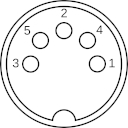
qwertySeq()
An 8 bank, 8 track, 16 step MIDI sequencer for sequencing external hardware and recording return audio for Mac and Windows.
THIS…
561
★ 4.5
Data sourced from the Chrome Web Store · last verified Jun 4, 2026.