
re:note - annotate, remind and todo
Capture notes, tasks, and reminders from your browser side panel. Organize with stacks, lock with PIN, and export.
As of June 2026, re:note - annotate, remind and todo has 20 users and a 5.00/5 rating from 4 reviews in the Productivity category.
Usersup 100.0 percent+100.0%
20
20
Ratingno change0%
5.00
4 reviews
Reviewsno change0%
4
Version
0.8.1
Manifest V3
History
8 snapshotsTracking since Apr 1, 2026.
View as table
| Date | Users | Rating | Reviews | Version |
|---|---|---|---|---|
| Apr 1, 2026 | 10 | 5.00 | 4 | 0.8.1 |
| Apr 20, 2026 | 8 | 5.00 | 4 | 0.8.1 |
| Apr 25, 2026 | 8 | 5.00 | 4 | 0.8.1 |
| May 2, 2026 | 8 | 5.00 | 4 | 0.8.1 |
| May 9, 2026 | — | 5.00 | 4 | 0.8.1 |
| May 19, 2026 | 10 | 5.00 | 4 | 0.8.1 |
| May 26, 2026 | 11 | 5.00 | 4 | 0.8.1 |
| Jun 4, 2026 | 10 | 5.00 | 4 | 0.8.1 |
| Now | 20 | 5.00 | 4 | 0.8.1 |
Permissions & access
- Permissions
- storagesidePaneltabsactiveTabalarmsnotificationscontextMenusscripting
- Host access
- None declared
Screenshots


About
re:note — Your Browser Side Panel Notepad

Take notes without leaving the page you're on. re:note lives in your browser's side panel, so you can capture thoughts, tasks, and reminders while you browse — no tab switching, no separate app.

━━━━━━━━━━━━━━━━━━━━━━━━━━━━━━

💡 WHY re:note?
Your browser is where you work. You research candidates on LinkedIn, reply to emails in Gmail, review documents in Google Docs, read articles, and compare products. Every one of those moments can spark a note — and re:note is right there when it does.

✦ Recruiters & talent sourcers — Add private notes on LinkedIn profiles while reviewing candidates. Tag them with color-coded stacks like "Frontend", "Leadership", or "Follow Up". Come back to any profile and your notes are already there.

✦ Sales & account managers — Keep call notes, follow-up reminders, and deal context attached to CRM pages, email threads, and company websites. Never lose track of what was discussed.

✦ Researchers & students — Annotate articles, save key quotes, and organize sources by topic. Group notes by site or by stack, and search across everything instantly.

✦ Project managers — Track action items with built-in task lists. Set reminders for deadlines. Organize by project with stacks. Export to CSV when you need to share.

✦ Anyone who browses the web — Jot down a recipe from a food blog, save a gift idea from a shopping site, draft a quick to-do while reading the news. Your notes stay attached to the page and are always one click away.

━━━━━━━━━━━━━━━━━━━━━━━━━━━━━━

📌 PAGE-ATTACHED NOTES
Every note you create is automatically linked to the page you're on. re:note captures the page URL, title, and favicon so you can find your notes again just by visiting the same page.

• Switch to "This Page" view to see only the notes for the current tab
• Switch to "All Notes" to browse everything in one place
• A badge shows you how many notes exist for the current page
• Click any note's URL to jump back to the original page

This means your LinkedIn notes stay on LinkedIn, your Gmail notes stay on Gmail, and your research notes stay on the articles you were reading.

━━━━━━━━━━━━━━━━━━━━━━━━━━━━━━

✏️ RICH TEXT EDITOR
Write more than plain text. re:note includes a full rich text editor so your notes look the way you think.

• Headings (H1, H2, H3) to structure your notes
• Bold, italic, underline, and strikethrough for emphasis
• Bullet lists and numbered lists for organized content
• Blockquotes for highlighting important passages
• Code blocks and inline code for technical notes
• Horizontal dividers to separate sections
• Links — URLs are detected and linked automatically
• Bubble toolbar — select any text and a formatting toolbar appears instantly

━━━━━━━━━━━━━━━━━━━━━━━━━━━━━━

✅ TASK LISTS & TO-DOS
Turn any note into a checklist. Add task items with checkboxes directly inside your notes.

• Check off completed tasks — they automatically sort to the bottom
• Nest tasks under parent items for sub-steps
• Reorder tasks with Alt + Up / Alt + Down keyboard shortcuts
• Filter your notes to show only those containing tasks using the "Todos" filter

Perfect for tracking interview feedback, meeting action items, shopping lists, or step-by-step processes.

━━━━━━━━━━━━━━━━━━━━━━━━━━━━━━

🔔 REMINDERS & NOTIFICATIONS
Never forget to follow up. Set a reminder on any note and get a browser notification when it's time.

Quick presets:
• In 15 minutes
• In 1 hour
• In 3 hours
• Tomorrow at 9 AM
• Tomorrow at 6 PM
• Next Monday at 9 AM

Or pick any custom date and time with the built-in date picker.

When a reminder fires, you get a browser notification with a preview of your note. Click the notification to jump straight to the page where you wrote it, with the side panel open and ready.

Filter your notes by reminder status:
• All reminders
• Active (upcoming)
• Past due (overdue)
• Done (dismissed)

━━━━━━━━━━━━━━━━━━━━━━━━━━━━━━

🎨 COLOR-CODED STACKS
Organize your notes into stacks — color-coded folders that help you group related notes together.

• Create unlimited stacks with custom names
• Choose from 12 distinct colors to tell stacks apart at a glance
• Assign any note to a stack from the editor or the note footer
• Filter notes by stack to focus on one project or topic
• Group your note list by stack for a visual overview
• Rename or delete stacks anytime — notes are preserved

Example stacks: Work · Personal · Research · Follow Up · Candidates · Recipes · Ideas

━━━━━━━━━━━━━━━━━━━━━━━━━━━━━━

🔍 SEARCH, FILTER & GROUP
Find any note in seconds.

Search:
• Real-time search across all your notes as you type
• Works with any filter or grouping combination

Filters:
• All Notes — see everything
• Todos — only notes with task lists
• Reminders — all, active, past due, or done
• By domain — show notes from a specific website (e.g. only LinkedIn notes or only Gmail notes)

Grouping:
• None — flat chronological list
• By Site — grouped by website, with favicons
• By Stack — grouped by stack, with color indicators

Combine search + filter + grouping for powerful, precise results.

━━━━━━━━━━━━━━━━━━━━━━━━━━━━━━

🔒 PIN LOCK FOR SENSITIVE NOTES
Some notes contain private information — salary details, personal feedback, confidential research. Lock any note with a PIN so only you can read it.

• Set a 4+ character PIN with an optional hint
• Locked notes show their title but hide all content
• Enter your PIN to temporarily view or edit a locked note
• Collapsing a note re-locks it automatically
• PIN is required to export locked notes
• Change your PIN anytime from Settings

One PIN protects all your locked notes. Simple and secure.

━━━━━━━━━━━━━━━━━━━━━━━━━━━━━━

🎭 BEAUTIFUL THEMES
Make re:note feel like yours. Choose from 6 carefully crafted themes:

• Chrome — Clean and minimal, inspired by the browser itself
• Ink — Ultra-clean, high-contrast with an indigo accent
• Nord — Cool Scandinavian tones inspired by arctic aesthetics
• Rose — Warm editorial palette with a sophisticated rose accent
• Sage — Nature-inspired calm with emerald highlights
• re:note — Coffee-shop warmth with rich amber tones

Each theme supports three color schemes: Auto (follows system) · Light · Dark

Pick your theme during onboarding or change it anytime in Settings.

━━━━━━━━━━━━━━━━━━━━━━━━━━━━━━

📤 EXPORT TO CSV
Take your data with you. Export all your notes to a CSV file that opens in Excel, Google Sheets, or any spreadsheet tool.

Export options:
• All notes at once
• Only notes from specific stacks
• Include or exclude unstacked notes
• Locked notes require PIN verification before export

Exported fields: Title, Content, URL, Hostname, Page Title, Stack, Created At, Updated At, Reminder status, and Lock status.

━━━━━━━━━━━━━━━━━━━━━━━━━━━━━━

🔐 WORKS 100% OFFLINE — YOUR DATA STAYS LOCAL
re:note stores everything on your device using your browser's built-in database. Nothing is sent to a server. No account required. No cloud sync. No tracking.

• Notes, stacks, and settings are stored locally
• Works without an internet connection
• Drafts are auto-saved so you never lose work
• Reminders fire as long as your browser is running

Your notes are yours. Period.

━━━━━━━━━━━━━━━━━━━━━━━━━━━━━━

⌨️ KEYBOARD SHORTCUTS
• Cmd/Ctrl + Enter — Save note
• Escape — Close editor
• Alt + Up/Down — Reorder task items
• Double-click — Edit a note
• Enter — Expand or collapse a note

━━━━━━━━━━━━━━━━━━━━━━━━━━━━━━

🛡️ PERMISSIONS — ONLY WHAT'S NEEDED
re:note requests minimal permissions:

• Side Panel — to display the notes interface
• Storage — to save your settings
• Tabs — to read the current page URL, title, and favicon
• Alarms — to schedule reminders
• Notifications — to alert you when a reminder is due

No host permissions. No access to page content. No data collection.

━━━━━━━━━━━━━━━━━━━━━━━━━━━━━━

🚀 GETTING STARTED
1️⃣ Install re:note
2️⃣ Click the extension icon in your toolbar — the side panel opens
3️⃣ Walk through the quick 3-step onboarding to pick your theme
4️⃣ Start taking notes on any page

━━━━━━━━━━━━━━━━━━━━━━━━━━━━━━

🎯 IDEAL FOR
👔 Recruiters annotating LinkedIn profiles
💼 Sales reps tracking conversations across email and CRM
🎓 Students researching across multiple sources
📋 Project managers tracking tasks and deadlines
💻 Developers saving code snippets and documentation notes
📝 Job seekers tracking applications and interview prep
🎬 Content creators collecting ideas and references
🌐 Anyone who wants a fast, private notepad in their browser

━━━━━━━━━━━━━━━━━━━━━━━━━━━━━━

re:note — Take notes where you work. Find them when you return.
Technical
- Version
- 0.8.1
- Manifest
- V3
- Size
- 1.72MiB
- Min Chrome
- 88
- Languages
- 1
- Featured
- No
Metadata
- ID
- manepajkigmpagiaojaidaikajcnchhe
- Developer ID
- u1f38fa99c105b9034a92d3add9a9536e
- Developer Email
- [email protected]
- Created
- Feb 10, 2026
- Last Updated (Store)
- Feb 20, 2026
- Last Scraped
- Jun 4, 2026
- Website
- getrenote.com
- Support URL
- —
- Privacy Policy
- https://getrenote.com/privacy
Similar extensions
Alternatives to re:note - annotate, remind and todo, ranked by description similarity.

Quick Notes Sidebar
Floating notepad on any website. Take notes while browsing - syncs across all tabs instantly.
23
★ 5.0

Page Notes Live
A simple notepad that remembers your notes for every website.
14

Note EveryPage
Take contextual notes on any website
16
★ 5.0

Kuripu - Quick Notes
Keyboard-first notes with search, undo, version history, and shortcuts.
8
★ 5.0

Note in Tabs
A distraction-free, local-first note editor that lives in every new Chrome tab
84
★ 5.0
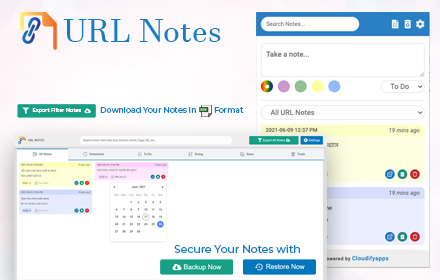
URL Notes: Best Tool to Take, Manage, and Export Notes While Browsing
Stay focused and organized with URL Notes! Effortlessly take, manage, and export notes directly from any webpage, even offline.
656
★ 4.3

Quick Chrome Notes
Use Quick Chrome Notes, an instant web scratchpad for Chrome. Capture thoughts fast. Everything auto saves locally automatically.
113
★ 5.0

Notic: Always on top Floating Notes
Browser integration for Notic — save pages, selections, images, and screenshots to your notes with reader mode
62
★ 1.0
Data sourced from the Chrome Web Store · last verified Jun 4, 2026.