Claude Arabic RTL Switcher
Switch RTL rendering for Arabic Claude responses.
As of June 2026, Claude Arabic RTL Switcher has 253 users and a 5.00/5 rating from 2 reviews in the Functionality & UI category.
Usersup 3514.3 percent+3514.3%
253
253
Ratingno change0%
5.00
2 reviews
Reviewsno change0%
2
Version
1.0.0
Manifest V3
History
11 snapshotsTracking since Apr 1, 2026.
View as table
| Date | Users | Rating | Reviews | Version |
|---|---|---|---|---|
| Apr 1, 2026 | 7 | — | — | 1.0.0 |
| Apr 17, 2026 | 7 | — | — | 1.0.0 |
| Apr 22, 2026 | 24 | — | — | 1.0.0 |
| Apr 27, 2026 | 47 | — | — | 1.0.0 |
| May 5, 2026 | 58 | — | — | 1.0.0 |
| May 10, 2026 | 74 | — | — | 1.0.0 |
| May 16, 2026 | 91 | — | — | 1.0.0 |
| May 22, 2026 | 120 | — | — | 1.0.0 |
| May 28, 2026 | 154 | — | — | 1.0.0 |
| Jun 4, 2026 | 173 | — | — | 1.0.0 |
| Jun 10, 2026 | 210 | 5.00 | 2 | 1.0.0 |
| Now | 253 | 5.00 | 2 | 1.0.0 |
Permissions & access
- Permissions
- storage
- Host access
- https://claude.ai/*
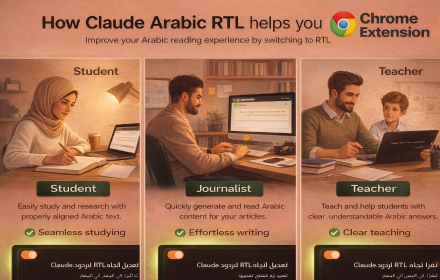
Screenshots

About
Claude Arabic RTL Switcher improves the reading experience for Arabic users by automatically adjusting text direction to Right-to-Left (RTL) in Claude responses.

Most AI tools support Arabic text, but they often display it in a left-to-right layout, making it harder to read and less natural. This extension solves that problem with a simple and lightweight solution.

✨ Features:
• Automatically detects Arabic content
• Switches response text to RTL instantly
• Works directly on claude.ai
• Clean and minimal interface
• No impact on Claude UI layout
• Toggle ON/OFF anytime

🎯 Why use it?
Arabic is not just a language — it has its own reading direction and structure. This extension ensures a better, more comfortable, and more native reading experience.

🔒 Privacy:
This extension does not collect, store, or share any user data. Everything runs locally in your browser.

🚀 Perfect for:
• Arabic speakers using Claude AI
• Developers working with Arabic content
• Anyone who wants a better Arabic UX

Make your AI experience truly Arabic-friendly.
Technical
- Version
- 1.0.0
- Manifest
- V3
- Size
- 315KiB
- Min Chrome
- 88
- Languages
- 1
- Featured
- No
Metadata
- ID
- maflbcmabkjalhnpjmamiajfdknldcdo
- Developer ID
- u3dc629722e4074ed9a66e3357bf4401c
- Developer Email
- [email protected]
- Created
- Mar 23, 2026
- Last Updated (Store)
- Mar 23, 2026
- Last Scraped
- Jun 10, 2026
- Website
- —
- Support URL
- —
- Privacy Policy
- —
Data sourced from the Chrome Web Store · last verified Jun 10, 2026.