
Light Theme for Google Chrome
The best light Chrome theme for your web browser. It's simple and coherent.
As of May 2026, Light Theme for Google Chrome has 50,000 users and a 4.06/5 rating from 522 reviews in the minimalist category.
Usersno change0%
50.0K
50,000
Ratingno change0%
4.06
522 reviews
Reviewsno change0%
522
Version
1.0.8
Manifest V3
History
2 snapshotsTracking since Apr 21, 2026.
View as table
| Date | Users | Rating | Reviews | Version |
|---|---|---|---|---|
| Apr 21, 2026 | 50.0K | 4.06 | 522 | 1.0.8 |
| May 6, 2026 | 50.0K | 4.06 | 522 | 1.0.8 |
| Now | 50.0K | 4.06 | 522 | 1.0.8 |
Permissions & access
- Permissions
- None declared
- Host access
- None declared
Screenshots
About
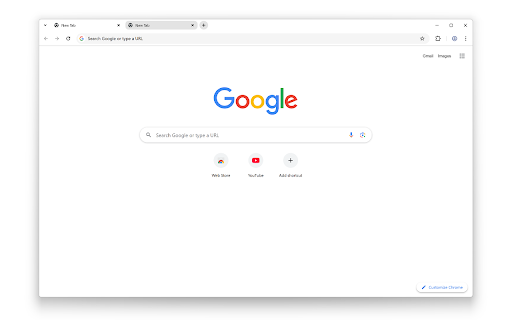
Experience a simple, bright, and minimalistic design with this clean white Chrome theme. It’s perfectly aligned with the Turn Off the Lights Browser Extension for a seamless browsing experience.

Enjoy a bright and minimalist white look across every corner of your Google Chrome browser. This theme features a clean, material design that’s easy on the eyes and simple to read. The color scheme complements blank web pages, providing a consistent and modern appearance.

Why Choose This Light Theme for Google Chrome?
+ Optimized for day-time browsing comfort
+ Clean and distraction-free interface
+ Lightweight, minimal design that enhances readability

To learn more, go to:
https://www.turnoffthelights.com/browser/

If you’d like to support our work, consider making a donation:
https://www.turnoffthelights.com/donate/

Download the simple, flat, and light theme now for your Google Chrome web browser and enjoy a more comfortable browsing experience!


Do not forget to like & Follow Us:
Facebook
https://www.facebook.com/turnoffthelight
X
https://x.com/TurnOfftheLight
Pinterest
https://www.pinterest.com/turnoffthelight
Instagram
https://www.instagram.com/turnoffthelights
YouTube
https://www.youtube.com/@turnoffthelights

How to remove/uninstall a Chrome theme in your Chrome web browser:
1. On your computer, open Chrome.
2. At the top right, click the 3-dot menu and then Settings.
3. Under "Appearance", click Reset to default to return to the classic Google Chrome theme again.


<<< Option feature >>>
Unlock an option feature to protect your eyes at night and focus on the video player, such as YouTube™, by installing Turn Off the Lights browser extension for YouTube and Beyond.
https://chromewebstore.google.com/detail/turn-off-the-lights/bfbmjmiodbnnpllbbbfblcplfjjepjdn
Technical
- Version
- 1.0.8
- Manifest
- V3
- Size
- 39.82KiB
- Min Chrome
- 88
- Languages
- 55
- Featured
- No
Metadata
- ID
- macolkedjdbklefnogmlebabkakpcacg
- Developer ID
- u1ccd3fbd86393e09892f3d6b4e5aacd4
- Developer Email
- [email protected]
- Created
- Feb 9, 2017
- Last Updated (Store)
- May 14, 2025
- Last Scraped
- May 17, 2026
- Support URL
- https://www.turnoffthelights.com/support
- Privacy Policy
- —
Similar extensions
Alternatives to Light Theme for Google Chrome, ranked by description similarity.

Xerobi Light Theme
Complete enhanced light Chrome theme with crisp whites and vibrant blue accents inspired by Xerobi.
12

Sleek Modern Light Theme
Enhance your browsing with our Light Theme. Enjoy a bright, minimalist design that reduces eye strain. Perfect for professionals.
107
★ 3.0

Chrome Original White Theme
Install the original chrome white theme. Ref: https://twitter.com/siwalikm/status/1108294953845682176
30.0K
★ 4.5

Midnight Breeze
A dark and refreshing theme inspired by the calm of the midnight sky with cool blue accents and subtle contrasts.
3.0K
★ 4.5

Homies Theme
Just ma theme bruh
900
★ 5.0

Zen (Light)
The simplest light theme for Chrome
4

Minimalistic Black Coding Theme
A coding custom theme for Chrome.
—
★ 5.0

Calm Curve
A clean and soft theme with gentle curves and blue tones, designed to create a peaceful browsing environment without distraction.
637
★ 4.8
Data sourced from the Chrome Web Store · last verified May 17, 2026.