
Test Cheater
Your secret notepad for studying. Jot notes and attach images instantly.
As of June 2026, Test Cheater has 132 users and a 3.00/5 rating from 2 reviews in the Productivity category.
Productivity★ Featured
Usersup 0.8 percent+0.8%
132
132
Ratingdown 40.0 percent−40.0%
3.00
2 reviews
Reviewsup 100.0 percent+100.0%
2
Version
4.2
Manifest V3
90-day change · In the last 90 days this extension 1 version update, changed permissions.
History
9 snapshotsTracking since Apr 18, 2026.
View as table
| Date | Users | Rating | Reviews | Version |
|---|---|---|---|---|
| Apr 18, 2026 | 131 | 5.00 | 1 | 4.1 |
| Apr 28, 2026 | 120 | 5.00 | 1 | 4.1 |
| May 7, 2026 | 127 | 5.00 | 1 | 4.1 |
| May 19, 2026 | 142 | 5.00 | 1 | 4.1 |
| May 24, 2026 | 145 | 3.00 | 2 | 4.2 |
| May 29, 2026 | 149 | 3.00 | 2 | 4.2 |
| Jun 3, 2026 | 144 | 3.00 | 2 | 4.2 |
| Jun 7, 2026 | 134 | 3.00 | 2 | 4.2 |
| Jun 12, 2026 | 130 | 3.00 | 2 | 4.2 |
| Now | 132 | 3.00 | 2 | 4.2 |
Changelog
- May 19, 2026short_description
A private, discreet note-taking tool with attachments, dark mode, and context menu access.
Your secret notepad for studying. Jot notes and attach images instantly.
- May 19, 2026category
productivity/education
productivity/tools
- May 19, 2026permissions
storage, contextMenus
storage
Permissions & access
- Permissions
- storage
- Host access
- None declared
Screenshots


About
TestCheater: Your Secret Weapon for Exams

Tired of struggling to remember everything during tests? TestCheater is the ultimate solution for students who want an edge. This discreet Chrome extension allows you to create and access your notes and screenshots with just a click, ensuring you have all the information you need right at your fingertips.

Key Features:

Quick Access: Open your cheat sheet with a simple keyboard shortcut or browser action.
Note Taking: Jot down important information and formulas before your exam.
Screenshot Support: Attach relevant screenshots to your notes for visual reference.
Customizable Layout: Organize your notes and screenshots in a way that suits your study style.
Discreet Design: The popup is minimal and unobtrusive, helping you stay focused during exams.
How to Use:

Install the TestCheater extension from the Chrome Web Store.
Create your cheat sheet by adding text notes and screenshots.
During your exam, activate the extension with a shortcut and refer to your notes discreetly.
TestCheater is perfect for students who want to maximize their performance without the stress of forgetting crucial information. Give it a try and ace your next test!

This description highlights the key features and benefits of your extension, making it appealing to students who might be looking for a cheating tool.
Technical
- Version
- 4.2
- Manifest
- V3
- Size
- 326KiB
- Min Chrome
- 88
- Languages
- 1
- Featured
- Yes
Metadata
- ID
- lpgkfpikcjdlhfahjapfpjppijcamgbo
- Developer ID
- uba37fff8537178aca3c6d3f2d6f71de7
- Developer Email
- [email protected]
- Created
- Aug 27, 2025
- Last Updated (Store)
- May 15, 2026
- Last Scraped
- Jun 12, 2026
- Website
- —
- Support URL
- —
Similar extensions
Alternatives to Test Cheater, ranked by description similarity.

Exam Topics Helper
Add an 'Ask ChatGPT' button to exam questions on Exam Topics.
44
★ 5.0
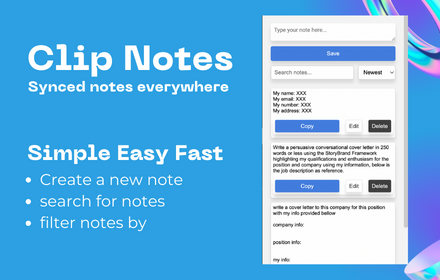
Clip Note
a quick simple in browser productivity notepad, for saving time with repetitive tasks.
129

Chrome Notepad
A simple notepad extension to save notes.
29

Network Pentesting Toolkit - VAPT
Cybersecurity extension for VAPT, pentesting, and security testing. Includes port exploits, cheatsheets & tools.
189

VU QUIZ SOLVER
This extension helps students improve their study experience Product By TB LADLA.
41
★ 4.0

Easy Note Taker
Save pages as notes and categorize them
15
★ 5.0

Student Helper
Notepad + Checklist for students by CJ FutureWorks.
3

Canvas Hack
Cheat on quizzes easily, and maintain a low-profile on all Canvas tests.
5.0K
★ 4.0
Data sourced from the Chrome Web Store · last verified Jun 12, 2026.