
Quick Paste Templates
Save, organize, and paste reusable text templates with one click
As of June 2026, Quick Paste Templates has 99 users and a 5.00/5 rating from 1 reviews in the Workflow & Planning category.
Usersup 39.4 percent+39.4%
99
99
Ratingno change0%
5.00
1 reviews
Reviewsno change0%
1
Version
1.0.0
Manifest V3
History
5 snapshotsTracking since Apr 18, 2026.
View as table
| Date | Users | Rating | Reviews | Version |
|---|---|---|---|---|
| Apr 18, 2026 | 71 | 5.00 | 1 | 1.0.0 |
| May 3, 2026 | 83 | 5.00 | 1 | 1.0.0 |
| May 12, 2026 | 85 | 5.00 | 1 | 1.0.0 |
| May 24, 2026 | 81 | 5.00 | 1 | 1.0.0 |
| Jun 6, 2026 | 92 | 5.00 | 1 | 1.0.0 |
| Now | 99 | 5.00 | 1 | 1.0.0 |
Permissions & access
- Permissions
- storage
- Host access
- None declared
Screenshots


About
📋 Quick Paste Templates - Your Personal Text Library! ✨

Tired of typing the same emails, captions, and notes over and over? Say goodbye to repetitive typing! 🎉

Quick Paste Templates is your ultimate productivity companion that helps you save, organize, and paste your most-used text with just one click! 🚀

🌟 Why You'll Love It:

⚡ Lightning Fast
Copy any template to your clipboard instantly - no more searching through old emails or documents!

🎨 Beautiful & Modern
Enjoy a sleek, minimal interface with vibrant folder colors and smooth animations. Works perfectly in both light and dark modes! 🌙

📁 Stay Organized
Create custom folders (Emails 📧, Social Media 📱, Work Notes 📝) and color-code them for easy navigation!

🎯 One-Click Copy
Just click any template and boom - it's copied to your clipboard! Ready to paste anywhere! ✅

🔍 Smart Search
Find exactly what you need in seconds with real-time search across all your templates!

🎨 Color Your World
Choose from 8 beautiful colors for each folder - Blue 💙, Purple 💜, Pink 💗, Green 💚, Orange 🧡, Red ❤️, Teal 💚, and Indigo 💙!

💪 Perfect For:
- Customer Support - Save common responses and troubleshooting steps
- Sales Teams - Quick access to pitch templates and follow-up emails
- Social Media Managers - Store hashtags, captions, and content templates
- Developers - Keep code snippets, terminal commands, and documentation
- Writers - Organize story outlines, character descriptions, and research notes
- Students - Save essay structures, study notes, and references
- Anyone - Who types the same thing more than once! 😄

🎁 Amazing Features:
✅ Unlimited Templates - Create as many as you need!
✅ Unlimited Folders - Organize however you like!
✅ Edit Anytime - Modify templates and folders on the fly
✅ Export & Import - Backup your data as JSON files
✅ 100% Private - All data stays on YOUR device, forever! 🔒
✅ No Account Needed - Just install and start creating!
✅ Completely Free - No hidden costs, no subscriptions! 🎉
✅ Dark Mode - Easy on the eyes, day or night! 🌓
✅ Offline Ready - Works without internet connection!

🚀 How to Get Started:

- Install the extension 📥
- Click the icon in your toolbar 🖱️
- Explore the pre-loaded examples 👀
- Create your first template ➕
- Copy & Paste away! 📋✨


🎨 Pre-Loaded Examples Include:

- Professional email templates (Follow-ups, Job applications)
- Social media hashtags and captions
- Meeting agendas and reminders
And more! (You can delete these and add your own anytime!)

🔐 Privacy First:
Your data is stored locally using Chrome's secure storage API. We NEVER collect, transmit, or see your templates. What's yours stays yours! 🛡️

💝 Support & Updates:
We're constantly improving Quick Paste Templates! Got feedback or feature requests? We'd love to hear from you!

Download now and never type the same thing twice! 🎊
Technical
- Version
- 1.0.0
- Manifest
- V3
- Size
- 120KiB
- Min Chrome
- 88
- Languages
- 1
- Featured
- No
Metadata
- ID
- lobfloliidldlpmkhfgmaemmfoofhhpo
- Developer ID
- u2f8abd9501e837421011394934998f9b
- Developer Email
- [email protected]
- Created
- Oct 18, 2025
- Last Updated (Store)
- Oct 18, 2025
- Last Scraped
- Jun 6, 2026
- Website
- —
- Support URL
- —
- Privacy Policy
- —
Similar extensions
Alternatives to Quick Paste Templates, ranked by description similarity.
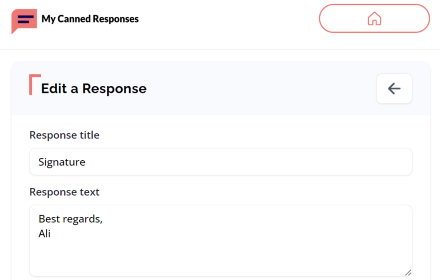
My Canned Responses
Create and manage your canned response templates easily on Gmail, Github, Stackoverflow, Outlook, UpWork and more.
796
★ 5.0

SnipDeck
SnipDeck: Save text snippets, prompts, code, and symbols. Organize them into decks and copy with one click.
55
★ 5.0
Instant ClipBoard
A powerful clipboard manager with a floating button that works on any tab
3
★ 5.0

Templateasy
Create, modify, and use tailor-made templates efficiently, saving time when replying to emails.
5

Text Snippet Manager
Save and manage your favorite text snippets locally. Copy with one click. Organize with custom categories.
77
★ 4.7

Pure Copy
Smart clipboard manager: Save text snippets, copy without formatting, track history. Perfect for productivity.
21

Prompt Locker Pro
Manage, organize, and quickly insert prompts.
10
★ 5.0

Smart Clipboard Manager
A smart clipboard manager that helps you organize and access your clipboard history.
94
★ 5.0
Data sourced from the Chrome Web Store · last verified Jun 6, 2026.