Brackets on rollApp
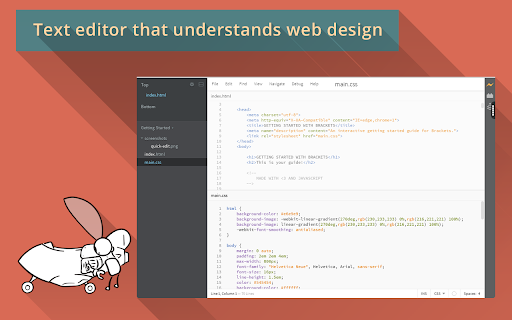
Brackets is a lightweight, yet powerful text editor for web developers.
As of May 2026, Brackets on rollApp has 6,000 users and a 3.08/5 rating from 40 reviews in the Developer Tools category.
Usersno change0%
6.0K
6,000
Ratingno change0%
3.08
40 reviews
Reviewsno change0%
40
Version
1.0
Manifest V2
History
1 snapshotsTracking since Apr 24, 2026.
View as table
| Date | Users | Rating | Reviews | Version |
|---|---|---|---|---|
| Apr 24, 2026 | 6.0K | 3.08 | 40 | 1.0 |
| Now | 6.0K | 3.08 | 40 | 1.0 |
Permissions & access
- Permissions
- None declared
- Host access
- None declared
Screenshots
About
Brackets is just one of more than 230 applications available in the cloud on rollApp. Check out the full list at https://www.rollapp.com/apps.

PLEASE NOTE:
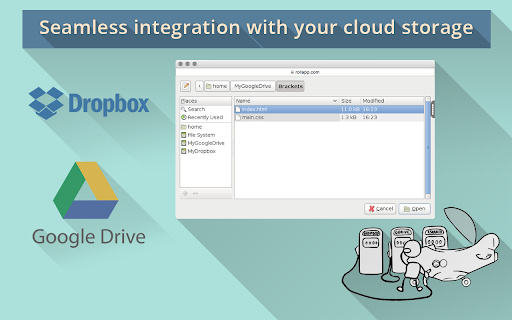
- Working with files requires creating account with rollApp and connecting cloud storage (Google Drive, Dropbox, OneDrive or Box)
- Free rollApp account allows to access your files in read-only mode. Please, subscribe for rollApp Premium to be able to save files

Key features of Brackets:

Inline Editors
Instead of jumping between file tabs, Brackets lets you open a window into the code you care about most. Want to work on the CSS that applies to a specific ID? Put your mouse cursor on that ID, push Command / Ctrl+E and Brackets will show you all the CSS selectors with that ID in an inline window so you can work on your code side-by-side without any popups.

Live Preview
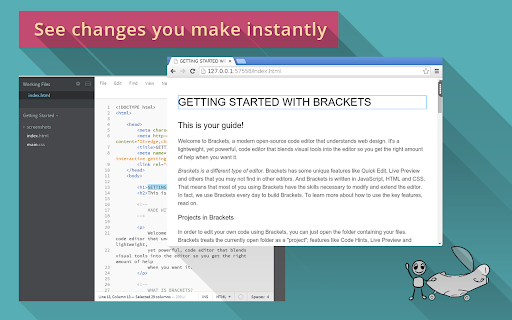
Get a real-time connection to your browser. Make changes to CSS and HTML and you'll instantly see those changes on screen. Also see where your CSS selector is being applied in the browser by simply putting your cursor on it. It's the power of a code editor with the convenience of in-browser dev tools.

Preprocessor Support
Work with preprocessors in a whole new way. We know how important preprocessors are to your workflow. That’s why we want to make Brackets the best code editor for preprocessors out there. With Brackets you can use Quick Edit and Live Highlight with your LESS and SCSS files which will make working with them easier than ever.
Technical
- Version
- 1.0
- Manifest
- V2
- Size
- 8.71KiB
- Min Chrome
- —
- Languages
- 1
- Featured
- No
Metadata
- ID
- loaliagmjmjbnoofnckpbbnjcoooodgk
- Developer ID
- u05deb6b5b8dc287b4976ab7d8e3af2c3
- Developer Email
- —
- Created
- Dec 10, 2014
- Last Updated (Store)
- Mar 28, 2018
- Last Scraped
- May 20, 2026
- Website
- https://www.rollapp.com/
- Support URL
- https://getsatisfaction.com/rollapp
- Privacy Policy
- —
Similar extensions
Alternatives to Brackets on rollApp, ranked by description similarity.

Notepad++ on rollApp
Powerfull text editor for developers. Powered by rollApp.
10.0K
★ 2.0

jEdit on rollApp
jEdit is a powerful text editor for programmers. jEdit has lots of useful features that make your work more productive.
217
★ 2.3

HTML & CSS Code Viewer
Editeur de code HTML et CSS avec prévisualisation et panneau latéral. Importez, modifiez et visualisez facilement votre code.
241

CodePrettify: JS, JSON, CSS & RSS Formatter
Format, preview, and highlight JS, TS, JSON, JSONL, YAML, Markdown, CSS, and XML/RSS. Themes, tools, and line numbers.
173
★ 5.0
Emacs on rollApp
Online version of popular text editor for developers. Integrated with cloud storage. Perfect for Chromebooks and tablets.
190
★ 3.7

CSS Pro Editor & Debugger
Visual CSS styling and debugging tool for developers.
158
★ 4.6

Keypress Editor
An code editor for Chrome.
1.0K
★ 3.9

Code Preview Extension
Preview HTML, CSS & JS code in real-time
315
★ 4.7
Data sourced from the Chrome Web Store · last verified May 20, 2026.