Screenshot YouTube Video
Quickly extract video frames from YouTube and OK.ru and save to JPG images with just one click.
As of June 2026, Screenshot YouTube Video has 60,000 users and a 4.77/5 rating from 1,108 reviews in the Social & Communication category.
Usersno change0%
60.0K
60,000
Ratingno change0%
4.77
1.1K reviews
Reviewsup 4.8 percent+4.8%
1.1K
Version
0.7.69.0
Manifest V3
History
11 snapshotsTracking since Apr 1, 2026.
View as table
| Date | Users | Rating | Reviews | Version |
|---|---|---|---|---|
| Apr 1, 2026 | 60.0K | 4.77 | 1.1K | 0.7.69.0 |
| Apr 5, 2026 | 60.0K | 4.77 | 1.1K | 0.7.69.0 |
| Apr 16, 2026 | 60.0K | 4.77 | 1.1K | 0.7.69.0 |
| Apr 22, 2026 | 60.0K | 4.77 | 1.1K | 0.7.69.0 |
| Apr 26, 2026 | 60.0K | 4.77 | 1.1K | 0.7.69.0 |
| May 2, 2026 | 60.0K | 4.77 | 1.1K | 0.7.69.0 |
| May 7, 2026 | 60.0K | 4.77 | 1.1K | 0.7.69.0 |
| May 11, 2026 | 60.0K | 4.77 | 1.1K | 0.7.69.0 |
| May 14, 2026 | 60.0K | 4.77 | 1.1K | 0.7.69.0 |
| May 23, 2026 | 60.0K | 4.77 | 1.1K | 0.7.69.0 |
| Jun 2, 2026 | 60.0K | 4.77 | 1.1K | 0.7.69.0 |
| Now | 60.0K | 4.77 | 1.1K | 0.7.69.0 |
Permissions & access
- Permissions
- storageunlimitedStorage
- Host access
- http://*/*, https://*/*
Screenshots


About
Screenshot YouTube Video is a compact and user-friendly extension that allows you to take a screenshot of YouTube and OK.ru videos and save the frame to your PC without using third-party programs and without cropping the video player frames. Ready-to-use frame from a movie or clip in maximum quality with just one click of the cursor.

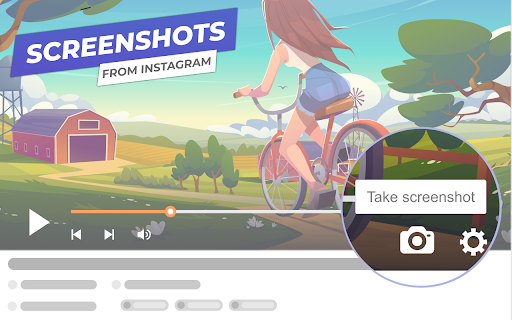
It is easy to find the Video Screenshot Button — that's the camera image in the lower part of the player.

Features of the browser extension:
— The button is well-integrated into the design of the YouTube and OK.ru video players;
— Screen capture in JPEG format and without the frames of the video player;
— Downloaded frames have readable (human-friendly) names;
— "Embedded" video frame loading support, i.e. YouTube and OK.ru videos hosted on third-party sites;
Technical
- Version
- 0.7.69.0
- Manifest
- V3
- Size
- 352KiB
- Min Chrome
- 88
- Languages
- 27
- Featured
- Yes
Metadata
- ID
- lnaahdmijnjnmgaalacdgakieangpjgp
- Developer ID
- uc33d6e8cf1faedce4ee4b6b925015d4a
- Developer Email
- [email protected]
- Created
- Jul 5, 2022
- Last Updated (Store)
- Feb 11, 2026
- Last Scraped
- Jun 2, 2026
- Website
- —
- Support URL
- —
- Privacy Policy
- https://uniloader.pro/en/privacy-screenshoter
Similar extensions
Alternatives to Screenshot YouTube Video, ranked by description similarity.

ClipSave Video Downloader
ClipSave lets you effortlessly download videos in just a few clicks, ensuring high-quality media at your fingertips
10.0K
★ 4.0

FrameGrab
Tools for Video Frame Capture
882
★ 4.3

Desktop Screen Recorder
Record the computer's screen, entire application or a single browser tab with audio support
10.0K
★ 3.8

Twitter Video Downloader: Save Videos, Images & GIFs
Download Twitter/X videos and GIFs directly to your device with a single click. Fast, free, and works on all devices.
92
★ 3.5

Player Lookalike Image Creator for YouTube™
Creates an image from a Youtube™ video thumbnail with a "Youtube™ player" overlaid.
13

Youtube plus (floating player, screenshot, cinema mode)
Enhanced Youtube experience! Picture in picture (floating player), screenshots, improved volume management and cinema mode!
460
★ 5.0

YouTube Thumbnail Preview
Replaces a thumbnail on the YouTube homepage with a local image.
941
★ 5.0

YouTube Mini Player (PiP)
Play YouTube video in Picture-in-Picture mode.
343
★ 5.0
Data sourced from the Chrome Web Store · last verified Jun 2, 2026.