
Gmail Opener
A simple Chrome extension to open Gmail directly.
As of June 2026, Gmail Opener has 110 users and a 5.00/5 rating from 1 reviews in the Accessibility category.
Usersdown 6.8 percent−6.8%
110
110
Ratingno change0%
5.00
1 reviews
Reviewsno change0%
1
Version
2.0.1
Manifest V3
90-day change · In the last 90 days this extension 1 version update, changed permissions.
History
5 snapshotsTracking since Apr 1, 2026.
View as table
| Date | Users | Rating | Reviews | Version |
|---|---|---|---|---|
| Apr 1, 2026 | 118 | 5.00 | 1 | 1.0.1 |
| Apr 30, 2026 | 112 | 5.00 | 1 | 1.0.1 |
| May 29, 2026 | 135 | 5.00 | 1 | 1.0.1 |
| Jun 4, 2026 | 106 | 5.00 | 1 | 2.0.1 |
| Jun 11, 2026 | 101 | 5.00 | 1 | 2.0.1 |
| Now | 110 | 5.00 | 1 | 2.0.1 |
Changelog
- May 29, 2026description
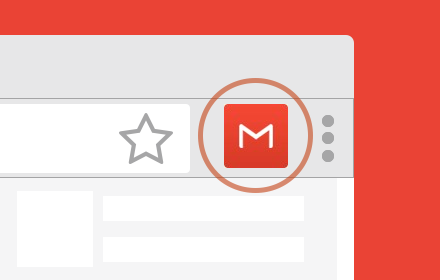
Opens Gmail in a new tab. This allows you to pin a quick access link to Gmail to the right of your Omnibox.
Gmail Opener helps you get to the right Gmail account faster. On first use, the extension can discover your signed-in Google accounts and build a simple account selector. After that, you can choose whether clicking the extension icon opens a quick picker popup or jumps straight into your default Gmail inbox.

Use picker mode when you want to switch accounts on the fly. Use default mode when you want a one-click path straight to the mailbox you use most. You can also update your settings anytime from the extension’s Options page in Chrome’s Manage Extensions screen.

Key features

Quick Gmail access from the extension button
First-run account discovery for signed-in Google accounts
Picker mode for choosing an account each time
Default mode for opening your preferred mailbox directly
Options page for changing settings later
- May 29, 2026host_permissions
(empty)
https://accounts.google.com/*, https://mail.google.com/*
- May 29, 2026permissions
activeTab
storage
Permissions & access
- Permissions
- storage
- Host access
- https://accounts.google.com/*, https://mail.google.com/*
Screenshots

About
Gmail Opener helps you get to the right Gmail account faster. On first use, the extension can discover your signed-in Google accounts and build a simple account selector. After that, you can choose whether clicking the extension icon opens a quick picker popup or jumps straight into your default Gmail inbox.

Use picker mode when you want to switch accounts on the fly. Use default mode when you want a one-click path straight to the mailbox you use most. You can also update your settings anytime from the extension’s Options page in Chrome’s Manage Extensions screen.

Key features

Quick Gmail access from the extension button
First-run account discovery for signed-in Google accounts
Picker mode for choosing an account each time
Default mode for opening your preferred mailbox directly
Options page for changing settings later
Technical
- Version
- 2.0.1
- Manifest
- V3
- Size
- 44.6KiB
- Min Chrome
- 88
- Languages
- 1
- Featured
- No
Metadata
- ID
- lmjddamlkhjbmehihmohmlbhmgeblmkj
- Developer ID
- u8c59992c4a2e47d537d6e3a7e8a230eb
- Developer Email
- [email protected]
- Created
- Jan 4, 2024
- Last Updated (Store)
- May 13, 2026
- Last Scraped
- Jun 11, 2026
- Website
- —
- Privacy Policy
- —
Similar extensions
Alternatives to Gmail Opener, ranked by description similarity.

Tab to the Right
This extension adds a shortcut to open a new tab to the right side of current active one.
16
★ 4.0

New Tab
New tab just to the right
1

Open in a Pop-Up
Opens a URL in a small window on any webpage
3

In New Tab
Always open in new tab, no exceptions.
16

Activate New Tab
Activate new tab and move it to beside of opener tab.
7.0K
★ 4.0
Entrar for Gmail™
Entrar for Gmail™, a gmail entrar extension, is a shortcut to open gmail and login gmail.
4.0K
★ 4.9

Gmailer Extension
Navigate all your Gmails the smart way.
2

Smallify
This extension enables you to open current tab in a small popup window.
1.0K
★ 5.0
Data sourced from the Chrome Web Store · last verified Jun 11, 2026.