
Teemo Ai Auto Apply
Teemo AI helps job seekers fill out repetitive applications faster using smart automation. Works on popular job platforms
As of June 2026, Teemo Ai Auto Apply has 2,000 users and a 4.00/5 rating from 82 reviews in the Productivity category.
Usersno change0%
2.0K
2,000
Ratingno change0%
4.00
82 reviews
Reviewsno change0%
82
Version
9.06
Manifest V3
History
3 snapshotsTracking since Apr 18, 2026.
View as table
| Date | Users | Rating | Reviews | Version |
|---|---|---|---|---|
| Apr 18, 2026 | 2.0K | 4.00 | 82 | 9.06 |
| Apr 28, 2026 | 2.0K | 4.00 | 82 | 9.06 |
| May 8, 2026 | 2.0K | 4.01 | 83 | 9.06 |
| Now | 2.0K | 4.00 | 82 | 9.06 |
Permissions & access
- Permissions
- storagetabsdeclarativeNetRequest
- Host access
- https://smartapply.indeed.com/*, https://www.monster.com/*, *://*.google.com/recaptcha/*, *://*.recaptcha.net/recaptcha/*
Screenshots
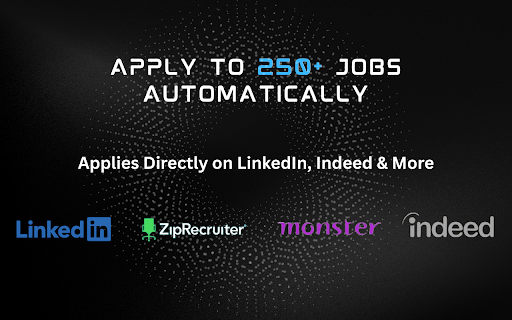


About
Teemo AI: Auto-Apply for Jobs, Effortlessly

Apply to 200+ jobs daily with zero effort — let AI do the work for you.
Teemo AI Auto Apply is a powerful Chrome extension that automates your job search on LinkedIn using the Easy Apply feature. It fills out applications seamlessly and saves every question asked along the way.

Whether you're aiming for your dream job or just increasing your chances, Teemo AI works tirelessly in the background to get you noticed.

---

Why Choose Teemo AI?

- Fully Automated – Teemo AI applies to jobs for you with human-like behavior and smart delays
- Save Time – Spend less time applying and more time preparing for interviews
- AI-Powered Answers – Train Teemo AI with your profile to auto-fill questions accurately
- Privacy First – Teemo AI never saves or shares your personal data
- No Hidden Fees – Transparent, simple pricing and setup

---

How to Get Started

1. Install the extension and click “Add to Chrome”
2. Sign in at portal.teemo.ai and complete your profile , make sure to fill every field out.
3. Log into LinkedIn and open the job search page
4. Set your job filters and click “Run”
5. Teemo AI will start applying for jobs on your behalf
6. Use saved questions to customize future answers

---

Key Features

- Smart Autofill – Forms completed using your personal data
- Question Tracker – See trends in job application questions
- Custom Responses – Refine your answers over time
- 100% Privacy – Your information stays with you

---

Learn More

Need help? Visit: https://www.teemo.ai/help
Questions or feedback? Email: [email protected] (response within 24 hours)

---

Join the AI Job Search Revolution

Don’t waste hours filling out the same forms. Whether you're in engineering, sales, nursing, or accounting, Teemo AI helps you apply smarter — and faster.

Install now and let AI supercharge your job search.
Teemo AI – Your Job Search, Simplified.


---

Teemo AI is perfect for:
- Recent graduates applying to hundreds of entry-level jobs
- Tech professionals targeting remote engineering roles
- Nurses, teachers, and sales reps applying across platforms
- Job seekers tired of uploading the same resume over and over

If you’re tired of filling out repetitive job applications, Teemo AI will change how you job hunt forever.

---

Compatibility:
- Works on LinkedIn, Indeed, Glassdoor, and more
- Chrome extension runs in the background while you browse
- Secure, lightweight, and frequently updated

No setup headaches, no scripts, no code required.
Just click and apply — Teemo AI handles the rest.
Technical
- Version
- 9.06
- Manifest
- V3
- Size
- 14.15MiB
- Min Chrome
- 88
- Languages
- 1
- Featured
- Yes
Metadata
- ID
- lljlidmjadaibchdnjlchinbdemkonlm
- Developer ID
- uc9dcd3b5c5f4dc9f5e0ae179b5b478e6
- Developer Email
- [email protected]
- Created
- Feb 21, 2024
- Last Updated (Store)
- Dec 10, 2025
- Last Scraped
- Jun 3, 2026
- Website
- teemo.ai
- Support URL
- https://teemo.ai/help
- Privacy Policy
- https://www.teemo.ai/privacy-policy
Similar extensions
Alternatives to Teemo Ai Auto Apply, ranked by description similarity.

TalentApply AI - Job Assistant Tool
TalentApply AI simplifies job applications, tracks progress, and provides real-time job alerts for a seamless job search experience.
137
★ 5.0

Link Letter Pro
AI-Powered Job Search Automation for LinkedIn
In the modern job market, efficiency and personalization are key. With the rise of…
5

LinkedIn AI Auto Apply
🚀 Get 3x More Job Interviews! AI-powered LinkedIn auto-apply extension that fills job applications instantly.
164
★ 5.0

AI Agent For Jobs
Use this extension to auto-apply for jobs in Linkedin. Select a job, click the icon, and let it apply to you.
14

JobsEngine: AI Job Concierge
JobsEngine - AI Job Application Engine
1.0K
★ 5.0

Easy Apply Automater
Automate the easy apply process on LinkedIn job listings.
244
★ 1.0

LinkedIn Jobs AI Auto Apply
Automate & autofill job applications with AI
20
★ 5.0

Job Application Automator
Automate job applications on platforms like LinkedIn and Dice.
12
Data sourced from the Chrome Web Store · last verified Jun 3, 2026.