
IShort - Instagram Reels Analytics: Sort Views, Best Posting Times
Analyze Instagram Reels performance. Sort by views, likes, engagement. Find best posting times. Export data to CSV.
As of June 2026, IShort - Instagram Reels Analytics: Sort Views, Best Posting Times has 339 users and a 4.67/5 rating from 3 reviews in the Communication category.
Usersup 358.1 percent+358.1%
339
339
Ratingup 3.8 percent+3.8%
4.67
3 reviews
Reviewsup 50.0 percent+50.0%
3
Version
2.1.2
Manifest V3
History
10 snapshotsTracking since Apr 3, 2026.
View as table
| Date | Users | Rating | Reviews | Version |
|---|---|---|---|---|
| Apr 3, 2026 | 74 | 4.50 | 2 | 2.1.2 |
| Apr 17, 2026 | 85 | 4.50 | 2 | 2.1.2 |
| Apr 24, 2026 | 127 | 4.67 | 3 | 2.1.2 |
| May 2, 2026 | 169 | 4.67 | 3 | 2.1.2 |
| May 8, 2026 | 183 | 4.67 | 3 | 2.1.2 |
| May 13, 2026 | 218 | 4.67 | 3 | 2.1.2 |
| May 19, 2026 | 237 | 4.67 | 3 | 2.1.2 |
| May 25, 2026 | 283 | 4.67 | 3 | 2.1.2 |
| Jun 1, 2026 | 311 | 4.67 | 3 | 2.1.2 |
| Jun 7, 2026 | 324 | 4.67 | 3 | 2.1.2 |
| Now | 339 | 4.67 | 3 | 2.1.2 |
Permissions & access
- Permissions
- storageidentitytabs
- Host access
- https://www.instagram.com/*, https://instagram.com/*, https://*.cdninstagram.com/*, https://*.fbcdn.net/*, https://*.firebaseio.com/*, https://*.googleapis.com/*, https://*.cloudfunctions.net/*, https://checkout.razorpay.com/*, https://api.razorpay.com/*
Screenshots


About
Analyze any Instagram account's Reels performance directly from your browser. Sort posts by views, likes, comments, or date. Discover best posting times, track engagement trends, and export data to CSV or clipboard.

HOW IT WORKS

1. Install the extension and sign in with Google
2. Visit any Instagram profile's Reels page (instagram.com/username/reels/)
3. Click "Scroll" to automatically scroll the Instagram page and collect all visible posts, or browse manually
4. Open the extension popup to view sorted data and analytics
5. Export to CSV or copy to clipboard for spreadsheets

DATA TAB

View all collected posts sorted by:
- Views (highest to lowest)
- Likes
- Comments
- Date (newest first)

Each post card shows:
- Thumbnail preview
- Caption text
- View count, likes, comments
- Duration and post date
- Engagement rate percentage
- Performance score (how it compares to account average)

Filter between Reels and image posts with one click.

ANALYTICS DASHBOARD

Slide 1: Performance Overview
- Account performance score (0-100) with weekly trend
- Total views, likes, and average engagement rate
- Engagement trend chart over time

Slide 2: Views vs Engagement Scatter Plot
- Visualize which posts get high views AND high engagement
- Identify outliers and patterns in your content

Slide 3: Best Posting Times Heatmap
- See which hours and days generate the most views
- Color-coded grid shows optimal posting windows

Slide 4: Hashtag Performance
- Top hashtags ranked by average views
- Usage count for each hashtag
- Find which tags drive the most reach

Slide 5: Best & Worst Performers
- Your top-performing post with stats
- Your lowest-performing post for comparison
- Learn what works and what doesn't

Slide 6: Duration & Audio Insights (paid plans)
- Performance breakdown: short (<30s), medium (30-60s), long (60s+)
- Original audio vs licensed music comparison

Slide 7: Quick Tips (paid plans)
- Personalized recommendations based on your actual data
- Posting time, duration, and content format suggestions

EXPORT OPTIONS

CSV Download:
- URL, caption, views, likes, comments
- Duration, engagement rate, post date
- Hashtags, music info, media type

Clipboard Copy:
- Tab-separated format for Google Sheets and Excel
- Paste directly into spreadsheets

PRICING

Free Plan
- 100 posts per month
- Sort by views, likes, comments, date
- View all post data with thumbnails
- No credit card required

Hobby Plan - $10/month
- 10,000 posts per month
- Full analytics dashboard (5 slides)
- CSV download and clipboard export

Creator Plan - $29/month
- Unlimited posts
- All 7 analytics slides
- Duration and audio insights
- Personalized tips

PRIVACY

- All data processing happens locally in your browser
- No Instagram credentials required
- Data stored in Chrome's local storage
- No data uploaded to external servers
- Delete your data anytime from the extension

REQUIREMENTS

- Google Chrome browser (version 88+)
- Desktop only (not available on mobile)
- Instagram web (instagram.com)

SUPPORT

Questions or feedback? Contact us through the Chrome Web Store support tab or leave a review.
Technical
- Version
- 2.1.2
- Manifest
- V3
- Size
- 281KiB
- Min Chrome
- 88
- Languages
- 1
- Featured
- No
Metadata
- ID
- ljjhbiolkeopnaglmnepmlboldpohohl
- Developer ID
- u8d7f76916f7e4c598b528688850aaccb
- Developer Email
- [email protected]
- Created
- Jan 27, 2026
- Last Updated (Store)
- Mar 17, 2026
- Last Scraped
- Jun 7, 2026
- Website
- ishort.pro
- Support URL
- https://ishort.pro/llms.txt
- Privacy Policy
- https://ishort-pp.web.app/privacy-policy.html
Similar extensions
Alternatives to IShort - Instagram Reels Analytics: Sort Views, Best Posting Times, ranked by description similarity.

InstaFollowr
Track your Instagram unfollowers, new followers, and non-follow-backs.
35
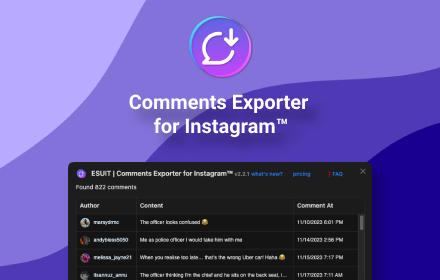
ESUIT | Comments Exporter for Instagram™
Effortless Instagram comment extractor extension, with nested replies export feature for user convenience.
2.0K
★ 4.6

Youtube Analyzer: Instant Video & Comment Summary with ChatGPT
Youtube analyzer helps you to analyze the youtube videos and comments
603
★ 5.0

Upload to Instagram. StoryTeller
Tool to upload Instagram Stories from desktop. Your Stories with no limits.
4.0K
★ 4.4

Social Gems IQ
Instantly analyze any Instagram profile — engagement rate, video views, post frequency, and more.
28

Reddit Suite - Lead Finder & Filter
Find leads on Reddit with powerful filters. Filter posts by keywords, upvotes, comments, and more. Save and export leads.
4

Untapper Influencer Marketing
Instagram, TikTok, and X (Twitter) analytics dashboard for influencer marketing professionals.
74
★ 5.0

Recs Extension
Save anything from anywhere as Rec, share what you love, follow great taste, and discover Recs from people you trust.
16
★ 5.0
Data sourced from the Chrome Web Store · last verified Jun 7, 2026.